Troubleshooting
Find the symptom first, check the likely cause, then use the fix. This expanded guide is a draft for the planned v0.15.0-rc.1. Some cases describe safeguards or bugs fixed in current source, not a diagnosis of your installation.
Before retrying a change, check whether it already succeeded. Keep unsaved work, the last verified backup and any recovery hold. Never post raw logs, enrollment codes, recovery kits, tokens, expanded configuration or private addresses. The deployment path explains a small-team starting setup.
Error messages explain what failed and the next step, such as reopening Machine settings, checking a machine in Host → Machines, or asking an owner. A failed refresh can keep the last received data visible; its warning does not mean that data is current. On Providers, Couldn't check again keeps the last known status while you retry. For a service failure, open Details only if you need more information, and remove private information before sharing it.
Browser and everyday controls
| Symptom | Likely cause | What to check | Fix |
|---|---|---|---|
| Sessions unavailable in the top bar or phone banner | The broker, which runs sessions in tmux, is unreachable | Machine connection and affected account's socket/service; a brief startup gap can be normal | Use Restart the broker if needed. Do not stop its tmux sessions |
| Offline, retrying, or phone Offline banner | Browser cannot reach Rynhult | Network/VPN and server connection | Restore the connection. Last data stays visible and mutation buttons remain disabled until Rynhult answers |
| Rynhult was updated, reload to continue | A page/tool download failed twice | Connection and unsaved work | Save/copy drafts, select Reload, then confirm Reload Rynhult?. There is no automatic reload |
| Launch stays disabled | Required form input is missing | Explanation beside Launch | Complete the named field |
| "workspace not trusted" | Project folder has not been trusted | Intended project and folder | Select Trust and launch or project Trust only for that intended folder |
| Recovery needed | Three resume attempts failed | Session Activity and its terminal/error | Correct the cause, then Resume; repeated resume alone is not a repair |
| Terminal Read-only | Another window has control | Which browser/window should type | Select Take control if appropriate |
| Provider Logged out | Login expired or was replaced | Named Machine and Agent account | On Providers, Re-login, verify both names, then Start re-login (guidance) |
| Unknown since …, without old Thinking | Working hook has been silent ten minutes | Session terminal and actual agent activity | Inspect it; a fresh hook restores status. Unknown neither stops nor resumes it (details) |
| Machine did not respond to Update | Older node may lack self-update support | Machine type and Host's recovery message | Use its copyable recovery command, preserving enrollment. Linux/WSL use root; Mac uses offered installer/source command as signed-in user |
| WSL Windows-program/file warning | Interop or Windows-drive access is reported | Intended use and isolation options | Isolate a dedicated node or knowingly accept the risk. Dismissal does not block access |
| Publishing fails | Caddy/DNS refused or a write is uncertain | Request reason and remote state | Follow DNS recovery; do not blindly retry uncertain writes |
| Amber Showing the last data received; refresh failed | Refresh failed after an earlier good read | Connection and displayed error | Wait for reconnect/retry; displayed data is not current |
| Red Couldn't read …, with Retry | No successful read of that list | Error detail, not an apparently empty list | Select Retry and investigate persistent failure |
| Something went wrong inside Rynhult / A service Rynhult relies on didn't answer | Application/dependency error | Details, timing and dependency health | Retry safe reads; check whether writes succeeded before retrying. Report sanitized details |
| Rynhult didn't answer. Check your connection and try again. | That action lost its connection | Network/VPN and whether the action completed | Reconnect and verify state before retrying the action |
| There's no session here / There's no project here | Removed, incorrect or inaccessible resource | Link and signed-in identity | Back to sessions / Back to projects; ask the owner if access was intended |
| Publishing needs a Cloudflare zone | Legacy Publishing route has no configured zone | Selected Publishing route and setup | Follow Publishing prerequisites; ordinary sessions do not need a zone |
| You're still signed in after Sign out | Sign-out was not confirmed | Whether this browser's session still works | Try again; do not leave a shared computer until it succeeds (signing out) |
| Every action says Reload the page and try again., even Sign out | Leftover sign-in cookies from an older version, or from plain-HTTP use of the same host, send a security token that no longer matches your sign-in | Whether reloading changes anything; whether this address was ever opened over http:// |
In the browser's site settings, delete this site's cookies only, then reload and sign in again. Other sites need no change |
Use the Audit log for audited changes and the session's Activity tab for its recorded events. A missing event does not prove that an external operation never happened.
Connection, VPN and certificates
| Symptom | Likely cause | What to check | Fix |
|---|---|---|---|
| The page works at home but not remotely | The device is outside the private network, or DNS points at an unreachable LAN address | Connect the VPN; compare how the chosen name resolves from each device; check VPN access policy and approved subnet routes | Have the administrator provide a reachable private/VPN address and matching DNS. A shared Tailscale machine does not automatically grant a route to its LAN. Follow Connect your phone |
| The VPN connects but the page is refused | Routing, firewall or HTTPS-edge policy does not allow that connection | Check the actual route and source address with the administrator | Correct private routing/access policy. Do not remove the private-only gate or expose the dashboard publicly; Remote access is a separate, disabled Preview |
Browser warning, curl: (60) or enrollment fingerprint mismatch |
The server name/certificate is wrong or its private root is not trusted | Check the URL, certificate name/expiry and root fingerprint through a trusted administrator; a changed command may also be incomplete | Use certificate trust or copy a fresh complete enrollment command. Never use curl -k or accept an unexpected root |
| iPhone still warns after installing the root | The installed root is not enabled for full trust | Check Certificate Trust Settings, not just the downloaded profile | Complete the phone certificate steps. A browser identity for future remote access is not a server-trust root |
| A page loads but the terminal keeps reconnecting | The connection or an intermediate proxy breaks WebSockets | Compare on the private network/VPN; inspect sanitized proxy errors and its streaming timeouts | Restore the documented Caddy/private route. Avoid a blanket short request timeout for terminals and long downloads; see Caddy hardening |
| No phone notifications | Permission, browser installation or device delivery is unavailable | Check that notifications are enabled for this device and send a test | Follow Notifications and app; keep checking Inbox/Host. Acceptance by a push service does not prove delivery to the phone |
Sign-in and launch policy
| Symptom | Likely cause | What to check | Fix |
|---|---|---|---|
| Passkey reports origin mismatch | Different hostname/IP from the configured sign-in address | Original HTTPS address, certificate trust and allowed origins | Open the configured address. Ask the administrator to review origin settings; do not weaken origin validation |
| Lost all passkeys under Require | Required passkey policy intentionally blocks normal fallback | Your offline recovery code and password; whether you are an owner or member | Follow owner policy and recovery. Owner recovery consumes the code and changes policy; members need an owner to allow fallback. Save new independent recovery material afterward |
| Invite/reset link expired or already used | One-use link is no longer valid | Correct link and intended account/role | Ask an owner for a fresh private link using People and sign-in. Do not share links or enable a second setup |
| Passkey attempts are throttled | Sign-in rate limit was reached | Error, time and correct account | Wait ten minutes and retry the intended sign-in. Do not repeatedly reset credentials or change security policy to evade the limit |
| New session is paused at a budget warning | Your opted-in budget blocks new launches | Usage window, reset time and your own budget | Review Budgets. Deliberately use Launch this one anyway or adjust your budget if appropriate; running sessions are not stopped |
| Tools say guardrails are missing/changed, or a private workspace cannot push | Guard configuration changed, or mandatory local-only policy applies | Session Setup and workspace kind | Follow Guardrails. Restart through Rynhult for a damaged launch configuration; promote through the supported workflow for remote work. Do not disable hooks or hide the command |
Installation, accounts and agent software
Use the Linux install and platform pages for commands. Check an install error before changing permissions.
| Symptom | Likely cause | What to check | Fix |
|---|---|---|---|
| Setup refuses the distribution or says systemd is missing | The main needs a supported systemd Linux installation | OS version, architecture and PID 1; whether this is WSL | Use Ubuntu 24.04+ or Debian 13+. Follow the WSL systemd steps below; a recognized distribution is not necessarily qualified |
| A fresh install stops while preparing Caddy | Cloudflare mode lacks a reviewed module/build or independent checksum | The install log, selected certificate mode, installed Caddy modules and approved build hash | Follow Install prerequisites. Obtain the reviewed build/hash independently; do not trust a hash downloaded with the same unknown binary |
| Installer/update refuses an owner, link, writable settings or unsafe source | Protected files/directories failed a safety check | Have an administrator inspect the named path and its ancestors, account role and root-owned broker settings | Restore the intended protected layout from reviewed source. Do not use recursive chmod, make settings writable or bypass isolated Python |
| Launch fails with permission denied after a manual install | Code/workspace permissions or account routing are wrong | Exact machine/account, broker journal, and whether that account can traverse the intended directories | Rerun the reviewed installer or have an administrator repair only the named ownership/traversal issue. Do not make data or secrets world-readable |
| An old project says its machine is not connected while the main is healthy | An obsolete machine assignment or genuinely offline node | The project's selected machine and Host → Machines | Check/update the main and correct the intended machine assignment. Do not enroll a new node merely to recreate a historical main-machine name |
Codex/Copilot install says npm isn't installed, or Check now cannot find a CLI |
A prerequisite is missing, or the CLI is installed for another account/path | On the selected machine, check Node.js 22+ and the command path for the selected agent account | Follow Connect an agent, then Check now. Mac setup is owner-run; an installation in your own shell may not be visible to sessions |
| Provider login works but models return 401/are missing | Expired authorization, new subscription/organization access or provider policy | Named machine/account, provider seat and organization authorization; compare with that provider's CLI on the same account | Re-login on the intended account and approve required organization access. If the CLI also fails, use provider support; do not invent credentials or depend on an internal API |
| Re-login says logged out before you finish, or no code/link appears | Re-login may replace existing credentials immediately; an older adapter may not handle the provider's terminal flow | The named confirmation, login output, expiry and installed Rynhult/provider versions | Finish the current flow promptly; update reviewed software if its adapter is old. Do not start a second re-login as a health check or share the code |
| A fresh session stops at trust or a permissions dialog | The provider requires first-use trust/approval | Open the terminal and review the exact workspace and hook request | Approve only the intended trusted setup. Use Guardrails; do not disable hooks or grant unrestricted access merely to dismiss the prompt |
| The dashboard cannot start after a catalog change | Invalid catalog content or an old loader reading generated files | Administrator journal and the last catalog edit; generated Python bytecode caused an older startup bug | Update to reviewed fixed source. Review the failing item or use Catalog recovery; do not erase the whole catalog or secrets |
Codex sandbox fails on Ubuntu 24.04
Symptom: every sandboxed command fails with
bwrap: loopback: Failed RTM_NEWADDR: Operation not permitted, or Codex keeps
asking to escalate harmless commands.
Likely cause: Ubuntu's AppArmor restriction on unprivileged user namespaces
blocks the particular bubblewrap executable Codex uses. Installing another
package can make Codex switch from its bundled executable to /usr/bin/bwrap.
Check: on the affected Linux machine, as the same agent account:
codex sandbox -- /bin/echo ok
An administrator can inspect loaded profiles with sudo aa-status and check
sysctl kernel.apparmor_restrict_unprivileged_userns. Compare both bundled and
system bubblewrap coverage using the sandbox runbook.
Fix: have the administrator apply the reviewed installer/profile for the actual executable, then repeat the harmless check. The system bubblewrap profile permits user namespaces through that tool for other local accounts too; the runbook explains the trade-off. Do not globally disable AppArmor or choose unsandboxed execution as a troubleshooting shortcut.
Chrome's No usable sandbox / browser tooling's Target closed can have
the same user-namespace restriction, but need the reviewed profile for the
actual Chrome executable, not the Codex profile. Never use --no-sandbox.
Additional machines, Windows WSL and Mac
| Symptom | Likely cause | What to check | Fix |
|---|---|---|---|
| A machine went offline unnoticed | It slept, signed out, lost its link or has a scheduled shutdown; a Workstation intentionally has no offline alert | Host → Machines, role, last seen and Check machines now; node logs in Nodes | Set an expected server to Always-on with an appropriate threshold, enable/test notifications, and review Inbox. Acknowledge does not repair or hide an outage |
| Connected but not responding | The node link is up but the broker did not answer | Fresh Host check, node and selected account's broker logs | Repair/update that broker/node. Re-enrollment is not the first step; it does not fix a broken local service |
| WSL disappears after closing its last window | Nothing is keeping the distribution alive | Signed-in Windows user, sleep state and Task Scheduler's Rynhult node (WSL) | Use the optional keep-running task, or leave Ubuntu open. The task cannot prevent sleep or survive sign-out |
WSL says systemd is not running |
Systemd is not enabled for this distribution | Existing /etc/wsl.conf, preserving other sections |
Add the documented [boot] / systemd=true, then run wsl --shutdown in Windows and reopen Ubuntu. This stops running WSL distributions; schedule it with their users |
PowerShell recovery gives tar: option requires an argument -- C |
PowerShell stripped embedded double quotes before passing the shell command to WSL | Whether you copied the current Host command and the correct distro | Copy the current older-machine recovery form, which avoids inner double quotes, or use its in-Ubuntu root form. Do not convert the quoting by hand |
Ubuntu opens as the agent account, or the owner's sudo password does not work |
Wrong default WSL identity or a newly created owner with a locked password | Intended distro, owner account and agent account; never promote the agent account | Follow owner password initialization from a trusted root terminal and the reviewed setup. Keep the session account separate and without sudo |
| Enrollment code is invalid, or bundle download returns 404 | The one-use ten-minute code expired/was used, or the main's bundle was not built | Exact error and main version; whether enrollment already succeeded | Get a new code only for enrollment. For a missing bundle, have the administrator complete the main's reviewed install/build. For an existing node update, use recovery without a new code |
| WSL Windows-files warning persists after dismissal | Dismissal records acceptance; it does not isolate anything | Reported interop/drive access and intended use of this PC | Review WSL isolation. Isolation is opt-in, breaks Windows-program integration, and requires Windows shutdown/restart of WSL; updates do not change it |
| A Mac's guard fails under Apple's old Python, or node code becomes unreadable after reinstall | Old installer/runtime selection or incorrect code-directory permissions | Node log, interpreter used and account's traversal access | Apply the current Mac source setup/update as the signed-in user. Do not run it as root or use Apple's Python 3.9 for current guard code |
| A Mac cannot install agent software from a dashboard button | Mac prerequisites and software are owner-managed | Mac requirements and installed commands | Use Connect an agent, then Check now. A Mac node is not the deferred standalone desktop app |
| A paused or offline workstation does not resume a scheduled session | Offline schedules are skipped; sleep pausing does not wake the machine | Machine connection and whether the session says Paused for sleep | Wake/reconnect it and select Resume for the saved conversation. Use an Always-on machine for unattended schedules |
Updates and deployment
| Symptom | Likely cause | What to check | Fix |
|---|---|---|---|
| Deployment says A backup capture is running, exit 75 | Capture, upload or maintenance holds its lease; a short worker check can also race deployment | Host → Backups running jobs; repeat the administrator's install dry run after work finishes | Wait and retry. This protects the running backup before install changes anything. Never clear the lease or kill restic to get past it |
| HTTP 503 says backup capture/maintenance is busy | A short database snapshot barrier is active | Message and Retry-After; distinguish it from restore quarantine or HA standby |
Retry shortly; automatic Git backups retry. Persistent minutes-long failure needs administrator review, not a lock-file deletion |
| A backup is running; try again shortly. on a backup action | That action races the capture lease (HTTP 409) | Running job and its target | Wait and retry after completion; busy captures explains the difference from ordinary-route 503 |
| No candidate update is offered, or Back up and update is unavailable | Stable checks exclude candidates; Git checkouts/PostgreSQL need manual procedures | Installed source type, version and update-source settings | Follow Updating. No update offer does not prove you have the latest RC. Do not manufacture a stable version or bypass the helper |
| Update settings cannot load, or automatic following stopped | Invalid configuration is not treated as an empty/default configuration | Displayed configuration error and administrator-owned source settings | Repair/save the intended settings, then explicitly re-enable following if wanted; do not silently replace the file with defaults |
| A deploy stopped midway; UI and broker behavior disagree | Partial installation or old processes are still running | Installed versus running version/build, installer exit status and the affected service journal | Use the reviewed manual update/rollback procedure, including its restart and backup checks. Do not combine source from one build with secrets/database from another |
| Update rolled back or migration failed | Install, health identity or migration checks refused the new build | Update log and matching private pre-update/pre-migration backup | Preserve the failure evidence and follow rollback guidance. Stop both service and socket as documented; keep the database and vault key together, including SQLite WAL/SHM handling |
Backups and recovery
| Symptom | Likely cause | What to check | Fix |
|---|---|---|---|
All targets fail with insufficient staging budget |
Capture size/free space exceeds the budget; older workers accumulated failed plaintext stages | Current worker version, free disk space, job error and capture size | Update to the reviewed staging-cleanup fixes and retry. Current source supersedes failed staging, auditing cleanup. Persistent failure needs capacity/admin review, not broad manual deletion; see backup troubleshooting |
| One receiver fails while another target works | Receiver offline, disk ceiling, storage/service/binding error | Failed target's job, node connection, receiver journal, mounted volume and saved ceiling | Restore that target's availability/capacity or binding using Backups. A full receiver was only a suspicion in one incident; do not assume the cause or disable append-only |
Capture says catalog revision mismatch after updating files |
Running code/catalog and installed build may disagree; validation also detects real mismatches | Installed versus running build, completed restart, custom catalog paths and last verified job | Let active backup work finish, complete the reviewed update/restart, then make a new capture. If it persists, preserve the prior verified backup and ask the administrator to investigate. Never edit the manifest/revision or bypass validation |
interrupted: Rynhult stopped during the job |
Restart or power loss interrupted backup work | Last job and next scheduled/manual capture | On current source, the next capture runs again; verify/prune actions must be rerun. No blanket cleanup is needed. Schedule deploys outside active backup work |
| Repository locked / restic exit 11 | A real job owns the lock, or a crashed job left one | Details lock host, PID, age and type, plus actual active jobs | Follow the age/ownership checks and audited Remove stale lock in Backups. Matching host name alone proves nothing; never use a blanket unlock |
Receiver setup refuses a filesystem root or unreadable entry such as lost+found |
The backup service account cannot safely traverse the selected directory | Intended mount and dedicated subdirectory, not just root's ability to read it | Provision an empty dedicated backup directory with the documented owner/mode, then rerun the current child-shell setup block. Do not chown an entire mounted disk or weaken unrelated directories |
| Receiver reports disk identity changed after reboot, or an older binding has no identity | Wrong/missing mount or a legitimate identity change needing owner review | Mount source/path and old/new identity with the administrator | In Backups, follow Receiver disk checks and safe setup commands. Only after review, use its root-only re-record procedure; do not hand-edit identity fields or delete the binding |
| Partial receiver setup says already configured or does not start | Setup stopped before completion, or an existing receiver must not be overwritten | Binding and unit status; current setup's exact stop message | Follow the documented finish/legacy-binding steps. A failed early setup may leave update helpers stopped; review those if abandoning setup. Never overwrite an existing repository to retry |
| Scheduled backups cannot enable | The target lacks a saved recovery kit and verified capture | Target status and saved kit containing that target | Complete Save the kit and make a backup, then select Enable scheduled backups; copying setup commands alone does not provision the receiver |
| Backups fail nightly, or become stale during planned downtime | Receiver shutdown/sleep or a target schedule does not match availability | Last verified capture time, receiver role and real downtime window | Configure planned downtime/catch-up and another available target. Keep checking both targets; suppressing an alert is not creating a backup |
| machine removed, with no run/enable action | Target's enrolled receiver was removed/revoked | Target history and recovery kit for old backups | After queued/running work finishes, confirm Remove target if appropriate. It removes active configuration, not stored ciphertext/history; keep the historical kit |
| S3 says backed up, not protected instead of protected · verified 30-day Object Lock | Immutability/retention is absent, unverified or too short | Observed bucket/object retention and permissions, not provider marketing | Follow S3 setup. Only the documented observed COMPLIANCE retention qualifies; keep deletion/maintenance authority off-main |
| S3 retention does not reclaim storage | Independent maintenance is off, failing or blocked by retention | Maintenance schedule, report, protected writer policy and retention expiry | Follow independent maintenance. Do not give the main deletion credentials or disable retention to make prune succeed |
| Restore refuses IDs, build, hashes, signatures or destination | Wrong/missing kit, snapshot, trusted version or unsafe destination; possibly damaged/tampered data | Independent record of backup ID and snapshot ID, kit fingerprint, matching trusted build and a fresh destination | Follow the isolated drill. Never guess “latest”, force a verification pass or restore over live data |
| Restored server answers quarantine HTTP 503 | The restore hold intentionally blocks ordinary startup | Whether this is an offline restore tree with RESTORE-HOLD |
Preserve the hold. Review fencing, authority and separately restored workloads before any qualified replacement procedure; do not remove it to inspect the dashboard |
| Control-state restore lacks source edits, provider history or an app database | Those workloads are outside the capture's scope | Backup exclusions and separate recovery copies | Restore those from their own backups. Automatic capture verification cannot prove you can recover every workload |
Git backup and workspaces
| Symptom | Likely cause | What to check | Fix |
|---|---|---|---|
| Git backup refuses non-fast-forward or deleting/replacing a ref | History was rewritten; the backup is append-only | Project backup detail and whether the branch was rebased/reset | Keep the refusal. Review the preserved backup/<time>/... refs described in backup operations. Do not force-push or remove the protection hook |
| Git backup gets HTTP 503 | Snapshot maintenance or an unavailable authority/proxy | Exact maintenance message, duration and active-main status | Retry shortly; current automatic scans retry within a minute. Persistent failure needs administrator review |
| Git backup gets HTTP 500 | An unexpected server failure, not proof of bad repository permissions | Sanitized server journal at that time, project and job identifiers | Update/review with the administrator. The historical 500's exact cause was not established; do not “fix” it with broad chmod or force-push |
| Git says dubious ownership | The repository and running agent have different ownership/trust | Intended account, repository path and actual owner | Have the administrator use the reviewed setup and scoped trust for that intended checkout. Never set safe.directory=* |
| Changes shows a huge diff after switching branches, or an unpacked scratch tree appears as a repository | Older baseline logic or a folder outside the intended checkout | Current branch, Git root and Rynhult version | Update reviewed software. Current badges use the current branch's merge-base with main and hide outside Git; do not commit an unpacked tree just to clear the badge |
| Archive leaves a worktree/checkout behind | There are uncommitted changes or protected Git metadata needs review | Changes, Files and archive message | Save/commit the intended work and review the checkout. Clean-only cleanup is deliberate; do not force-remove it to clear a card |
DNS and published sites
Publishing a project site is different from exposing the Rynhult dashboard. Keep the latter on the LAN/VPN path.
| Symptom | Likely cause | What to check | Fix |
|---|---|---|---|
| A published private site works only for local users | Its DNS points at a LAN address remote VPN users cannot reach | Published address and resolver results from the affected device | Set the intended reachable private publishing address with the administrator and follow Publishing; check existing records separately |
| Caddy cannot issue/renew a DNS-01 certificate | Token scope/expiry, missing reviewed DNS module, DNS propagation or issuer limit | Sanitized Caddy journal, selected executable/modules, zone permissions and clock | Follow Caddy hardening and DNS providers. Repair least-privilege credentials; use staging for qualification, not repeated forced production issuance |
| DNS requests fail on a normal compressed response | An older decoder mishandled compression, or the response is genuinely malformed | Rynhult version and fixed error category; provider health | Update reviewed software. Current gzip/deflate decoding is bounded; do not disable size limits or reveal provider bodies |
provider_response_limit, provider_response_invalid or provider_refused |
Oversized/invalid encoding or credentials/permissions refused | Provider health, supported reply format, expiry and one-zone scope | Follow DNS troubleshooting. Correct the provider/account; retry reads only after review |
ownership_refused |
An unmanaged/shared/external record conflicts | Ownership ledger and provider console | Reconcile ownership using DNS providers. Do not delete someone else's record to get a green result |
reconciliation_required, mutation_uncertain_reconcile or publication_uncertain_reconcile |
A write may have succeeded despite a lost answer | Retained intent, exact remote record, provider history and queued Caddy work | Stop retries and ask the operator to reconcile. The reservation stays because the original helper may still finish; do not retarget blindly |
| Preview is blank, stale or unavailable | App not running, wrong port/origin, trust failure or node disconnected | Project's reserved port, process and Preview error; check the machine first | Follow Preview. Keep the isolated preview origin and certificate policy; do not disable browser frame/security rules |
Container Preview and high availability
| Symptom | Likely cause | What to check | Fix |
|---|---|---|---|
Containers On is unavailable or launch says unpinned_image / untrusted_image_store |
Host/image/execution tree is not owner-qualified or no longer matches | Runtime card reason, protected image and qualification record | Follow container session requirements. A passing unit test or loading an image into an agent account does not qualify the host |
Podman says invalid internal status, cannot join a namespace, or a stale pause.pid is suspected |
Old rootless runtime state; blindly trusting its PID is unsafe | Installed launcher version and container.pause_state_cleared / container.stale_podman_state audit entries |
Use the reviewed launcher: it safely clears verifiably stale state without signaling the named process. Do not blindly run podman system migrate, kill a PID from the file or delete runtime directories; Podman recovery below distinguishes the cases |
account_leftover, stale_podman_state or unsafe_runtime_config refuses launch |
A process or protected path/configuration could not be verified | Exact audit reason and selected account | Owner review using Sessions. Do not weaken the fail-closed check, kill all account processes or erase container storage |
| Container resume/restart is unavailable | Attach/runtime qualification is not complete for that path | Current Runtime/Setup explanation | Keep the qualification gate; use the supported native session route where appropriate. Existing experimental source is not proof of supported operation |
| Standby is read-only / database unavailable | HA lacks active authority or database connectivity | HA status, active epoch and PostgreSQL health | Use the active main or restore database connectivity. Automatic evaluation does not promote; follow the owner-run failover runbook |
Stale Podman state
An older operator runbook recommended the selected account's
podman system migrate after stopping its workloads. That is not a universal
fix: with a missing Podman alive marker and an unjoinable pause.pid, Podman
can fail before migration runs, and migration can signal the PID in the file.
Current launcher recovery checks file type, ownership, path safety and process identity before removing stale state. It preserves a live account-owned pause process and signals no process when clearing a stale/reused PID. A safety refusal needs administrator review, not a copied cleanup command. Do not apply a qualification-kit cleanup procedure to a machine running unrelated workloads.
A page is loading or couldn't be shown
Rynhult downloads each page when you open it. Loading page… means that download is still in progress.
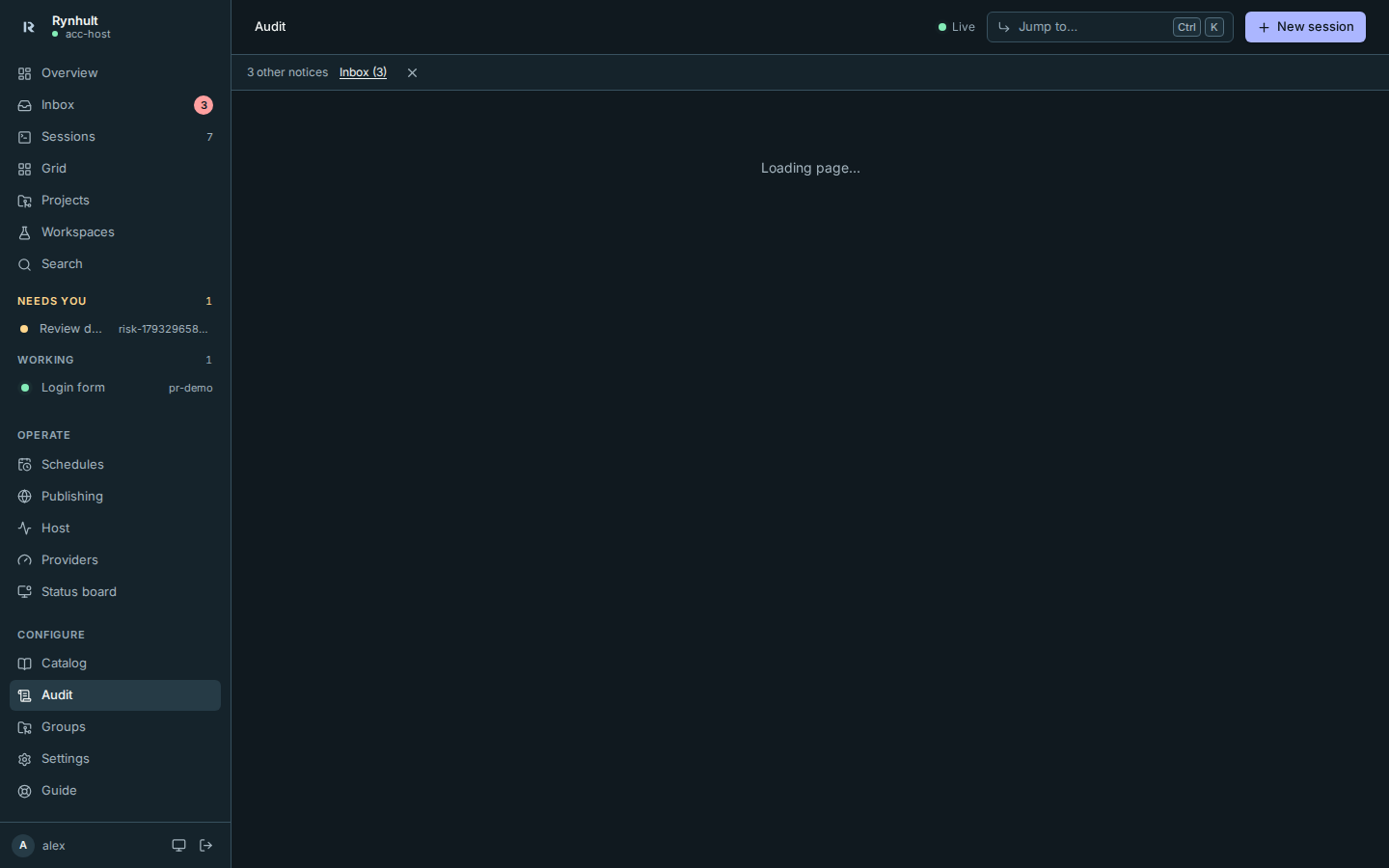
Session tabs, the file editor and Markdown preview can briefly show placeholders while their tools download. The session header and tabs stay available; opening Files does not open a terminal.
If a download fails, Rynhult retries it once. If it still cannot load, a banner says Rynhult was updated, reload to continue. This can also happen when the connection fails twice, not just after an update. Already open forms and editors stay mounted; the unavailable part keeps its placeholder.
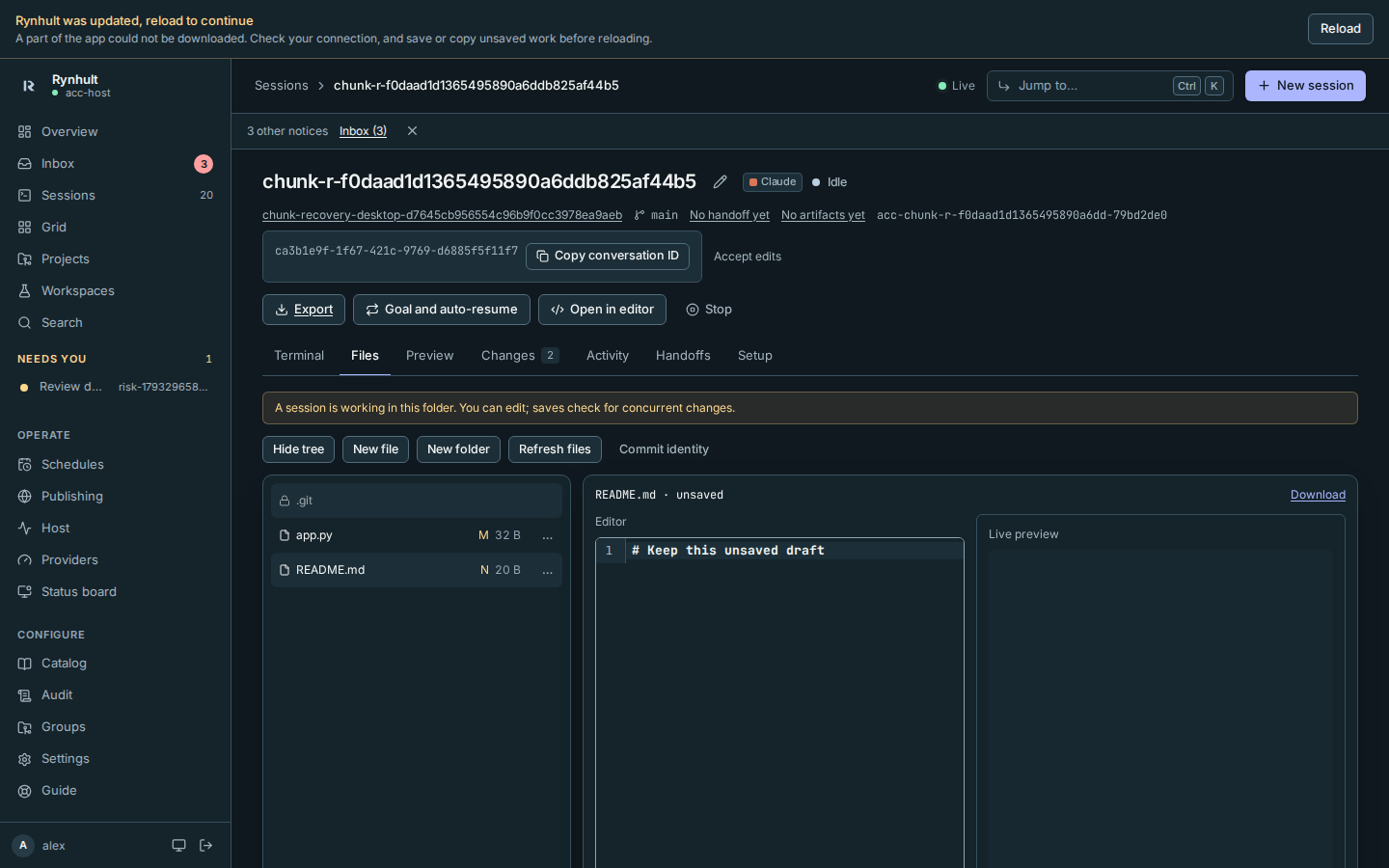
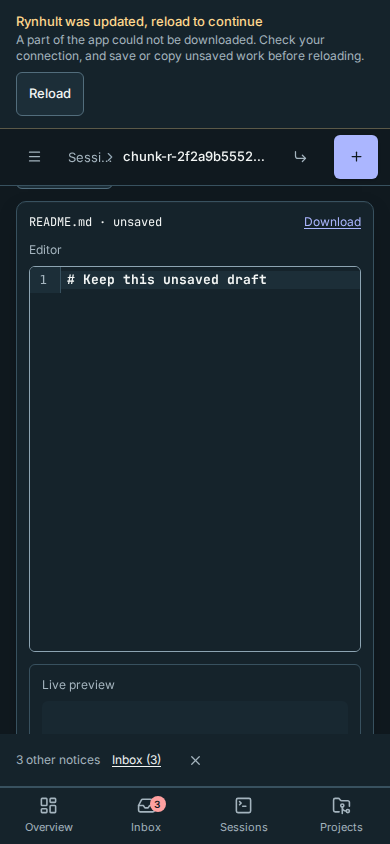
Save or copy unsaved edits and unsent terminal text, then select Reload. The Reload Rynhult? confirmation lets you cancel and finish saving first. Nothing reloads automatically, and the reload button remains available even if the navigation shell itself could not load. Reloading discards input that has not been saved; Rynhult does not copy it into browser storage for you.
This page couldn't be shown still means the page encountered a different rendering error. Copy any work you can access before selecting Reload page.
Restart the broker
On the affected Linux or WSL machine, an administrator replaces
<agent-account> with the session's actual agent account and checks:
sudo systemctl status 'acc-broker@<agent-account>.socket' 'acc-broker@<agent-account>.service'
An inactive service with an active socket can be normal before its first request. If the broker is failing and needs a restart:
sudo systemctl restart 'acc-broker@<agent-account>.service'
These are system units, not an old per-user acc-broker unit. This restarts only
the selected broker; its unit keeps existing tmux sessions running. Inspect the
named unit's journal if it fails again; do not kill tmux or all account processes.
Mac nodes use launchd instead; follow Mac troubleshooting.
What to include in a report
Record the time, installed and running version/build, browser/OS, affected machine/account (privately), exact fixed error text and what you tried. Review Usage and bug reports before sharing. Remove hostnames, addresses, repository paths, conversation content and all credentials from excerpts. Do not post a complete environment, journal or recovery kit. Documentation checks do not prove a live machine is healthy.
This page is generated from docs/wiki/User-Guide/Troubleshooting.md; the same page is under Guide inside Rynhult.