Status board
Screenshots use fictional demo accounts and fixed example metrics, not live systems or qualification evidence.
What it's for: one read-only screen that shows every machine, project and running session at a glance. It's made for a large display on a wall (16:9, readable from across the room) and works in an ordinary browser window too.
Before you start
- You need to be an owner. Members who open the board are told it's for owners.
- The board uses your normal sign-in. To show it on a wall display, sign in on that display's browser like anywhere else.
Opening it
- In the sidebar, under Operate, select Status board.
- Optional: select Full screen (top right, or under Details on a phone). Press Esc or select Exit full screen to leave it.
- To go back, select Back to Rynhult (under Details on a phone).
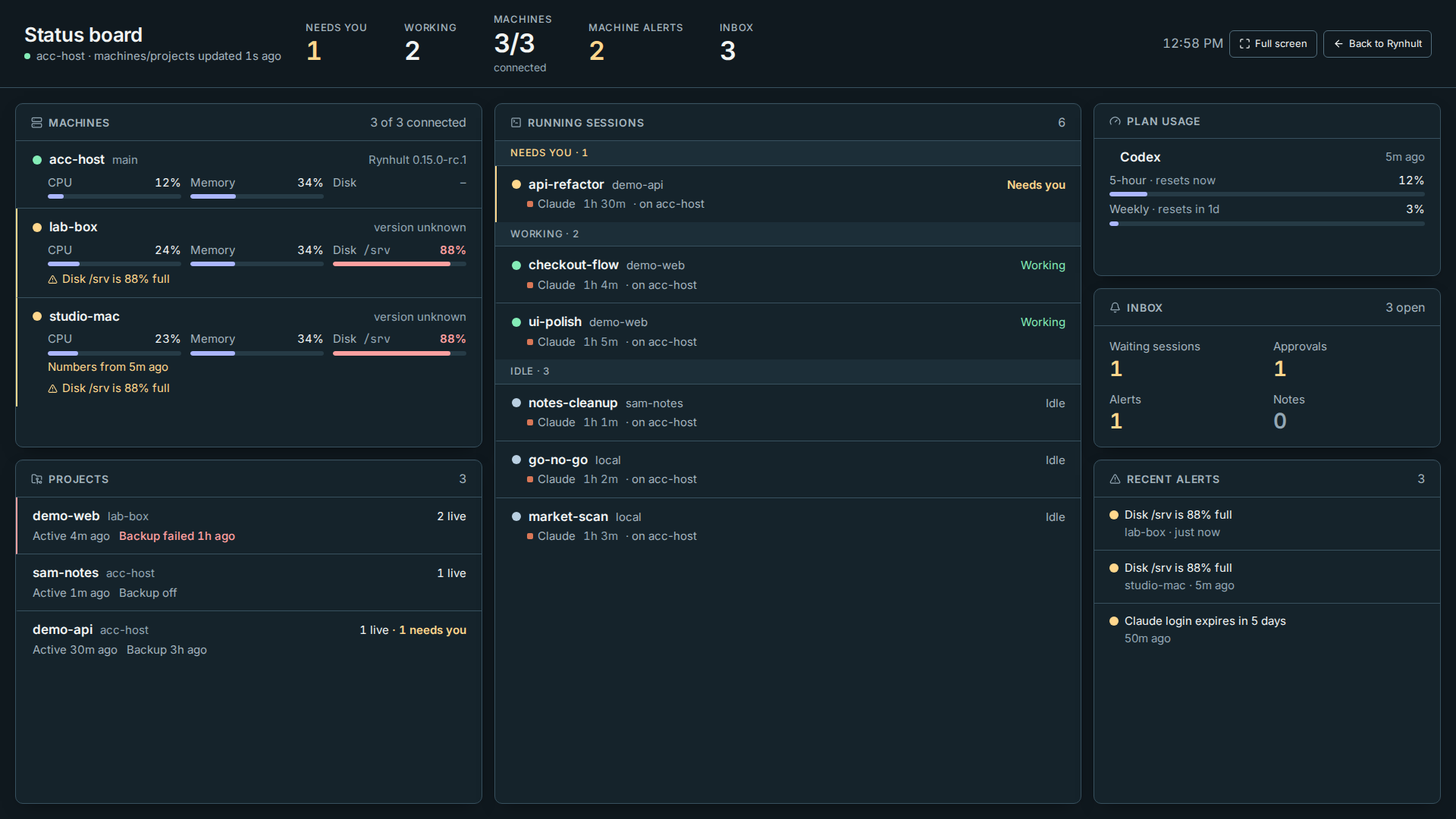
What you should see
The board updates by itself; you never need to reload it. The line under the title names the main machine and says machines/projects updated 2s ago (stale if the last refresh failed). If Rynhult stops answering, it turns red and says Offline: showing data from time.
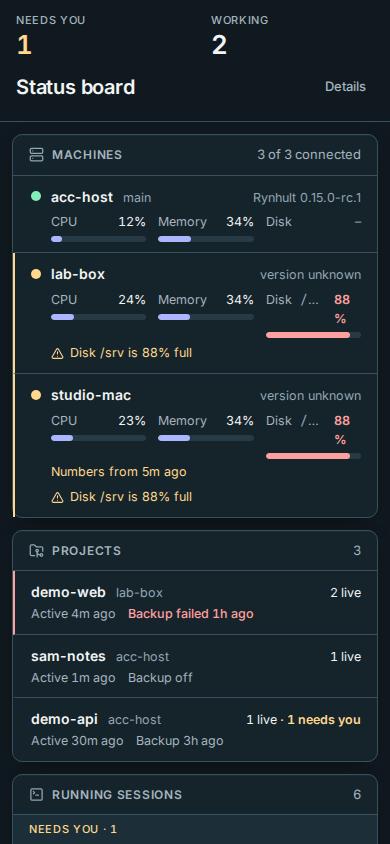
- Top row: how many sessions need you and how many are working, how many machines are connected, how many alerts the machines have, and how many Inbox items are open. On a phone, Needs you and Working come first; the other counts and the hostname/update time are under Details.
- Machines: the connected count includes the main Rynhult and every enrolled machine. Each machine with its Rynhult version and its CPU, memory and fullest disk. The main machine reads its numbers live; other machines send a short summary every minute. A disconnected machine is red with when it was last seen, except that active Planned downtime is neutral; see machine downtime. A machine with a problem (a disk over 85% full, memory over 90%, failed services) shows the problem under it in amber or red. On a Mac, Macintosh HD (data) names the writable data disk; sealed/read-only/system/image volumes do not duplicate storage readings (storage details). A machine on an older Rynhult says Update this machine to see its numbers here.
- Projects: each project with its machine, how many sessions are live (and how many need you), when a session was last active, and the age of its last git backup. A failed backup is red; a backup more than two days old is amber; Backup off means the project has no git backup.
- Running sessions: grouped as Needs you, Working, Unknown and Idle, the same order as everywhere in Rynhult. Unknown means working-hook evidence is more than ten minutes old, not a confirmed running activity; it is not counted as Working. Each row shows its project and · on the machine, including the main Rynhult's name, the agent, how long it has been running and what it is doing now.
- Plan usage: each provider's usage windows as its CLI reports them, with when they reset. They are never added together.
- Inbox: open items by type: waiting sessions, approvals, alerts and notes.
- Recent alerts: the newest open alerts, from the Inbox and from other machines.
Healthy things are quiet: green dots and plain numbers. Amber means something needs attention; red means something is broken.
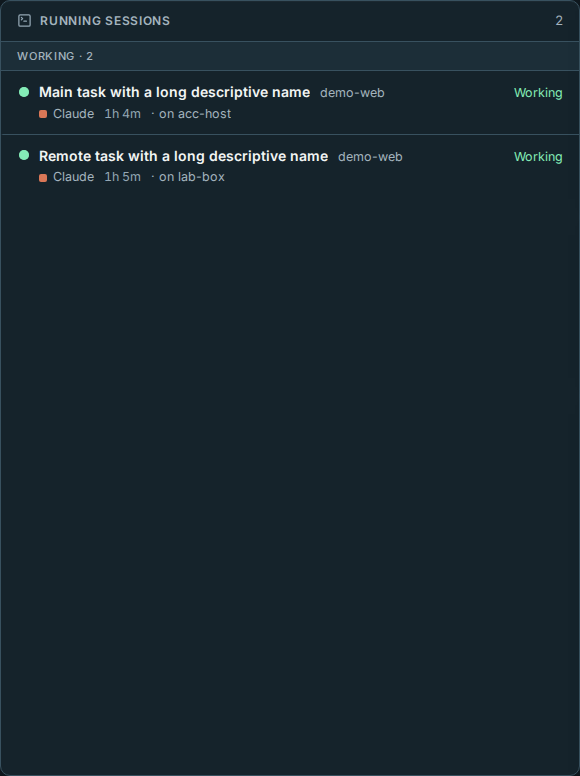
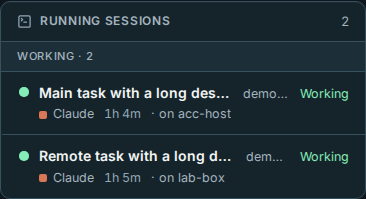
The board follows your theme: the device's setting, or the System / Light / Dark button at the bottom of the sidebar (Getting started). In System, an open board changes immediately with the device's light/dark setting, without a refresh. An explicit Light or Dark stays put. Dark suits a wall display best.
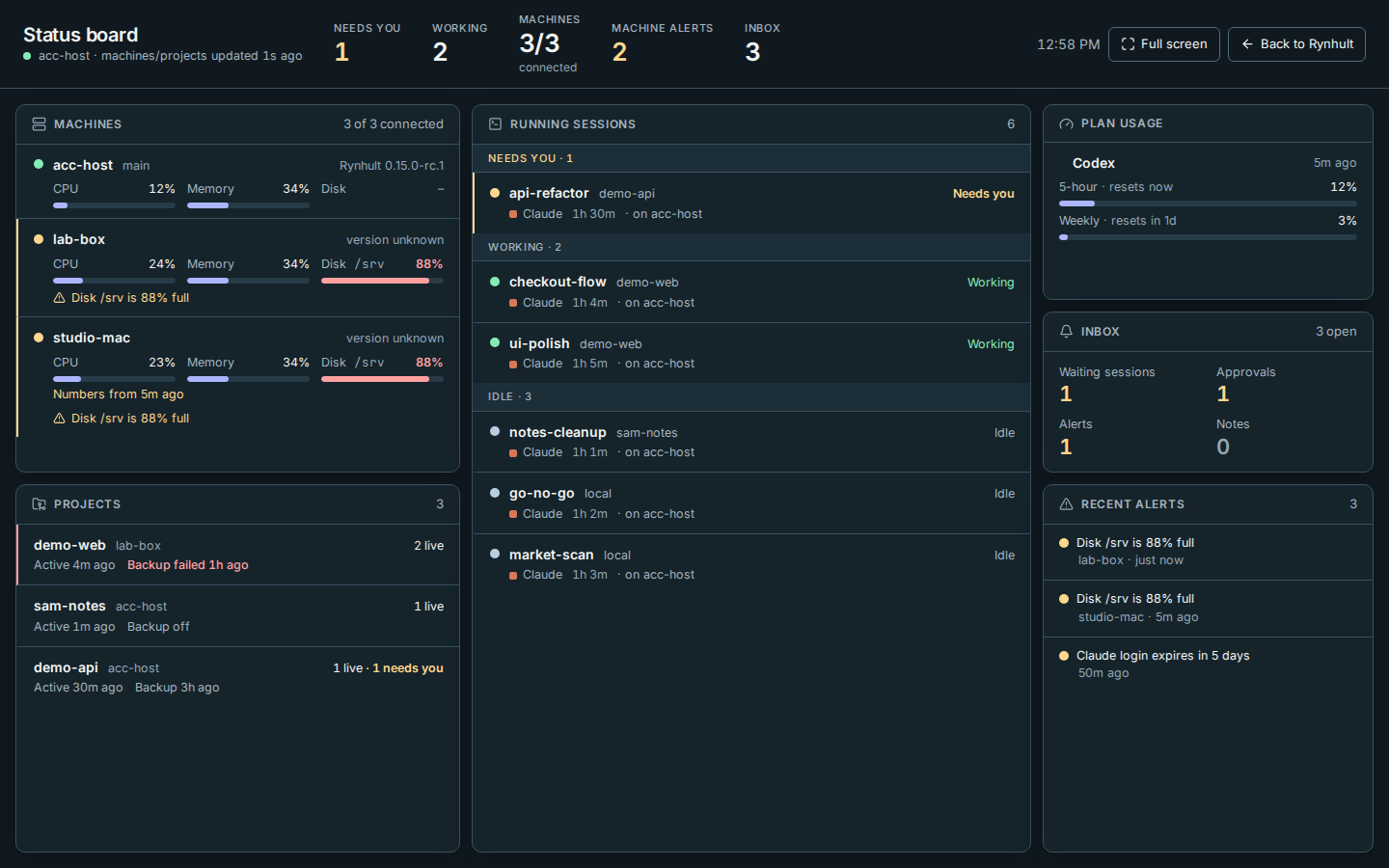
On a phone
The compact two-row header leaves room for the first machine. The panels stack and the page scrolls normally.
- Select Details for connected machines, machine alerts, Inbox counts, the hostname and when the machine/project data last updated, Full screen and Back to Rynhult.
- Press Esc, select Details again, or tap outside to close it. With a keyboard, Tab reaches Details, Enter opens it, and Esc returns focus to Details.
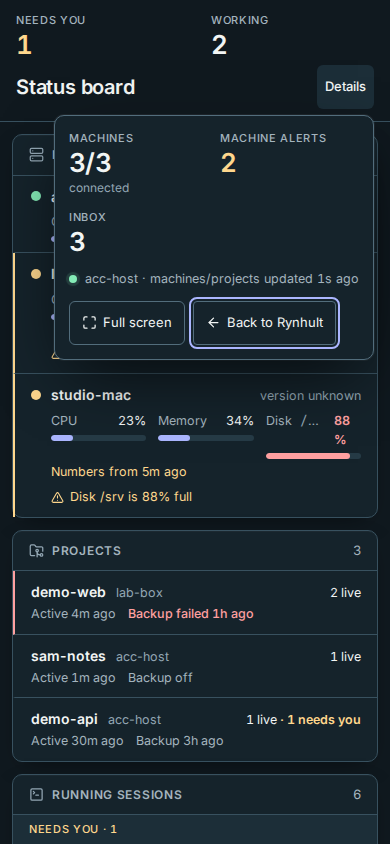
Offline and refresh-failure warnings remain visible without opening Details. The desktop layout is unchanged.
Troubleshooting
- "The status board is for Rynhult's owners." You're signed in as a member. Ask an owner.
- Offline: showing data from … Rynhult isn't answering; the board keeps the last numbers and catches up once Rynhult is back.
- A machine's numbers say "Numbers from 5m ago" in amber. The machine is connected but hasn't sent a summary for a while. Open Host, pick the machine and select Refresh.
- The display signs out. The board uses the normal sign-in, which expires like any other. A display that signs in without a person is a proposal, not built yet.
If a refresh fails, the affected source displays a stale-data note, its own last successful update time, and Retry. Machines/projects, sessions, Inbox/alerts and plan usage are tracked separately. Cached values stay visible while you retry.
This page is generated from docs/wiki/User-Guide/Status-Board.md; the same page is under Guide inside Rynhult.