Catalog
The catalog holds what sessions can be given: skills (instructions in SKILL.md folders), subagents (helpers a Claude Code session can hand work to), MCP servers (tools), and the profiles that bundle them into roles.
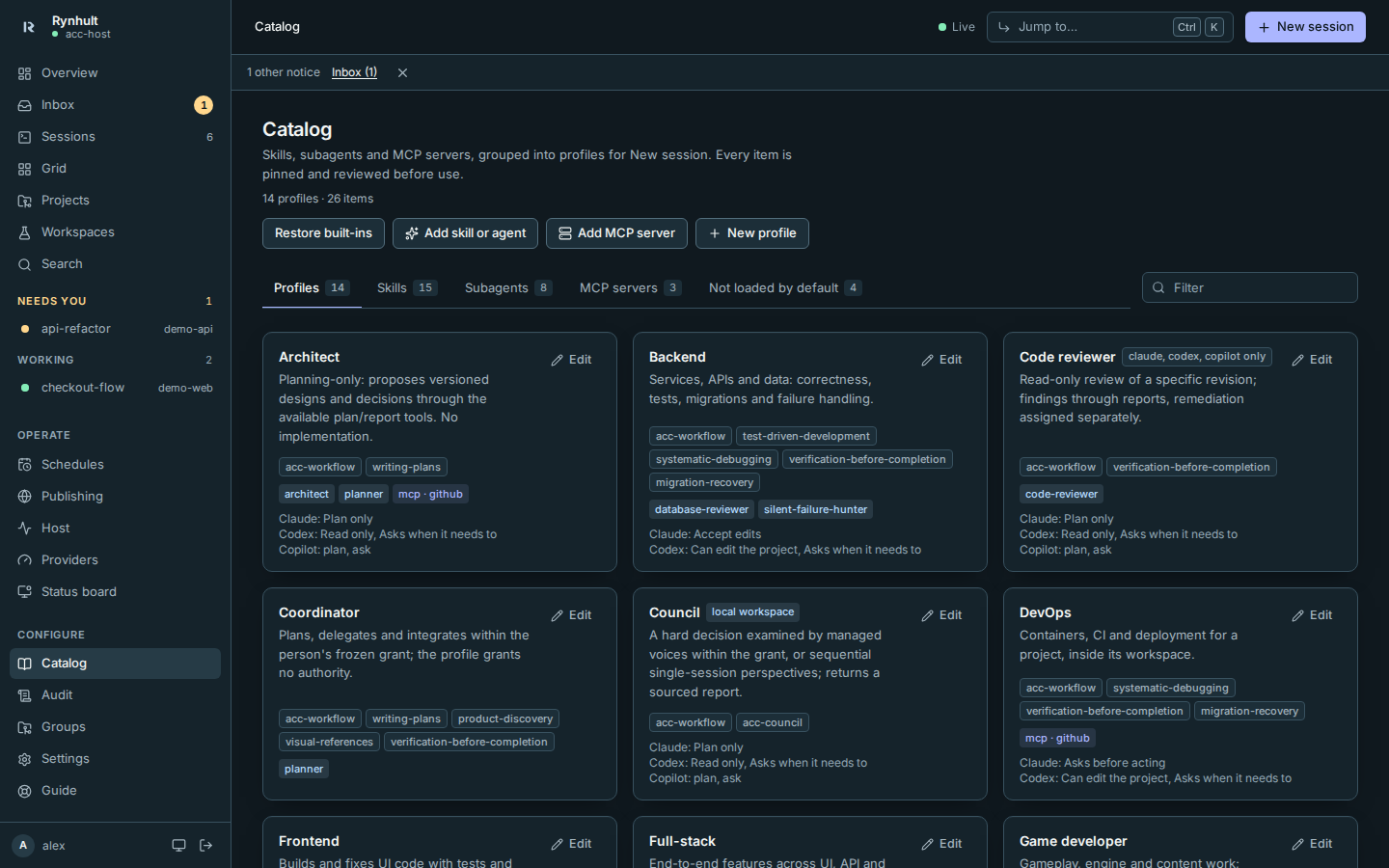
Profiles
Each card shows the profile's skills, subagents and MCP servers, and its permission defaults in words (for example Claude: Accept edits · Codex: Can edit the project, Asks when it needs to; hover for the exact values). local workspace marks profiles that can run without a project. Select Edit to change any of it, or New profile to make one.
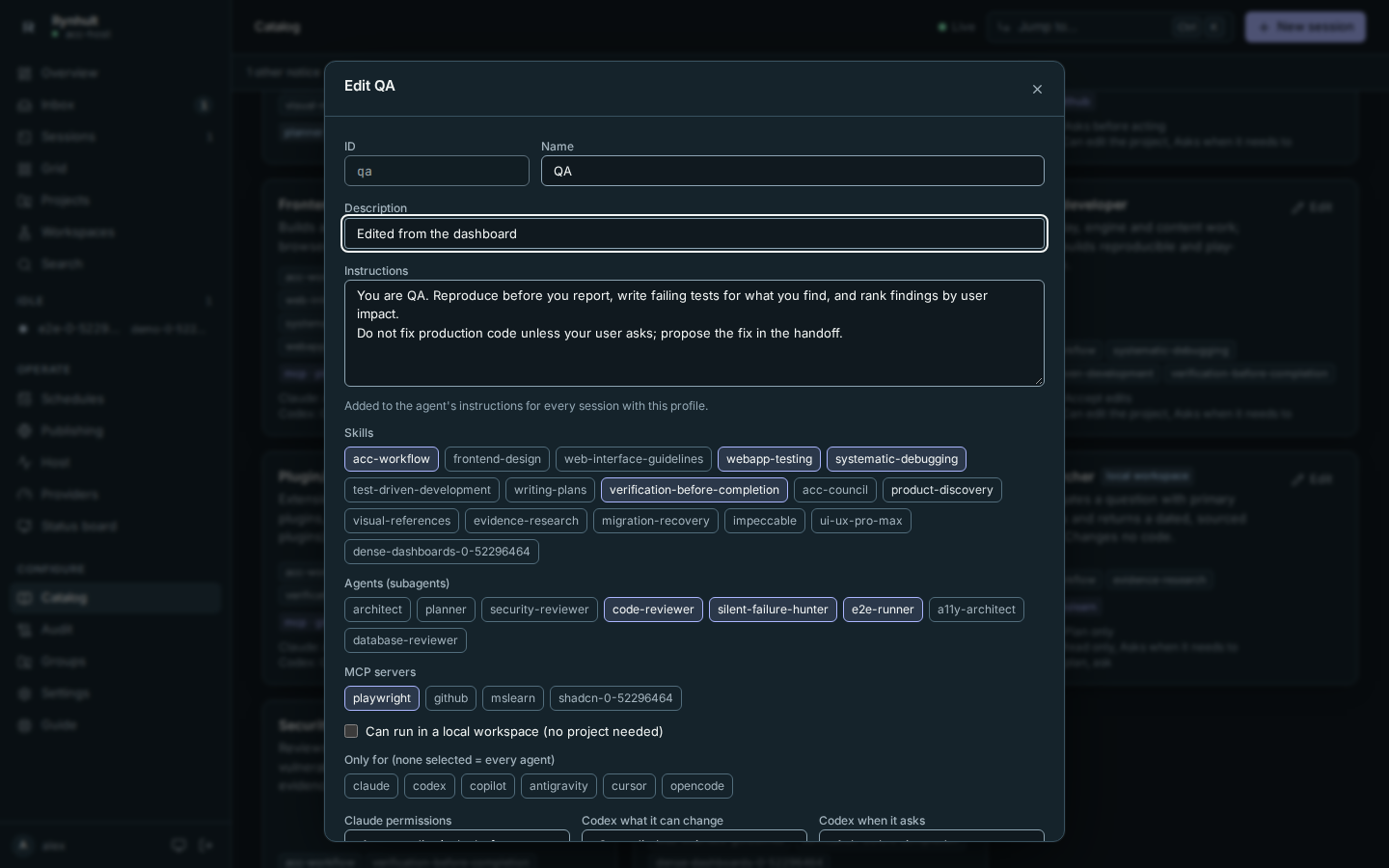
An edited built-in profile shows edited in Rynhult. Only your changes are stored, so updates to the built-in version still arrive; Reset to repository version drops your changes.
Coordinating and reviewing
Coordinator bundles planning, product discovery and visual-reference guidance. It helps decompose work, select a profile for each assignment and carry earlier attempts' reports and branches into replacements. It grants no start, write or integration authority: the actual launch role, run mode and person's grant decide what it may do.
Code reviewer uses the existing code-reviewer agent where supported, with read-only defaults for Claude, Codex and Copilot. Codex and Copilot receive its profile instructions, not a catalog subagent. It reports findings against the reviewed head; fixing them is a separate assignment. Permission defaults are starting choices, not a way to widen a team grant.
Researcher, Architect, Council and Security guidance also keeps reviewing separate from implementation. When available, read-only participants save findings through the report tool. Otherwise they return them in the session and state that persistence was unavailable; a permitted writer can export them.
Skills, subagents and MCP servers
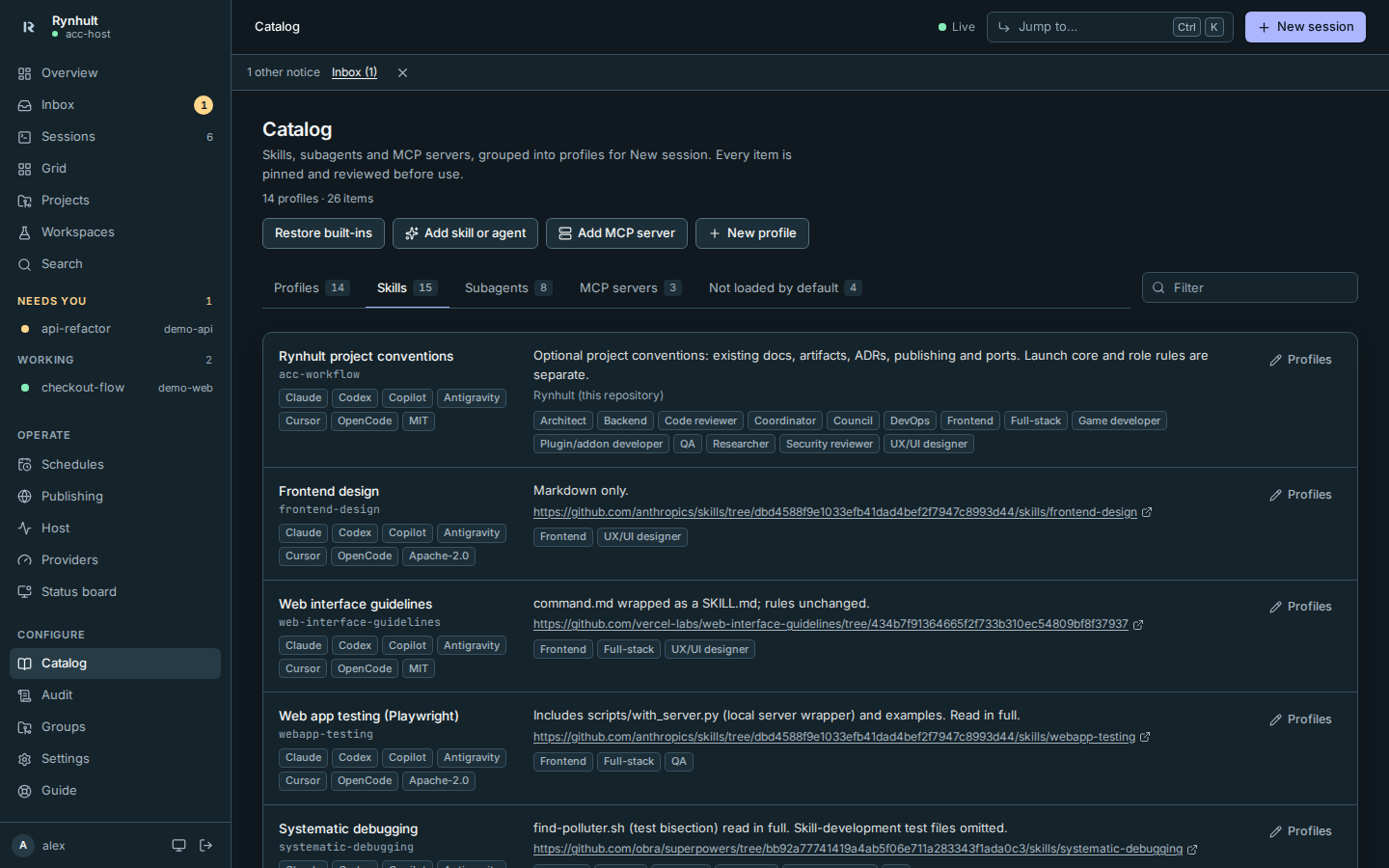
The tabs list each kind with its source, licence and the profiles that use it. Not loaded by default lists items Rynhult reviewed and chose not to ship, each with the reason. Profiles on an item sets which profiles include it.
Built-in procedures
| Skill | Purpose |
|---|---|
| product-discovery | Audience, journeys, first-release scope, success and material questions; does not repeat supplied answers. |
| visual-references | Retains annotations, separates observations from proposed requirements and acknowledges unreadable references. Private references are not wiki assets. |
| evidence-research | Primary sources, dates, confidence and counterevidence; used by Researcher instead of writing-plans. |
| migration-recovery | Engine-aware changes, backup and restore evidence, rollback or forward fix; included in Backend and DevOps. |
These four procedures and acc-workflow are available to all six catalog providers, including Copilot, without adding MCP servers. acc-workflow contains optional project conventions, not universal Git authority. It follows existing docs and does not require every session to create a wiki or PR.
writing-plans uses Rynhult's available plan/report tools and the existing docs layout; it requires no companion Superpowers skills. TDD guidance distinguishes standalone verification from team workers' related checks: the gate owns the full suite. With no available full-verification route, workers report full suite not run. The E2E runner uses installed Playwright and reports flakes rather than quarantining them. Security review is report-only and uses installed scanners appropriate to the stack; database review starts with the actual engine.
The legacy four-voice council skill is retired from selection; its attribution and licence remain in the distribution. Council still uses acc-council. When the grant has room, its voices use managed helpers within the concurrency limit. Otherwise it labels the result single-session perspectives, not independent voices. Native subagents run inside their parent, use its slot and permission, do not appear in Rynhult's team tree, and their count cannot be capped by Rynhult. Council does not use native fan-out to bypass managed capacity.
Adding a skill or agent
- Select Add skill or agent.
- Paste a GitHub link to a skill folder, a subagent
.mdfile, or a whole repository (then pick a skill from the list), and select Preview. - Review what Rynhult found: the pinned commit, the licence, every file, and warnings (scripts, package installs, network calls, telemetry, instruction-override wording). Rynhult runs nothing. Red flags (hooks, pre-approved tools, bundled MCP servers, permission changes, shell commands that run when the skill loads) block adding until you tick Add it anyway. Sessions never get those settings either way: Rynhult removes them at launch.
- Set the ID, providers and profiles, and select Add to catalog.
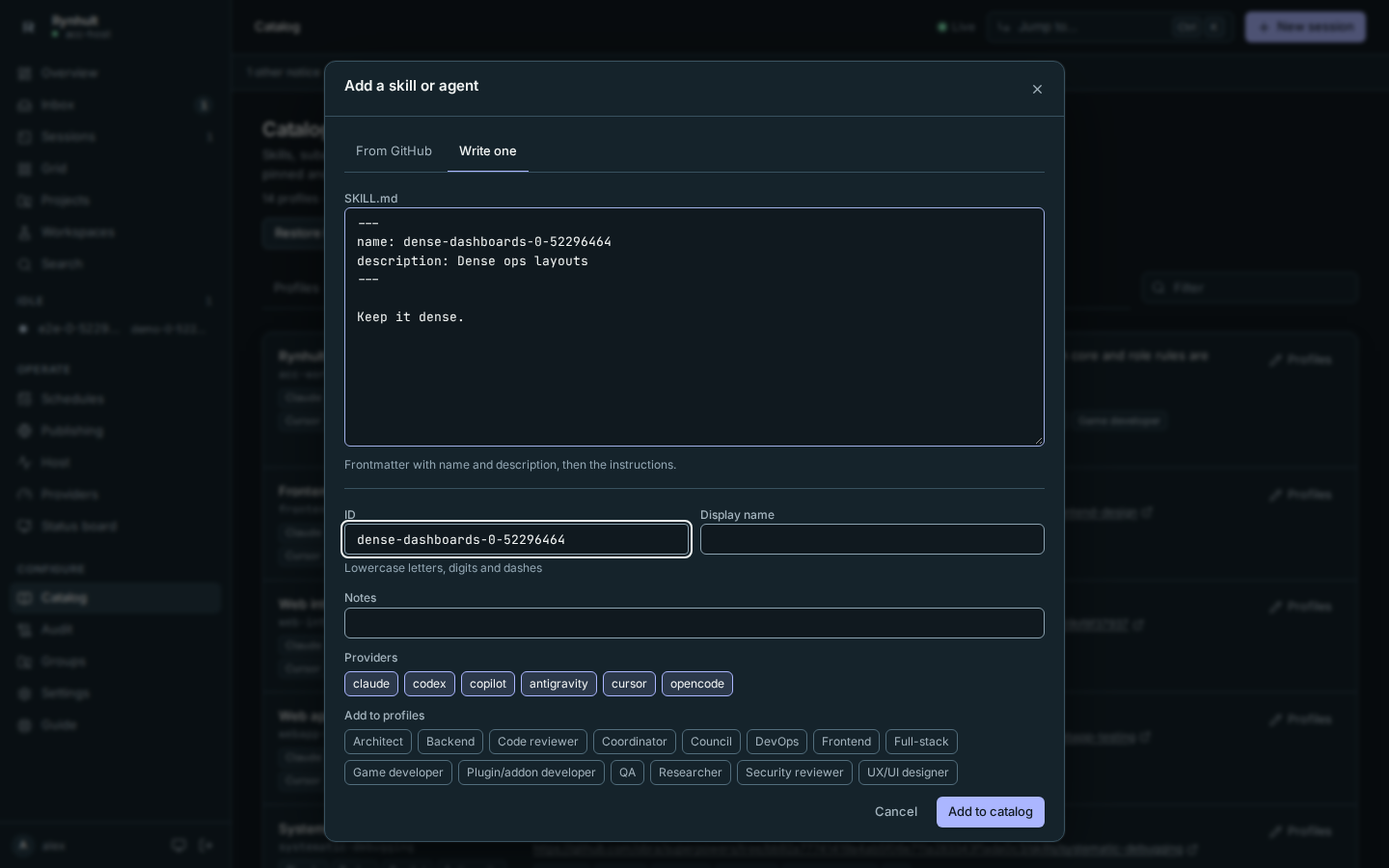
Write one lets you write a skill directly.
Adding an MCP server
Select Add MCP server. Give a command and arguments (a local server) or a URL (a remote one). Pin package versions in the arguments; Rynhult warns when they aren't. Environment values are stored in the key vault as shared keys (named after the server and the setting), never in the catalog itself. Every session that uses the server can read them, as long as the person launching it may use the key.
Restoring built-ins
Owners can restore built-in skills, agents and MCP entries individually or together. Your custom items, profiles, profile overrides and MCP vault references stay in place.
- Select Restore built-ins on Catalog.
- Choose This version for the catalog shipped with the installed Rynhult, or Latest release for the latest stable release in the repository selected in Settings → Updates. The latter uses the same optional update token and verified release bundle as the updater; it does not read branch files.
- Select Preview. Check each item's new, missing, changed or unchanged status and open View diff for text changes. Rynhult shows risk warnings and refuses incompatible items.
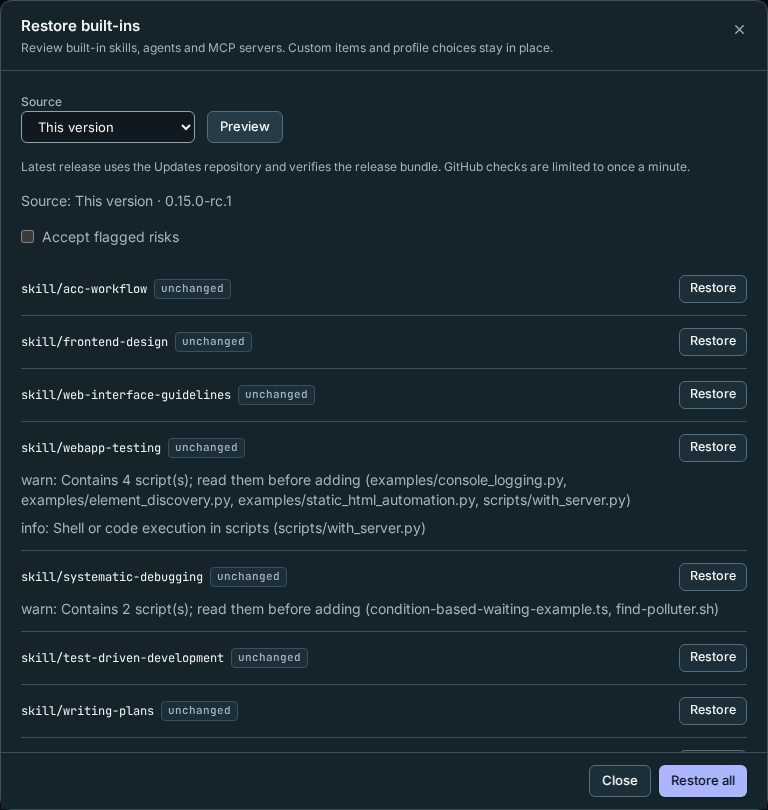
- Select an item's Restore, or Restore all for compatible items without ID collisions. Flagged risks require Accept flagged risks first. Rynhult checks the whole catalog before keeping the change; a failed check restores the previous state. The result reports how many items were restored or skipped.
A custom item uses the same ID: Rynhult keeps it. Restore all skips that built-in. Enter an unused Alternate ID and restore that item separately to keep both copies. Assign the new copy to profiles from its Profiles button if you want to use it.
An item is excluded by profile choices: restoration preserves the exclusion, including old profile overrides. Use Profiles on the item to include it again; restoring content never resets your profiles.
Troubleshooting:
- Unknown providers or frontmatter: update Rynhult before restoring that item.
- Missing files in This version: that installed source cannot supply the bytes. Try Latest release or repair the Rynhult installation. A damaged installation that cannot start needs an installation repair first.
- Release verification failed: nothing was applied. Check the selected repository and its release assets.
- GitHub check limited: wait one minute before trying Latest release again. Failed checks count too.
- Catalog changed or preview expired: select Preview again before restoring.
This page is generated from docs/wiki/User-Guide/Catalog.md; the same page is under Guide inside Rynhult.