DNS Providers
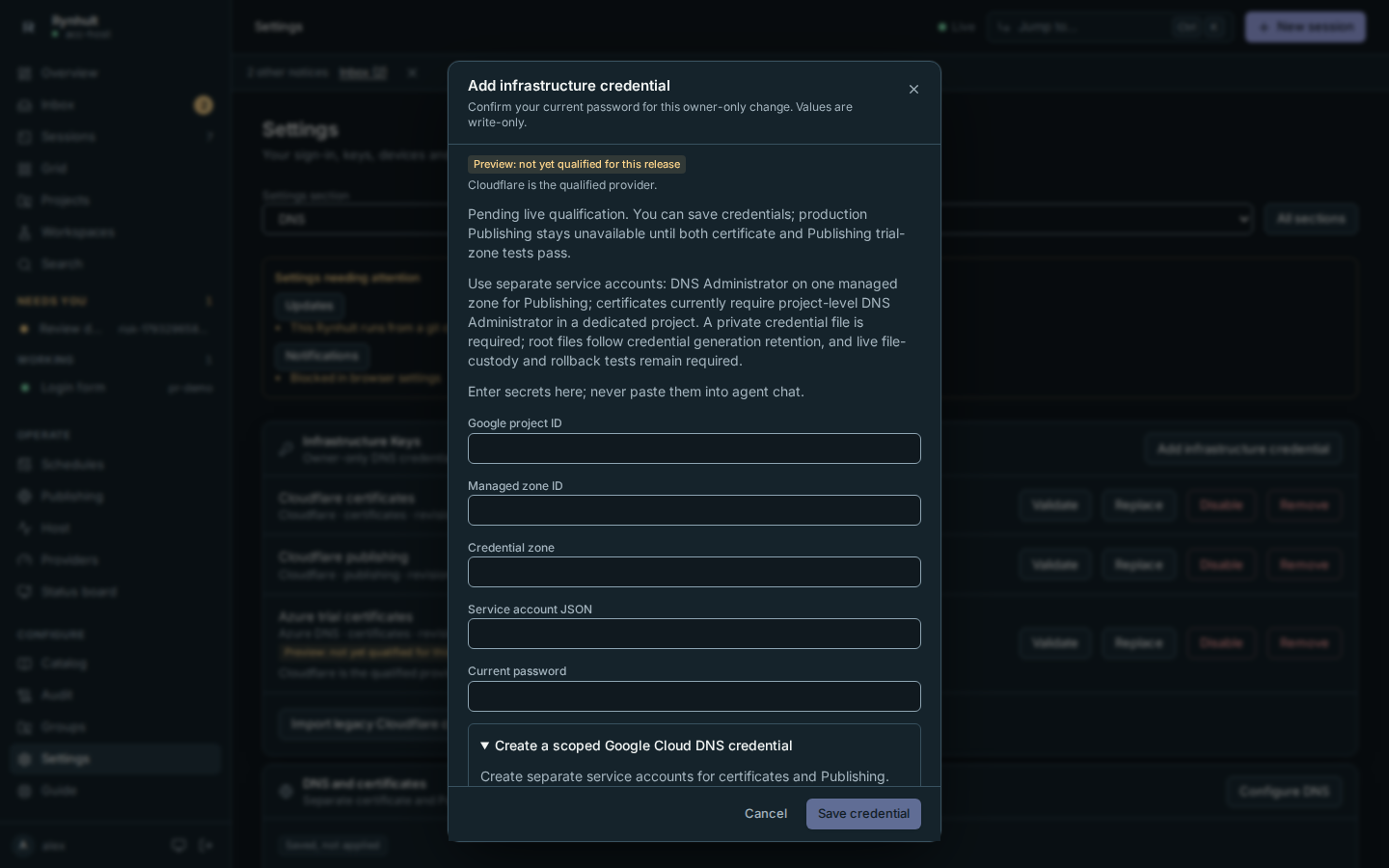
Manage separate certificate and Publishing credentials without delivering them to projects or agents. Cloudflare is qualified; Azure DNS, Route 53, Google Cloud DNS, DigitalOcean and Hetzner DNS are in preview. All six are offered. Preview choices, credentials and saved bindings show Preview: not yet qualified for this release and Cloudflare is the qualified provider. Cloudflare remains the default. Saving a preview binding does not qualify it or remove an existing binding.
Provider labels come from the server's release status. The qualification kit collects the evidence needed before a preview provider can be promoted; the operator's binary and live-consumer checks still apply.
Enter credentials, open instructions when needed
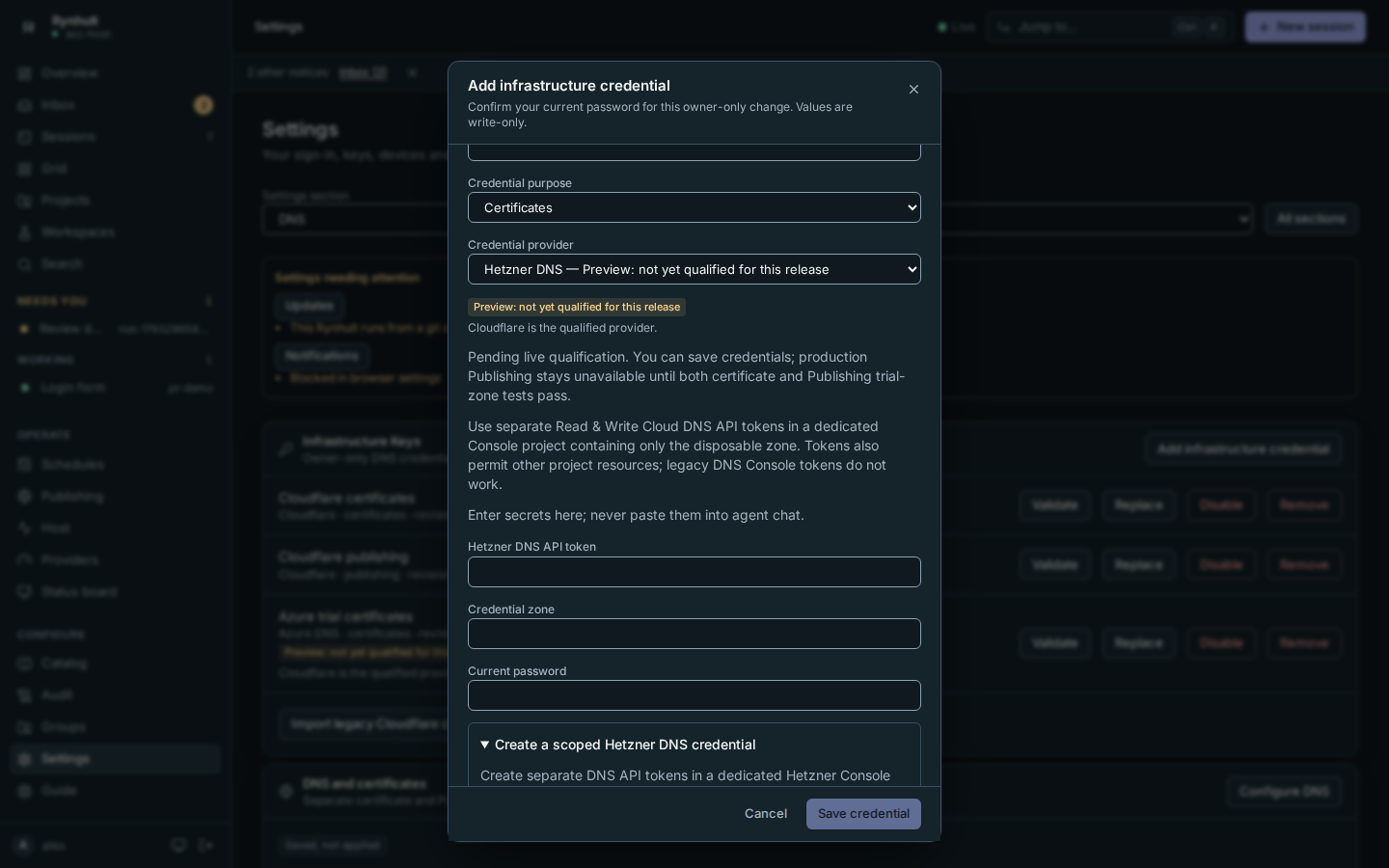
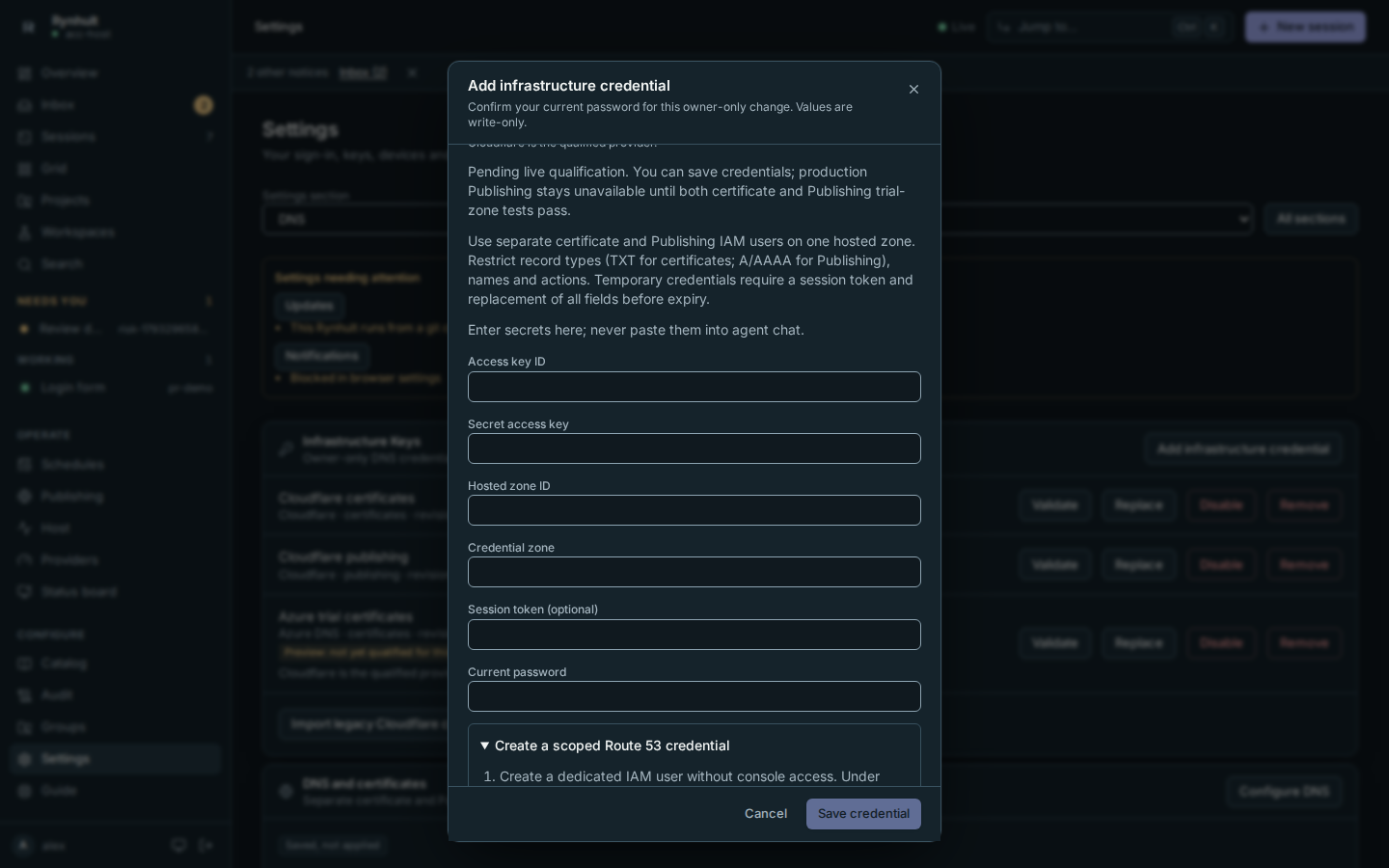
Open Settings → DNS and select Add infrastructure credential on the Infrastructure Keys card, then choose the credential purpose and provider. Qualification, permission boundaries and secret-handling warnings stay visible beside the fields. Enter the provider values and your Current password; values are write-only and never delivered to agents.
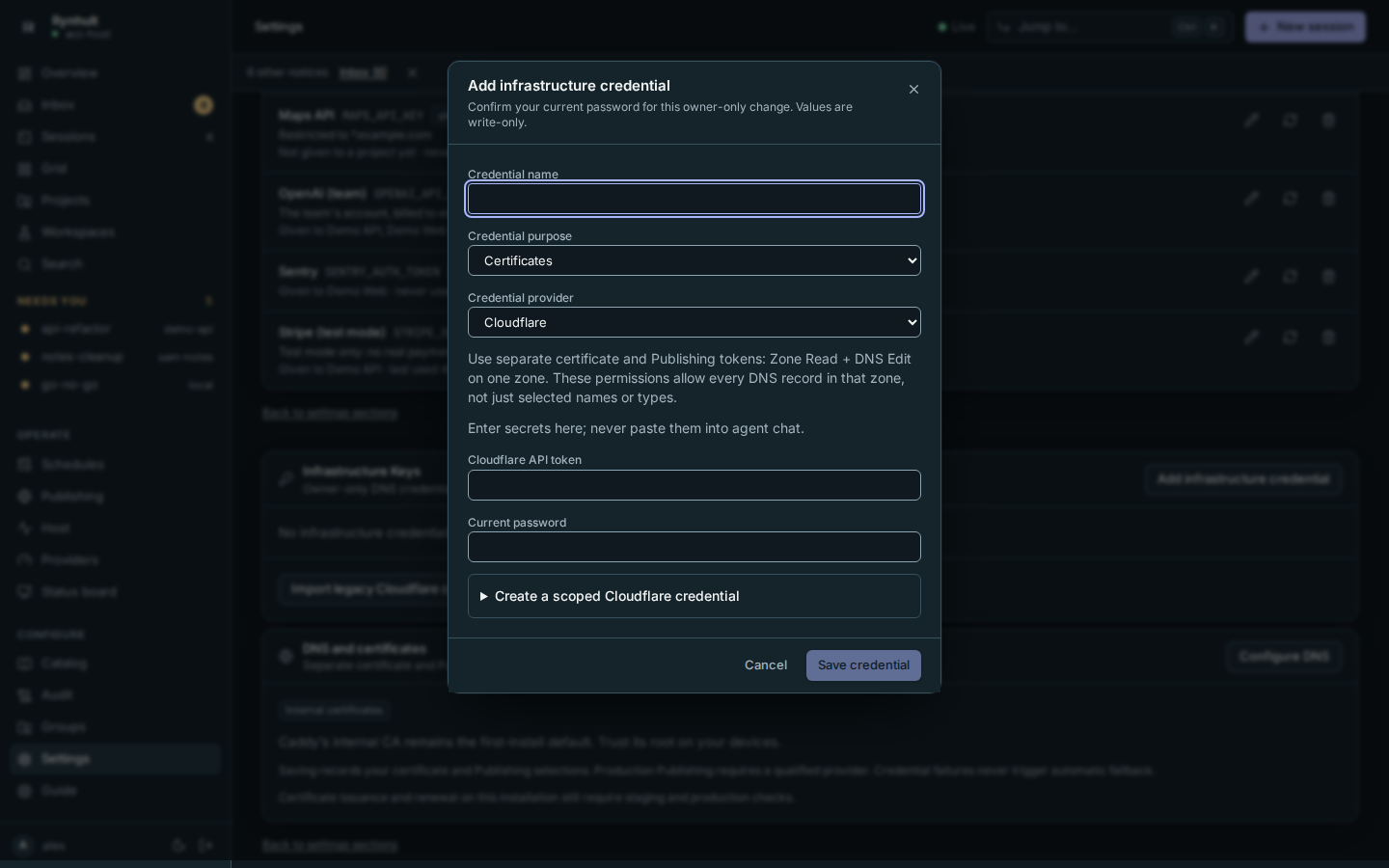
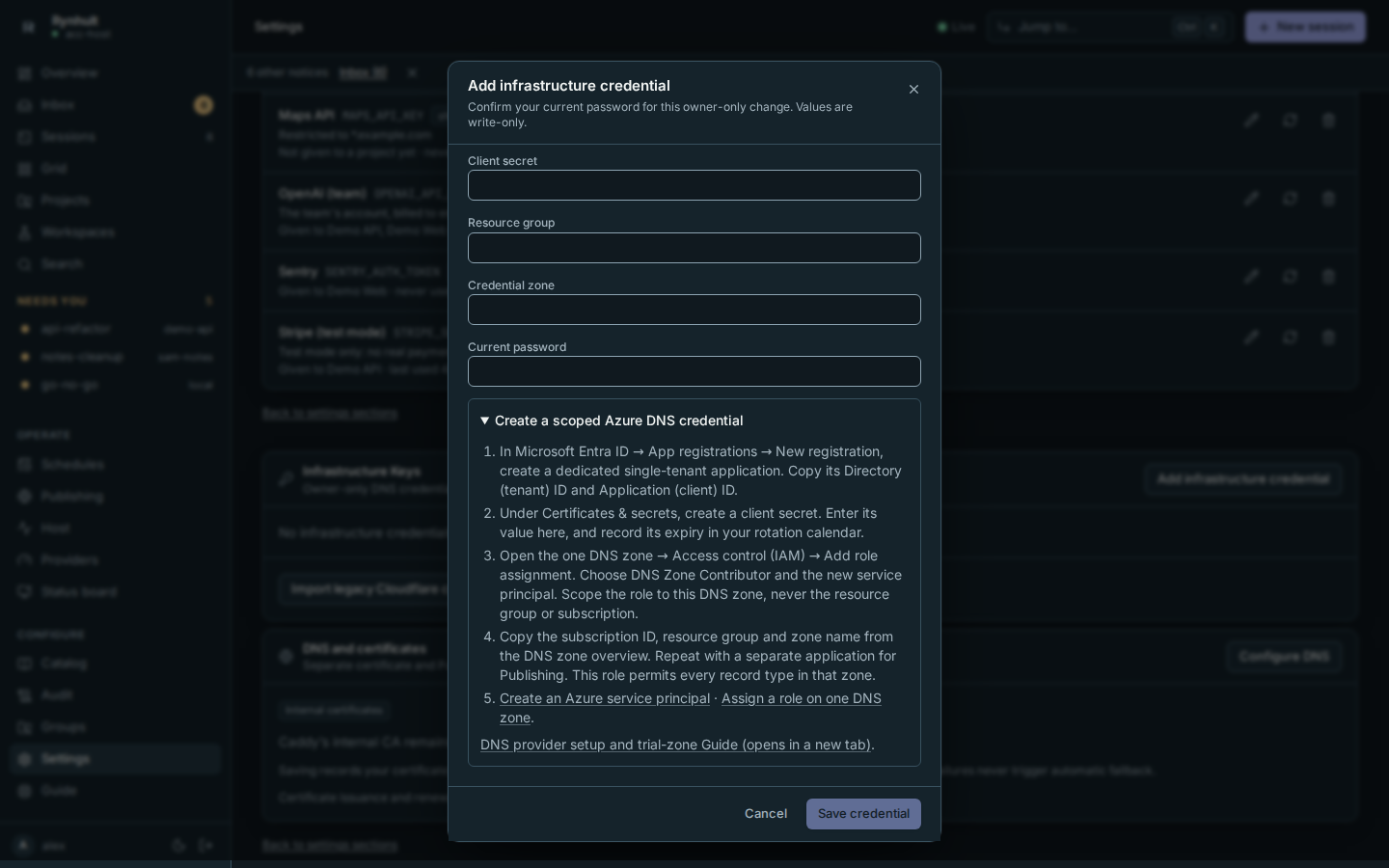
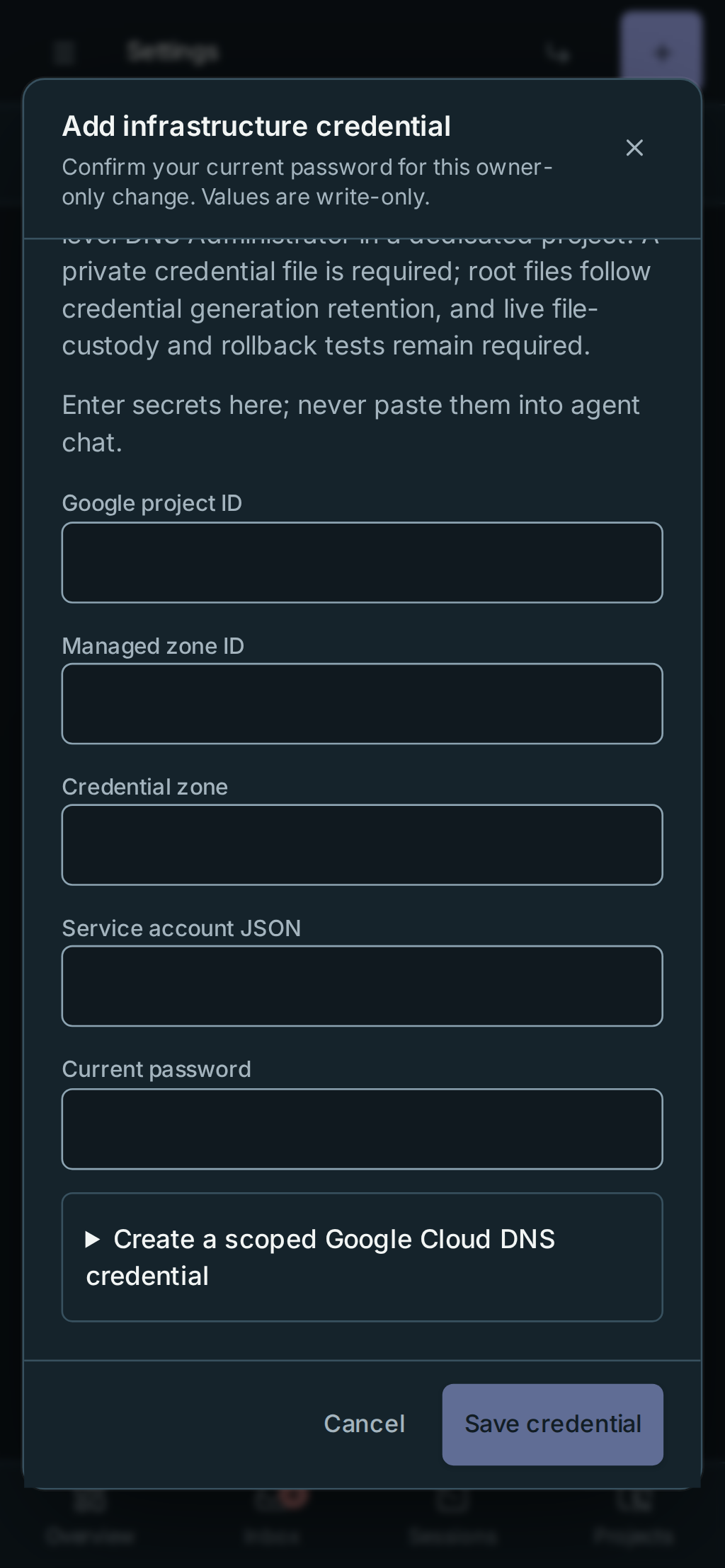
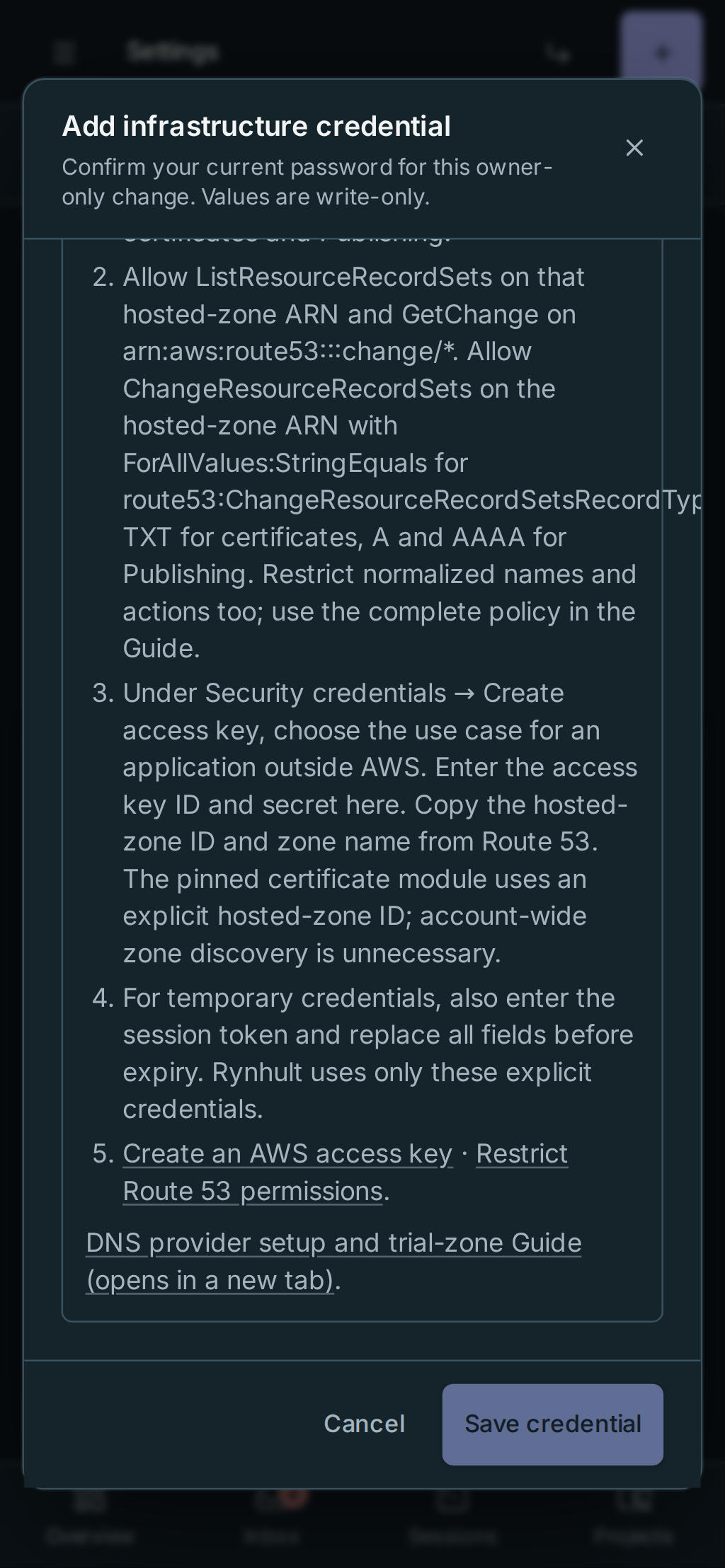
For the full provider runbook, expand Create a scoped [provider] credential below the password field. Opening or closing it keeps your draft. Use Enter or Space on its summary with the keyboard. Provider references and the Guide open in a new tab so the form stays available. Changing provider clears its credential fields and closes the instructions; Cancel clears secrets and password.
Saving a credential does not apply a DNS binding or verify certificate renewal. The separate Save, Apply and live qualification steps below still apply.
Before you start
Use a trusted connection to Rynhult, sign in as an owner, and prepare a disposable public zone such as example.com.
Use separate credentials for certificates and Publishing. Do not use your normal production zone for qualification.
Enter secrets in Settings → DNS → Infrastructure Keys. Never paste them into a session, chat, screenshot or issue.
Create Azure credentials
- In Microsoft Entra ID, open App registrations → New registration. Create a dedicated single-tenant app. Copy its Directory (tenant) ID and Application (client) ID.
- In that app, open Certificates & secrets → New client secret. Copy the secret Value into Rynhult, and record its expiry in your rotation calendar. The secret ID is not the secret value.
- Open the one public DNS zone in Azure. In Access control (IAM) → Add role assignment, choose DNS Zone Contributor, assign the new service principal, and keep the scope at this one DNS zone. Never assign subscription Contributor or a resource-group-wide role.
- From the DNS zone overview, copy the subscription ID, resource group and zone name.
- Repeat for a separate Publishing application. This built-in role allows every record type in that one zone; it does not isolate certificate TXT writes from Publishing A/AAAA writes. Keep the principals separate anyway.
Official instructions: create a service principal and protect DNS zones with zone-scoped roles.
Create Route 53 credentials
- Create two dedicated IAM users without console access. One is for certificates, one for Publishing.
- On each user, add an inline policy. Replace
ZEXAMPLEwith your one hosted-zone ID andexample.comwith the trial zone. Do not attach broad managed policies such as AmazonRoute53FullAccess. - Use this certificate policy. It permits only challenge TXT writes, zone-scoped reads and change-status reads. The pinned Caddy module receives an explicit hosted-zone ID, so zone discovery permissions are unnecessary.
{
  "Version": "2012-10-17",
  "Statement": [
    {
      "Effect": "Allow",
      "Action": "route53:ListResourceRecordSets",
      "Resource": "arn:aws:route53:::hostedzone/ZEXAMPLE"
    },
    {
      "Effect": "Allow",
      "Action": "route53:GetChange",
      "Resource": "arn:aws:route53:::change/*"
    },
    {
      "Effect": "Allow",
      "Action": "route53:ChangeResourceRecordSets",
      "Resource": "arn:aws:route53:::hostedzone/ZEXAMPLE",
      "Condition": {
        "ForAllValues:StringEquals": {
          "route53:ChangeResourceRecordSetsRecordTypes": ["TXT"],
          "route53:ChangeResourceRecordSetsActions": ["CREATE", "UPSERT", "DELETE"]
        },
        "ForAllValues:StringLike": {
          "route53:ChangeResourceRecordSetsNormalizedRecordNames": [
            "_acme-challenge.example.com", "_acme-challenge.*.example.com"
          ]
        }
      }
    }
  ]
}
- For the Publishing user, use the same read statements and hosted-zone ARN. Change the record-type condition
to
["A", "AAAA"], actions to["CREATE", "DELETE"], and names to["*.example.com"]or a smaller set of approved Publishing hosts. The adapter uses atomic exact-delete/create batches, not UPSERT. - Under each user's Security credentials → Create access key, select the use case for an application outside AWS. Enter the access key ID and secret in Rynhult. Copy the hosted-zone ID and zone name from Route 53. Validate checks that the ID belongs to that zone name (its SOA record); an ID for a parent zone is refused. For temporary credentials also enter the session token; replace all fields before expiry. No ambient AWS profile or machine role is used by the Publishing adapter.
Official instructions: manage access keys and restrict Route 53 by zone, name, type and action.
Create Google Cloud DNS credentials
- Enable the Cloud DNS API in a dedicated trial project. Create separate service accounts for certificates and Publishing, and create a JSON key for each. Keep the downloaded keys private; do not give them to an agent.
- For Publishing, grant DNS Administrator (
roles/dns.admin) on one managed zone. Google supports managed-zone IAM. The adapter describes that explicit zone and lists its records; it does not list project zones. - The pinned certificate candidate discovers zones with project-level
managedZones.list. For this candidate, use DNS Administrator on a dedicated project containing only the trial zone. A zone-only grant does not satisfy its discovery call. This is broader than Publishing's scope; accept that boundary explicitly before testing. - In Rynhult, enter Google project ID, Managed zone ID (the API name, not its numeric ID or DNS suffix),
Credential zone (
example.com) and Service account JSON as one line of JSON. Preserve the escaped newlines inside the private key. The JSON project must match the entered project; external-account credentials, alternate token endpoints and ambient machine credentials are not accepted. Paste the key file exactly as Google created it: Rynhult refuses added, renamed or duplicated fields. - Repeat for the other purpose. Each principal can edit all record types within its granted scope.
Official instructions: create a service account, create a service-account key and grant managed-zone permissions.
Certificate qualification hold: the pinned module reads a JSON credential file, not inline JSON. The disposable-zone harness writes a private temporary file and removes it when Caddy exits. The root helper delivers content-addressed root-owned files readable only by Caddy, retains the current and rollback generations, and purges retired files with the environment generations. Do not create these files manually. Live file custody, rotation, rollback and restart checks remain required before qualification. A module pin and successful Publishing tests alone do not clear that hold.
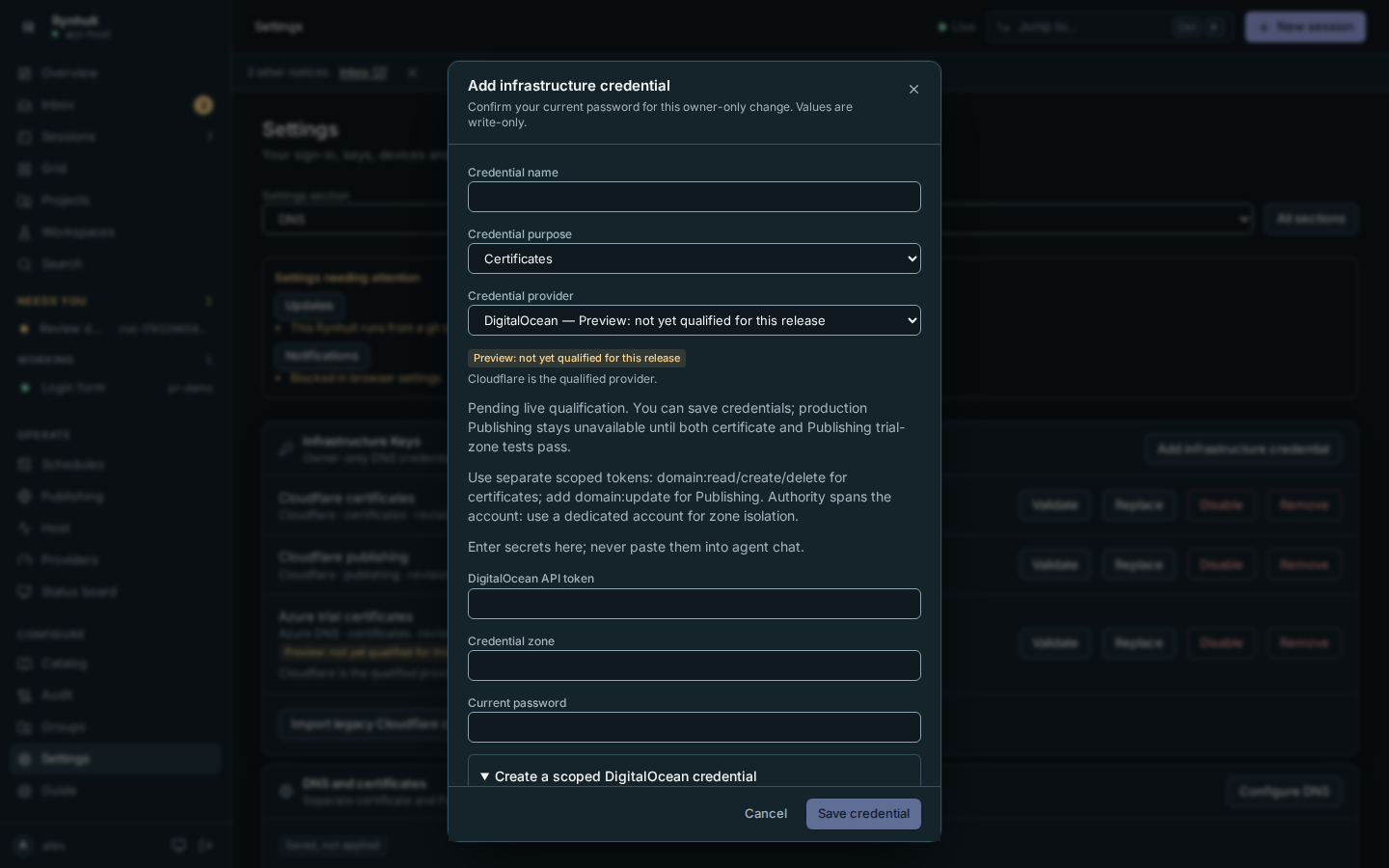
Create DigitalOcean credentials
- Create separate personal access tokens for certificates and Publishing. Select custom DNS scopes only.
- Select only these DigitalOcean fine-grained scopes. Certificates: domain:read, domain:create and domain:delete (Caddy only adds and removes challenge records). Publishing: domain:read, domain:create, domain:update and domain:delete (Rynhult also changes its own records). Do not substitute account-wide read/write scopes.
- These scopes also permit domain operations, and are not restricted to one domain. Use a dedicated account for the trial zone if you need isolation, and explicitly accept this broader authority before qualification.
- Enter DigitalOcean API token and Credential zone (
example.com) in Rynhult for each purpose. Rynhult uses that exact domain; it never creates or deletes a domain or follows a pagination URL to another host.
Official instructions: create a token and domain token scopes.
Create Hetzner DNS credentials
- Create a dedicated Hetzner Console project containing only the trial zone, with the zone in primary mode.
- In Security → API tokens, generate separate Read & Write DNS API tokens for certificates and Publishing. This is the current Cloud DNS API generation, not the retired DNS Console API. Legacy DNS API tokens do not work.
- Project tokens can also manage other project resources; they are not per-zone or per-record-type credentials. Keep the project dedicated and explicitly accept that broader authority before qualification.
- Enter Hetzner DNS API token and Credential zone (
example.com) for each purpose. Rynhult resolves the zone by exact name and retains its numeric ID for ledger operations. The pinned Caddy module uses the/v2Go path.
Official instructions: generate an API token and Cloud DNS API.
Save and select credentials
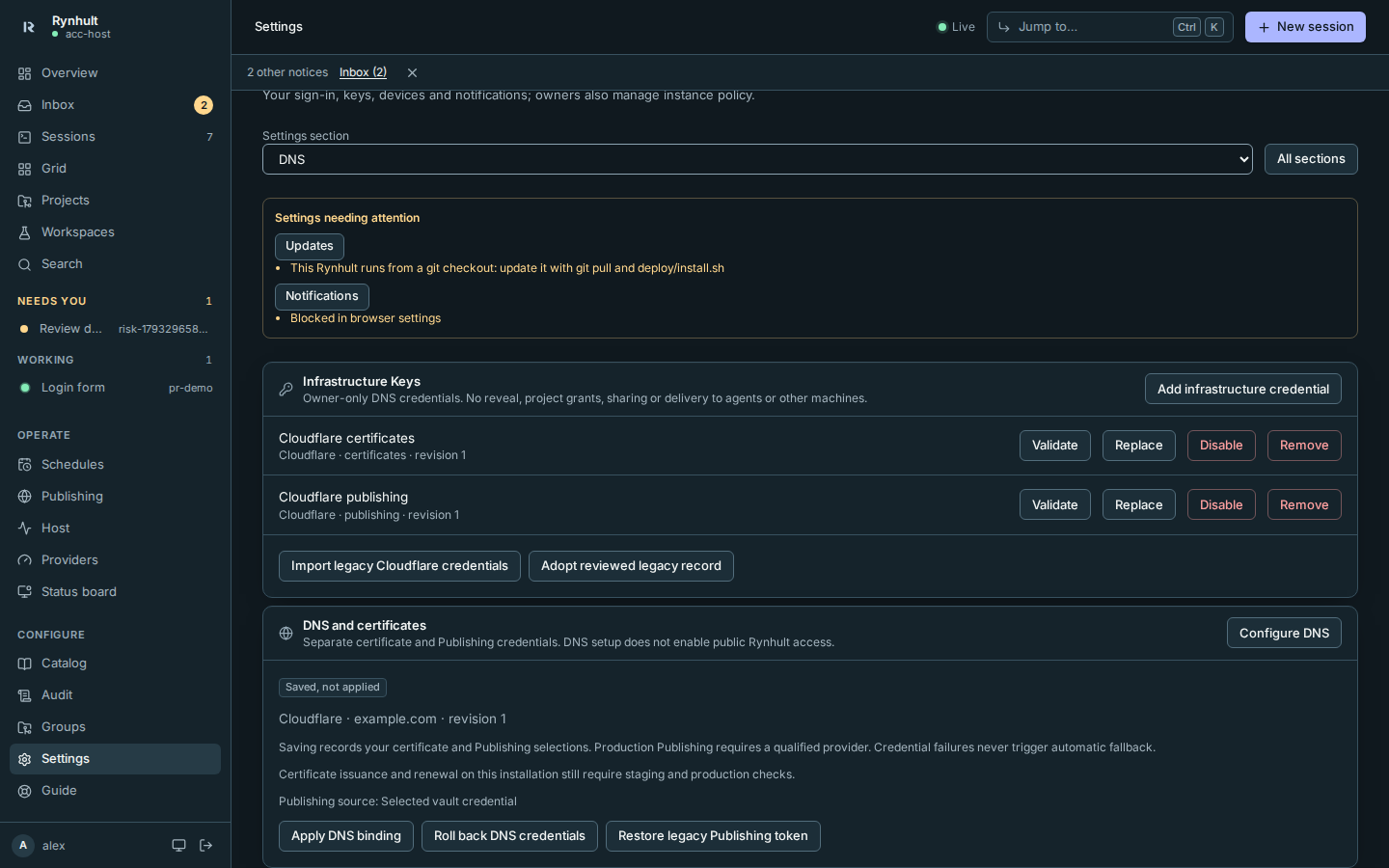
- Open Settings → DNS → Infrastructure Keys → Add infrastructure credential. Select Credential provider, choose Credential purpose, and enter the fields described above. Confirm your current password and save.
- Create the second credential with the other purpose. Values are write-only; Replace replaces the whole set.
- Open Configure DNS. Select the provider, matching zone and the two separate credentials. Check Confirm provider and zone, confirm your password and select Save DNS binding.
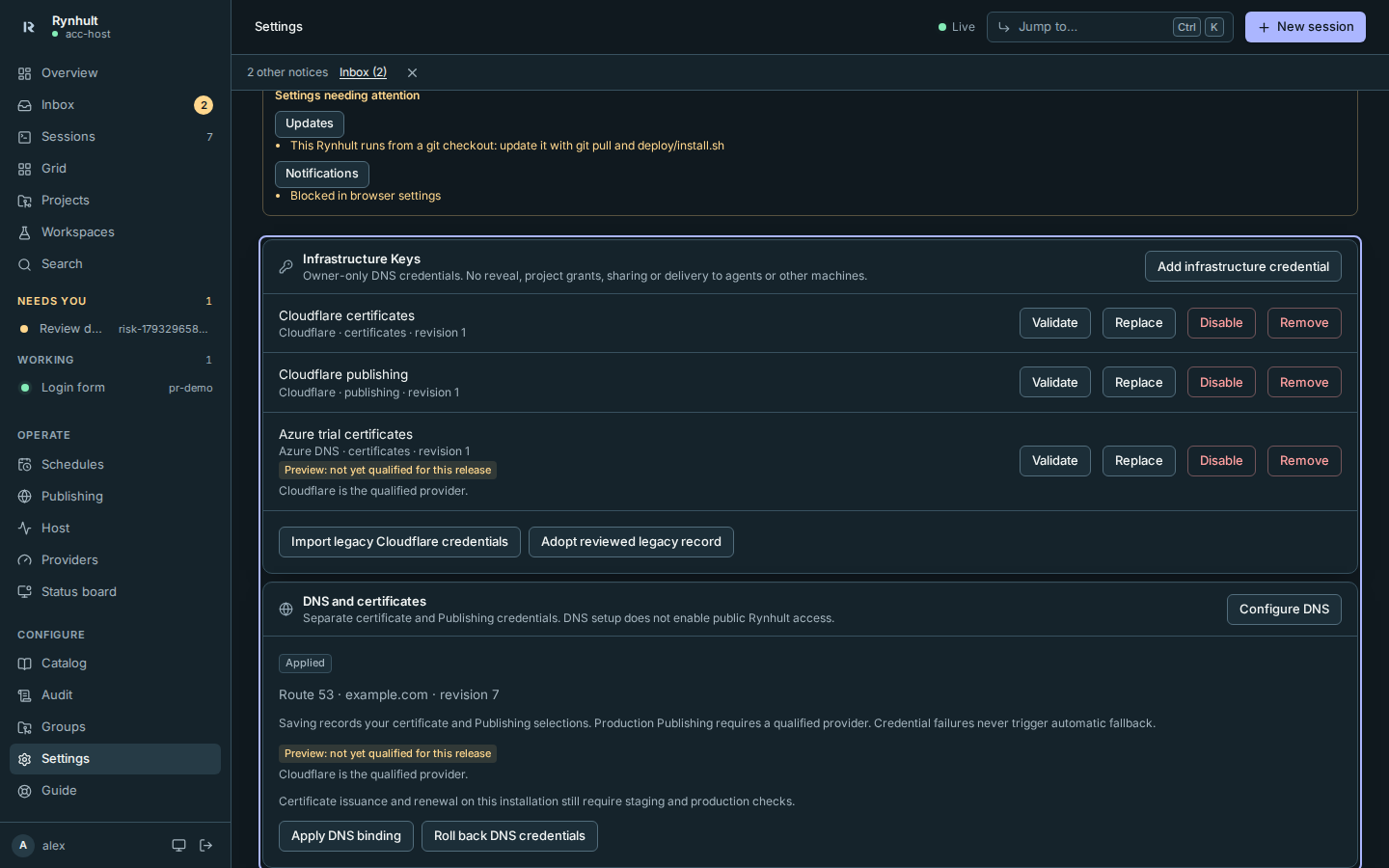
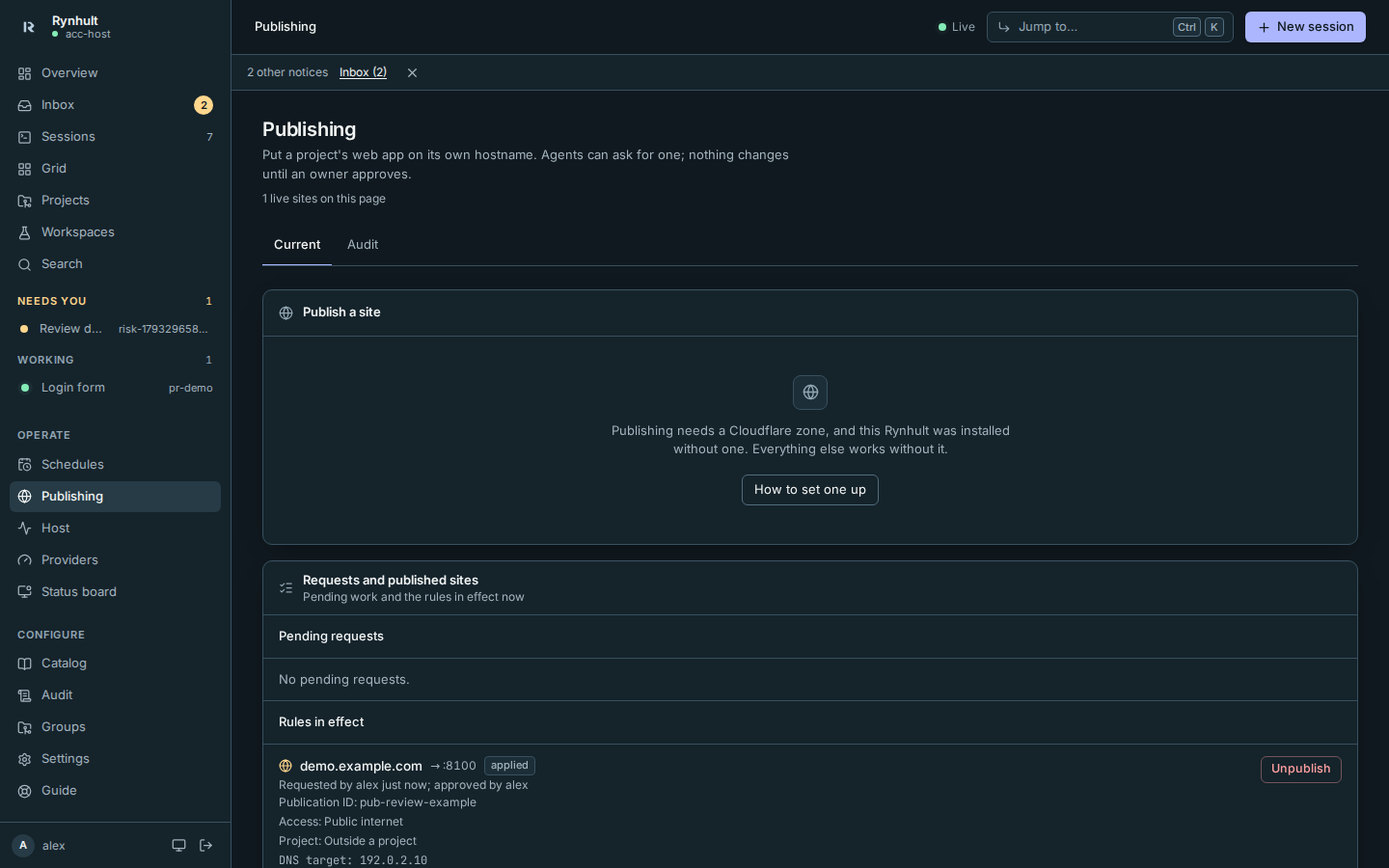
Saved, not applied refers to certificates. Cloudflare Publishing begins using its selected vault credential when the binding is saved. The five preview adapters retain their existing production Publishing qualification gate. Their forms stay available, and saved bindings and credential replacement remain intact. Validate proves read access only; it does not prove write permissions, issuance or renewal. Apply DNS binding requires the operator's root policy, managed Caddy template and qualified release. A provider must be qualified for certificates in that release and allowed by root policy; the root helper refuses otherwise. The preview badge does not bypass these execution checks. A saved or applied binding keeps its status and credentials when release labels change.
Cut over Cloudflare Publishing
Keep the legacy token file while testing the vault credential on a disposable zone. A vault failure refuses the operation; Rynhult never silently falls back to that file. To return to the old token deliberately, select Restore legacy Publishing token and confirm your password. Use vault for Publishing switches back. Saving a binding also selects the vault source. These actions affect future jobs and do not mutate DNS themselves. The restored token publishes only in the bound zone, even if it can edit other zones at Cloudflare.
Removing, disabling or replacing the Imported Cloudflare publishing credential in Keys retires the legacy token as a rollback source. Retirement is permanent: Rynhult has no way to undo it, not even by importing the legacy files again. Restore legacy Publishing token disappears, and if the legacy source is selected at that moment, Publishing jobs are refused until you select Use vault for Publishing. Retiring it in Rynhult does not revoke it at Cloudflare; do that there.
Rynhult now requires its ownership ledger as well as a matching remote record. Existing publications predate the ledger. Review the applied publication on Publishing, copy its Publication ID, and compare the hostname, address and DNS-only state at Cloudflare. Rynhult checks the remote record ID against its saved publication history. Then choose Adopt reviewed legacy record in Settings and enter the publication ID. Rynhult adopts only an exact match to that historical publication; a copied comment is insufficient. Unknown records must remain under manual control. Adoption does not write to DNS.
After both live consumers pass and you confirm the cutover, the operator can remove the legacy file and revoke its old token at Cloudflare. Rynhult does not remove it automatically. Certificate rollback is a separate action with a 24-hour protected generation window. Backups may still contain old credentials.
Run qualification on a disposable zone
Follow Qualify a DNS provider for exact one-zone credential checklists and
python -m acc.dns_qualify. It accepts credentials only at hidden interactive prompts, requires the disposable zone
name twice, verifies the reviewed Caddy hash and writes a private JSON report. It checks Publishing lifecycle,
staging issuance, forced staging renewal, TXT cleanup and the ownership ledger. A failed run stops and retains
private reconciliation evidence; never blindly retry it. Azure remains blocked by its shared-TXT module defect.
A passing report is evidence for review. Negative IAM, parallel issuance, actual lifetime scheduling, provenance and root/service gates remain required; provider availability flags do not change automatically.
Troubleshooting
- ownership_refused: an unmanaged record, shared RRset or external change conflicts. Compare the ledger and provider console. Rynhult will not overwrite it. Do not delete a conflicting record just to make qualification pass.
- reconciliation_required, mutation_uncertain_reconcile or publication_uncertain_reconcile: the prior write may have succeeded. Stop automatic retries and have the operator compare the retained intent, remote ID, exact values, provider history and any queued Caddy job. An unanswered Publishing helper may still finish later, so Rynhult keeps the DNS/address reservation and blocks retargeting.
- provider_response_limit or provider_response_invalid: the reply was too large, malformed or used an unsupported encoding. DNS replies are limited to 2 MiB after decoding; gzip and deflate are decoded within that limit. Truncated, trailing-data and stacked encodings are refused. No provider error body is shown. Retry only after checking provider health.
- provider_refused: check expiry and one-zone permissions. Provider response bodies are intentionally hidden.
- Changing Azure or Hetzner A to AAAA requires unpublishing the owned A first; the adapter refuses a non-atomic family swap.
- Cloudflare does not expose an ETag prerequisite for these writes. Rynhult re-reads before mutation, but a concurrent external edit in that small interval remains a provider limitation. Avoid editing a record managed by Rynhult concurrently.
DigitalOcean and Hetzner do not provide conditional mutations for these operations. The ledger re-reads exact remote state before each write, but an external edit in the read/write interval remains a limitation. Google uses an atomic exact-delete/create change; like Route 53 it has no persistent record ID, so an externally recreated identical RRset cannot be distinguished from the original. Google ledger zone identities include the project and managed-zone name.
This page is generated from docs/wiki/User-Guide/DNS-Providers.md; the same page is under Guide inside Rynhult.