Every feature at a glance
Screenshots use fictional demo accounts and fixed example metrics, not live systems or qualification evidence.
A tour of everything Rynhult does, one screenshot per feature, with a link to the page that covers it in detail. In Rynhult itself these pages are under Guide in the sidebar.
v1 scope: the self-hosted Linux server, browsers including the phone web app, and existing Linux/macOS/Windows-WSL nodes. Native desktop/mobile sections below describe experimental post-v1 code, not v1 app releases. See platform scope and native-app order.
Overview
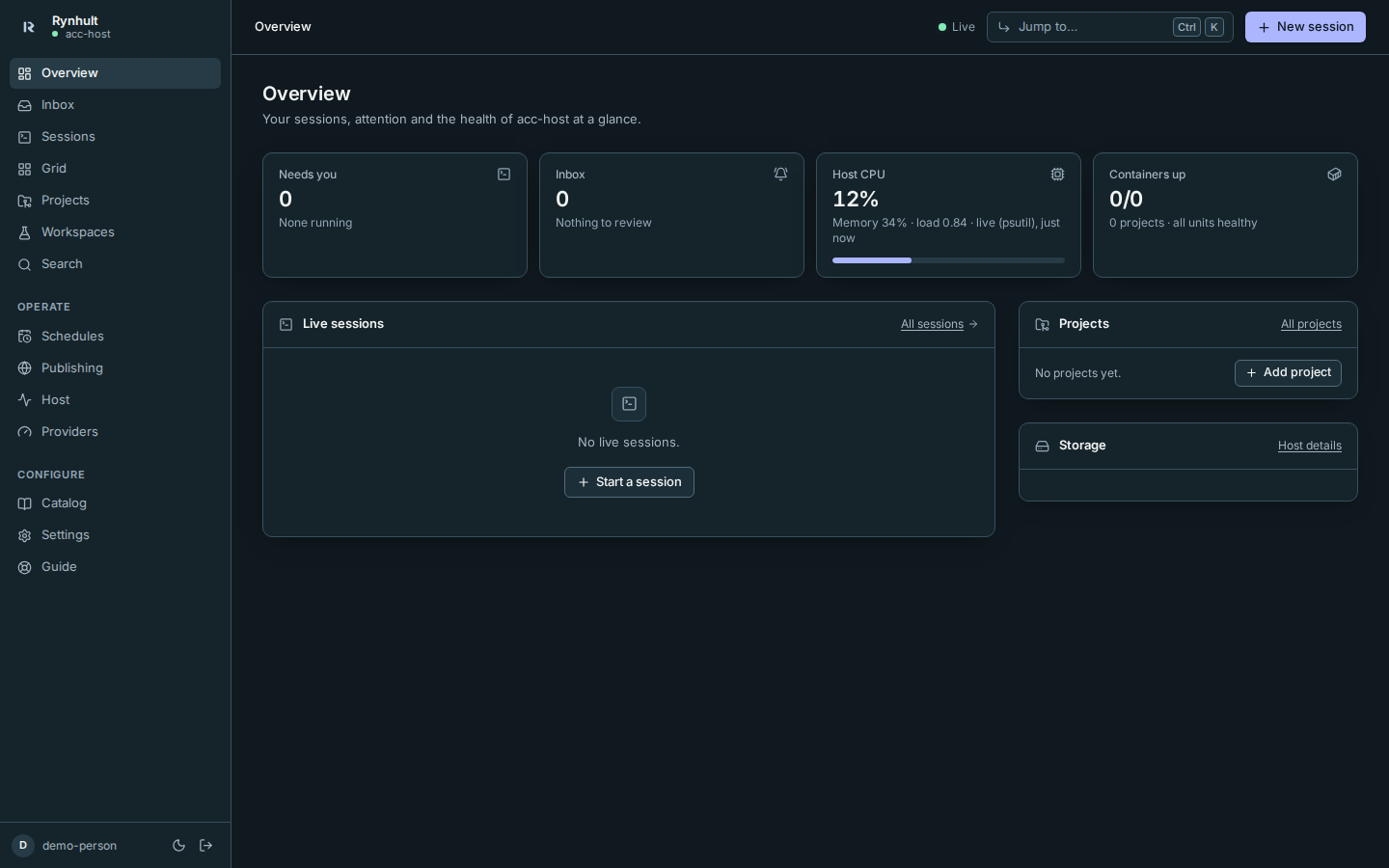
The home screen: live sessions grouped into Needs you, Working, Unknown and Idle, what needs you, plan usage with your budgets, projects, storage and host health. Every session names its machine, including the main; desktop tables have a sortable Host column.
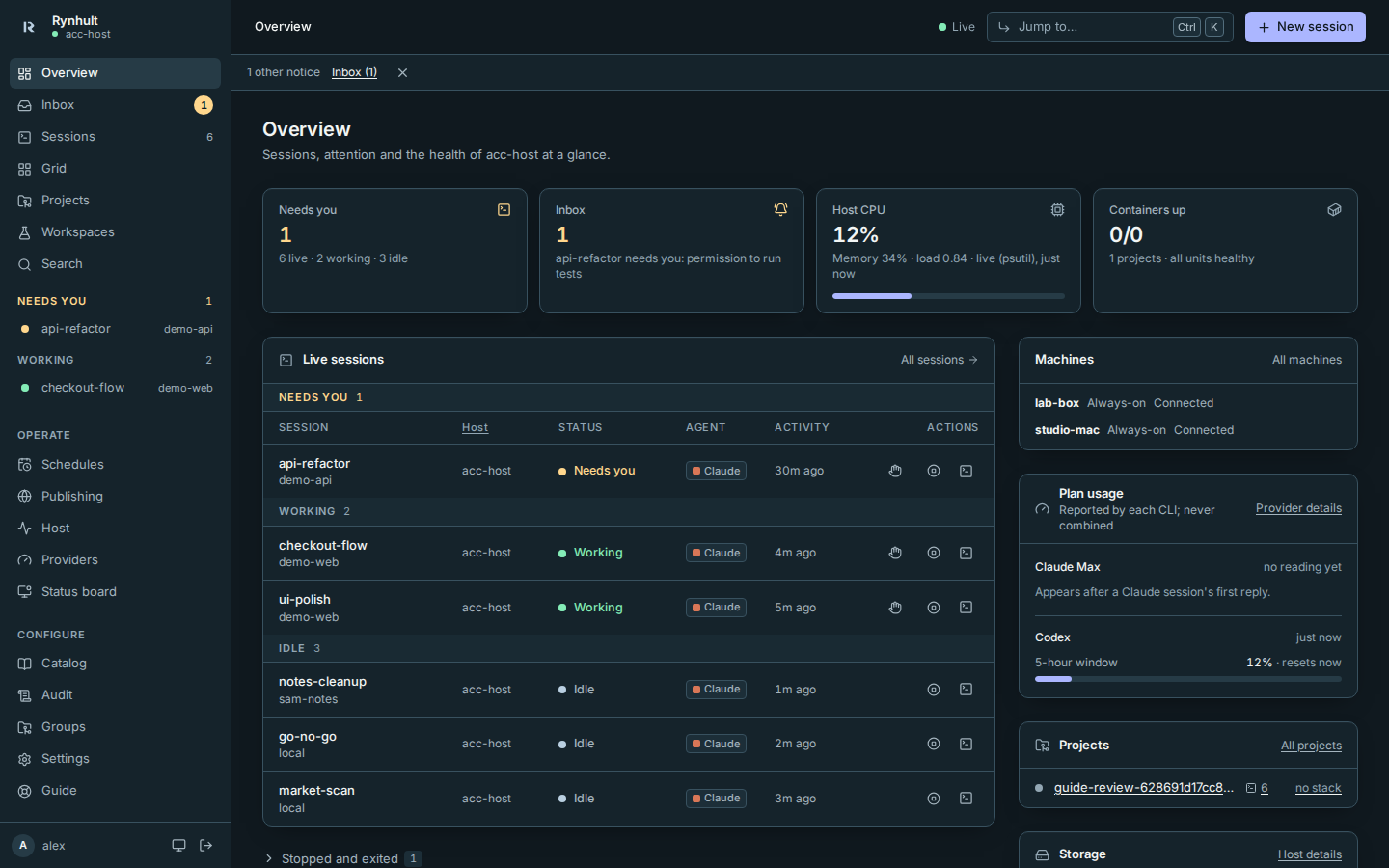
More: Overview.
Sessions and the live terminal
Each session is a native agent CLI (Claude Code, Codex, GitHub Copilot CLI, Antigravity, Cursor or OpenCode) running in tmux on the server. Its page embeds that tmux session as a real terminal in the browser: the same screen you'd see over SSH, with colours, prompts and permission dialogs, and you can type into it. Close the tab and the session keeps running; open it on another device and you're back where you were.
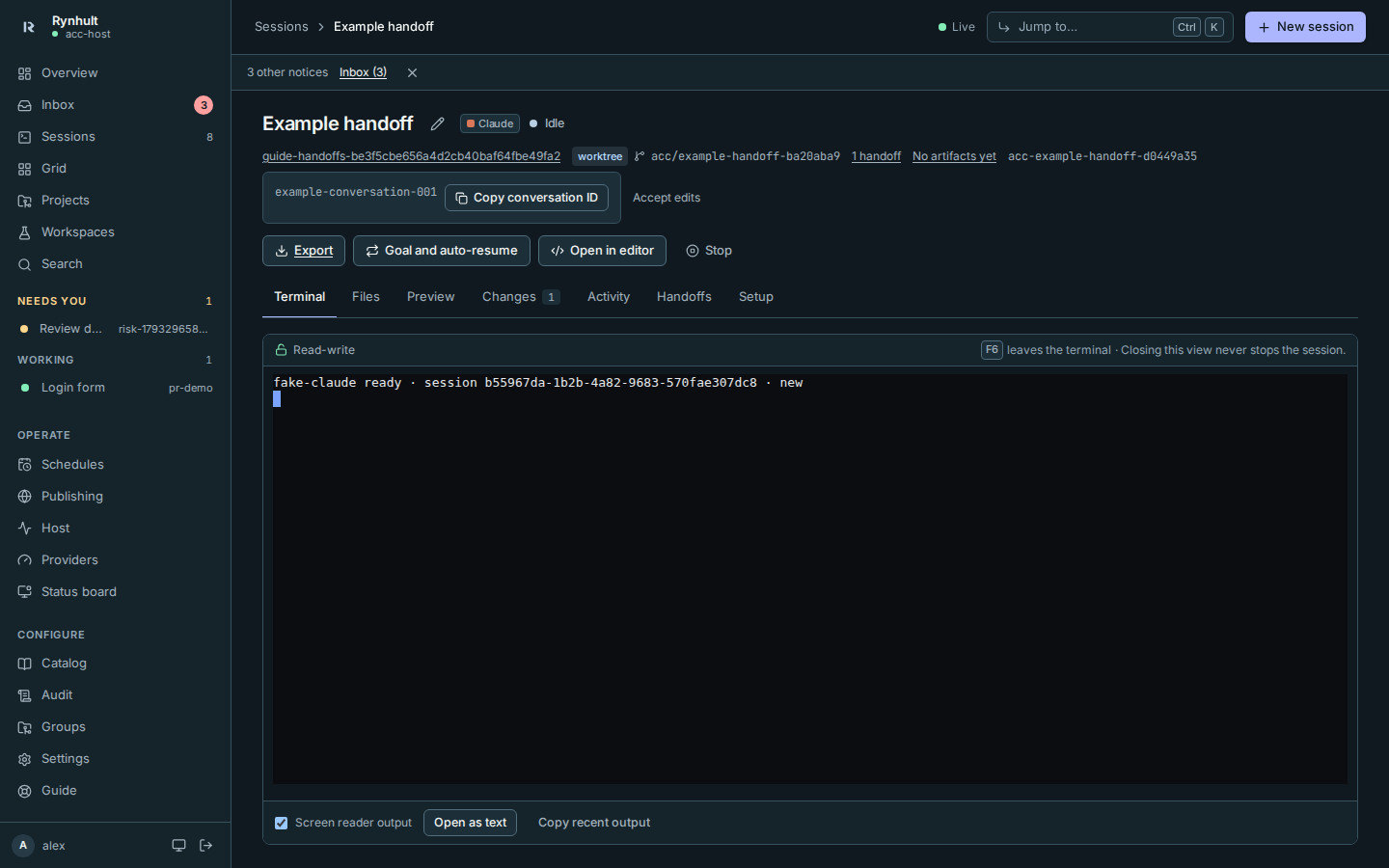
- One window types at a time; others show Read-only with Take control.
- On a phone, a key bar adds Esc, Tab, arrows, Ctrl and Enter.
- Its row and header show what it's doing now ("Running npm test", "Editing src/api.py"), from fresh agent tool events. A working hook silent for ten minutes becomes Unknown since its last evidence time, not a permanently current Thinking; see stale working status.
- Changes, Activity, Handoffs and Setup tabs show what it changed, what happened and exactly what was run.
- Interrupt (Esc), Stop, Resume and Archive; Rynhult resumes the same conversation after a crash or reboot.
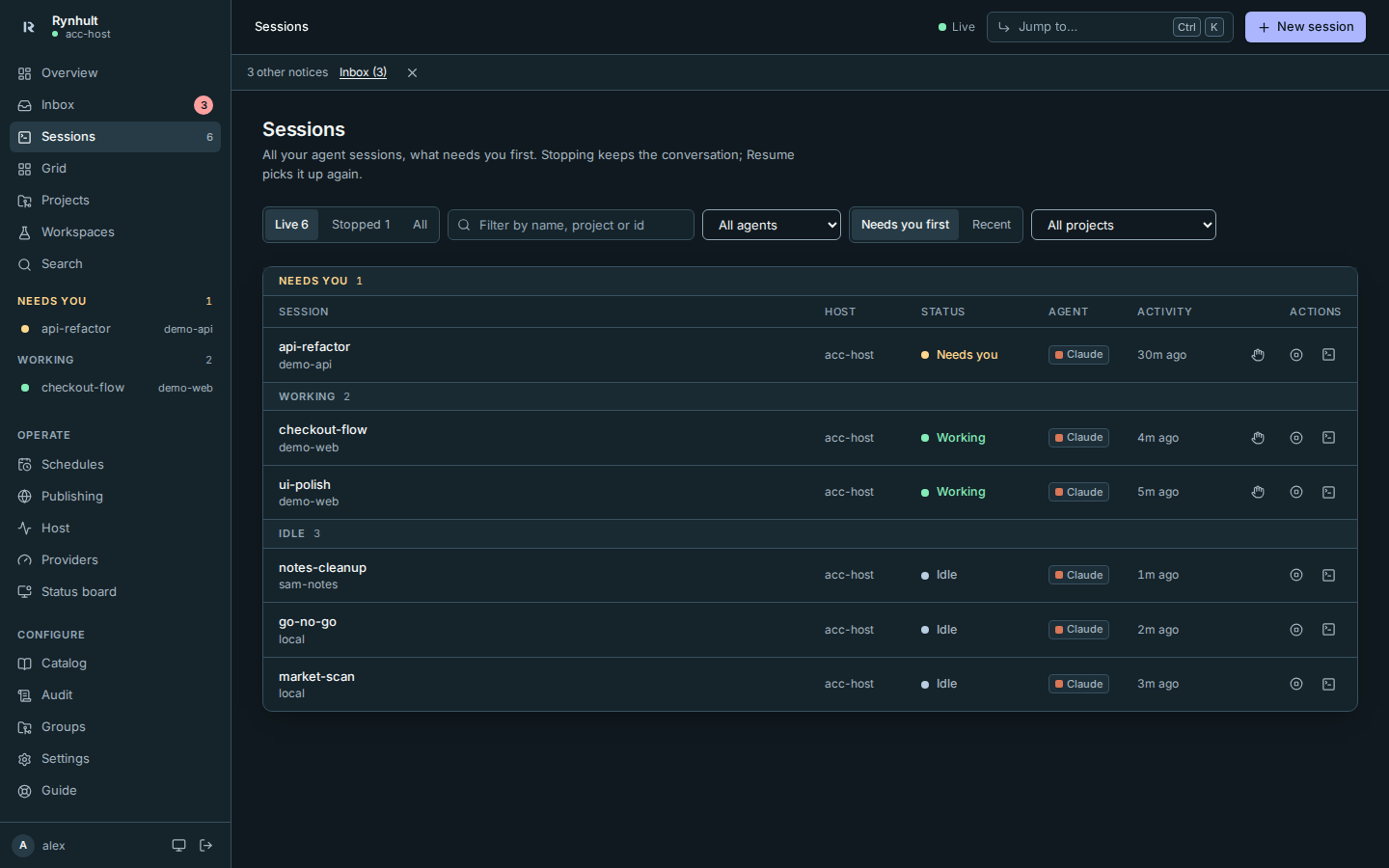
More: Sessions.
Changes
The current branch's changes from its merge-base with main, plus edits and new files, as a diff per file with "+44 −0 · 3 files" on its row. Switching branches updates the comparison. Folders outside a Git checkout have no badge; comparison fallbacks and older-node limits are explicit.
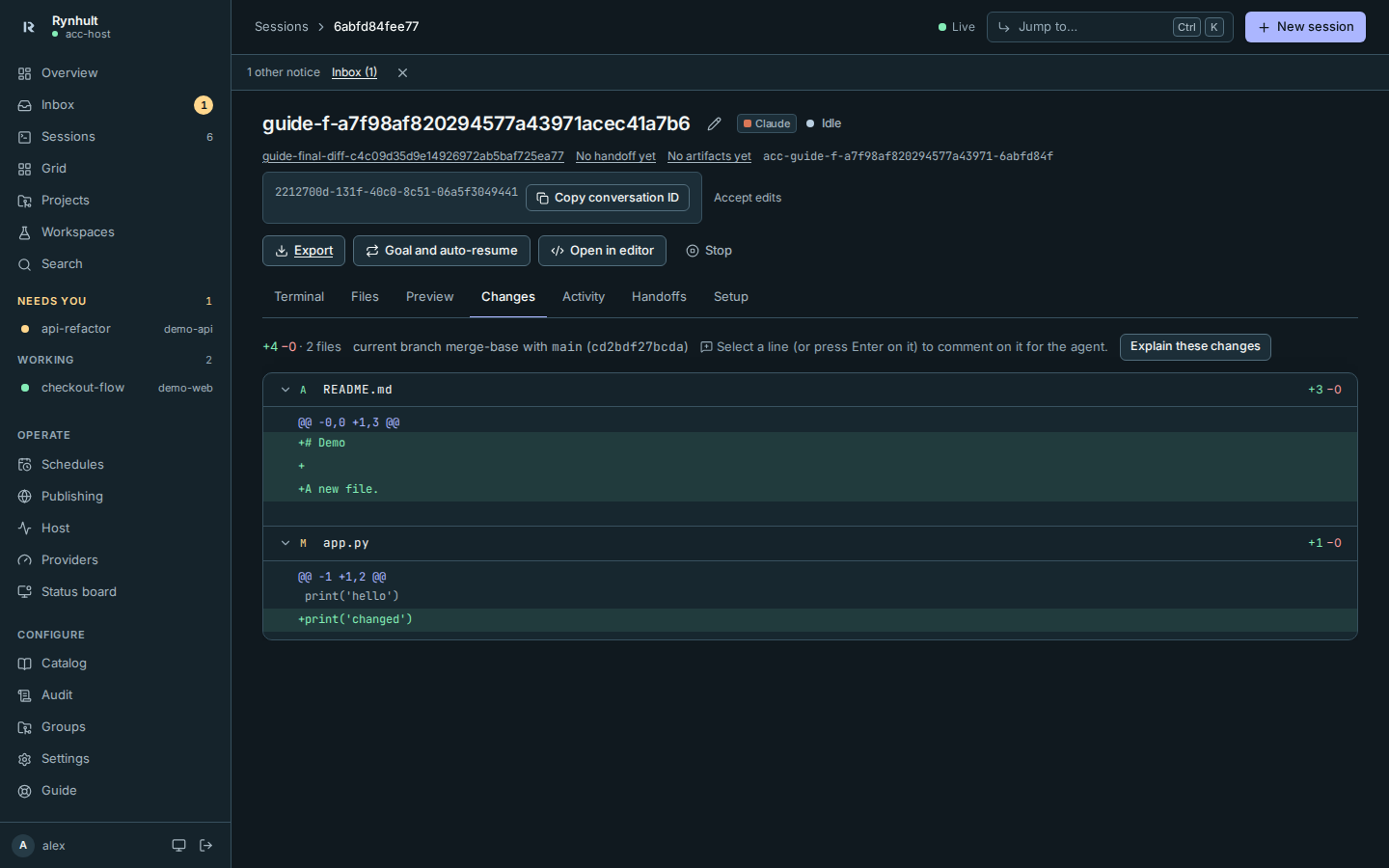
More: Sessions.
Grid
Up to four live terminals side by side: watch several agents and answer whichever needs you.
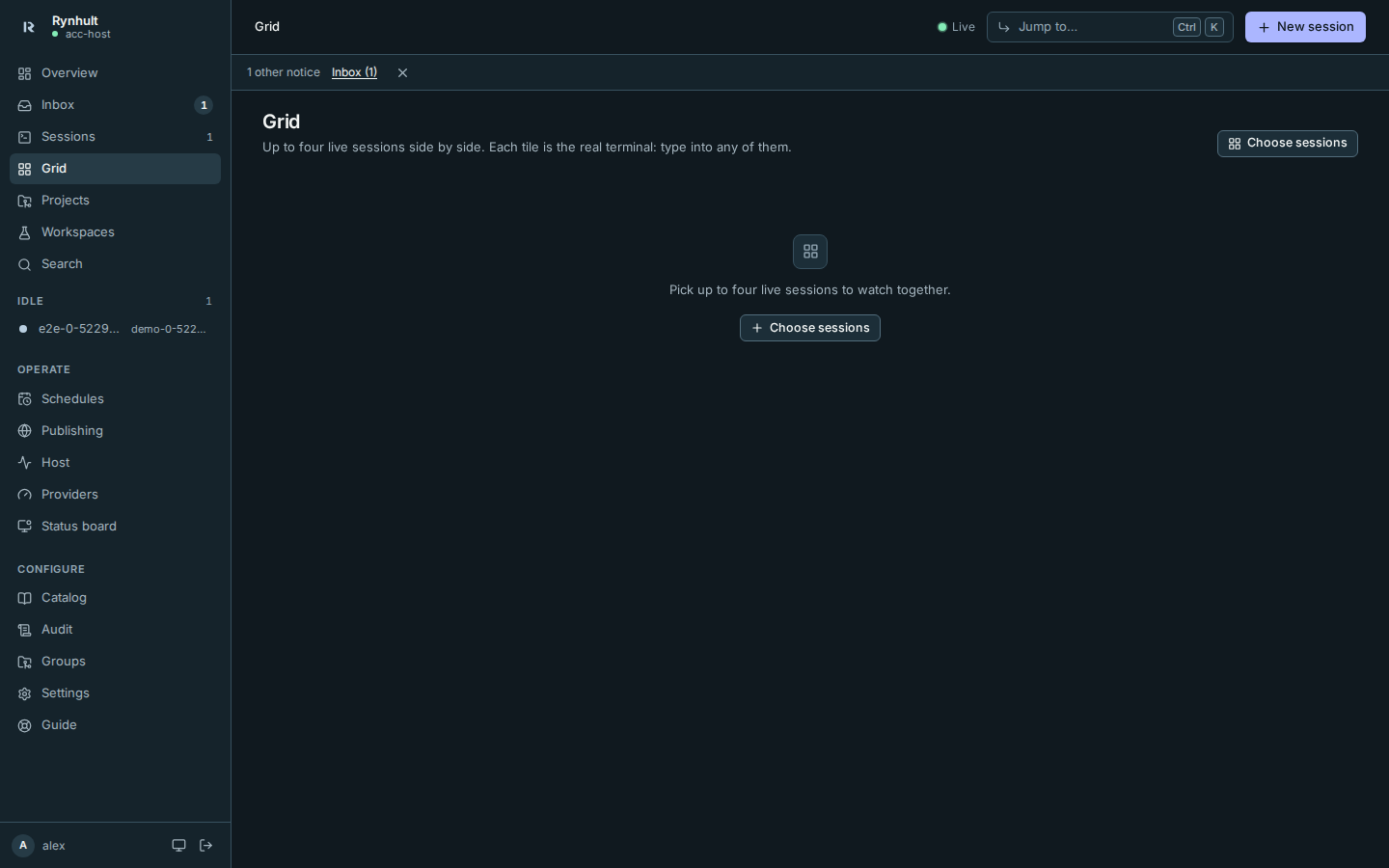
More: Sessions → Grid.
Worktrees
Own worktree gives a project session its own working copy on its own branch, so agents working on one project in parallel don't touch each other's files.
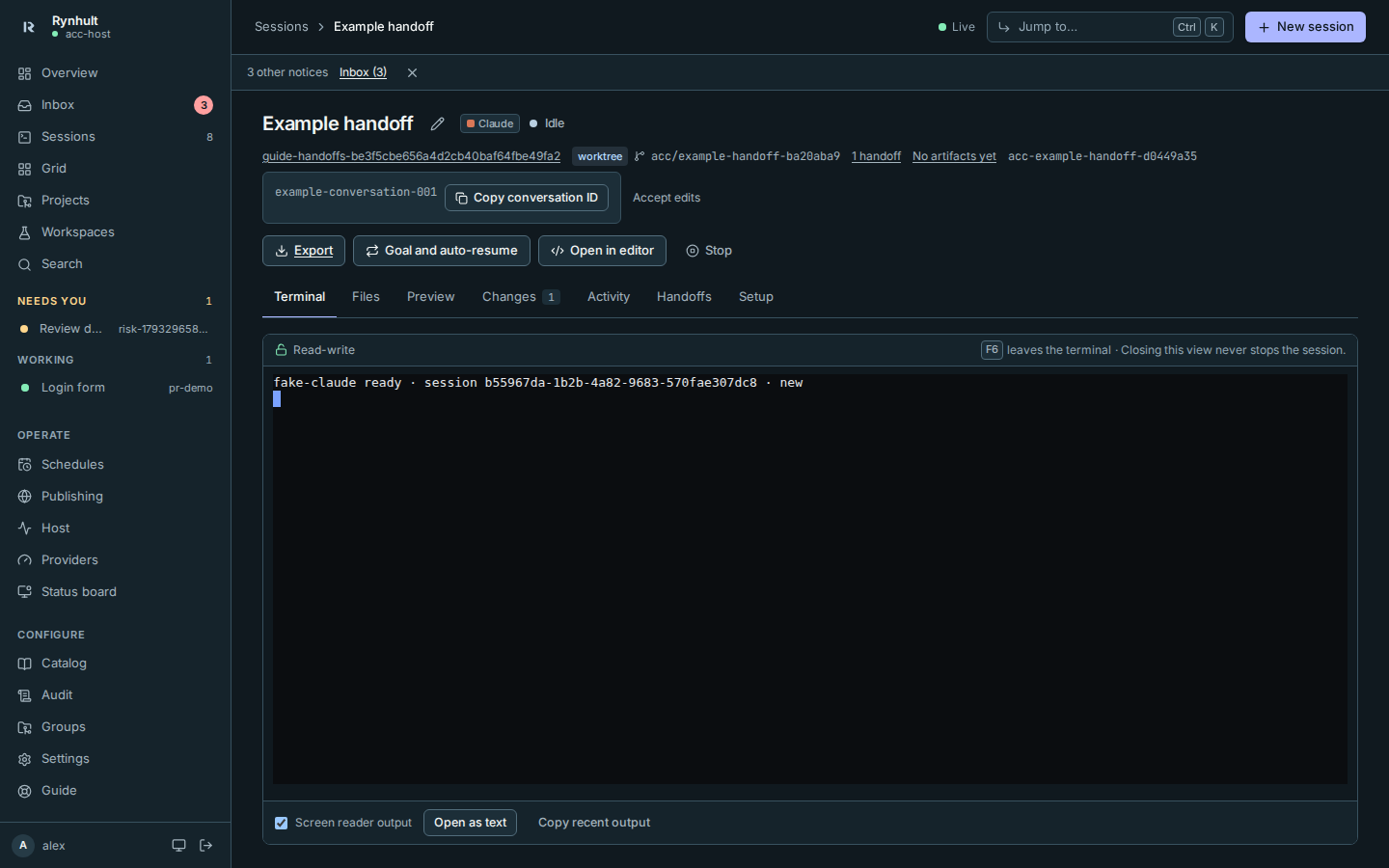
More: Sessions → Worktrees.
Multi-run
Send the same task to 2 to 5 agent/profile/model choices, each in its own worktree. Compare their Changes file by file, mark a winner, and explicitly stop and archive the rest without deleting their branches.
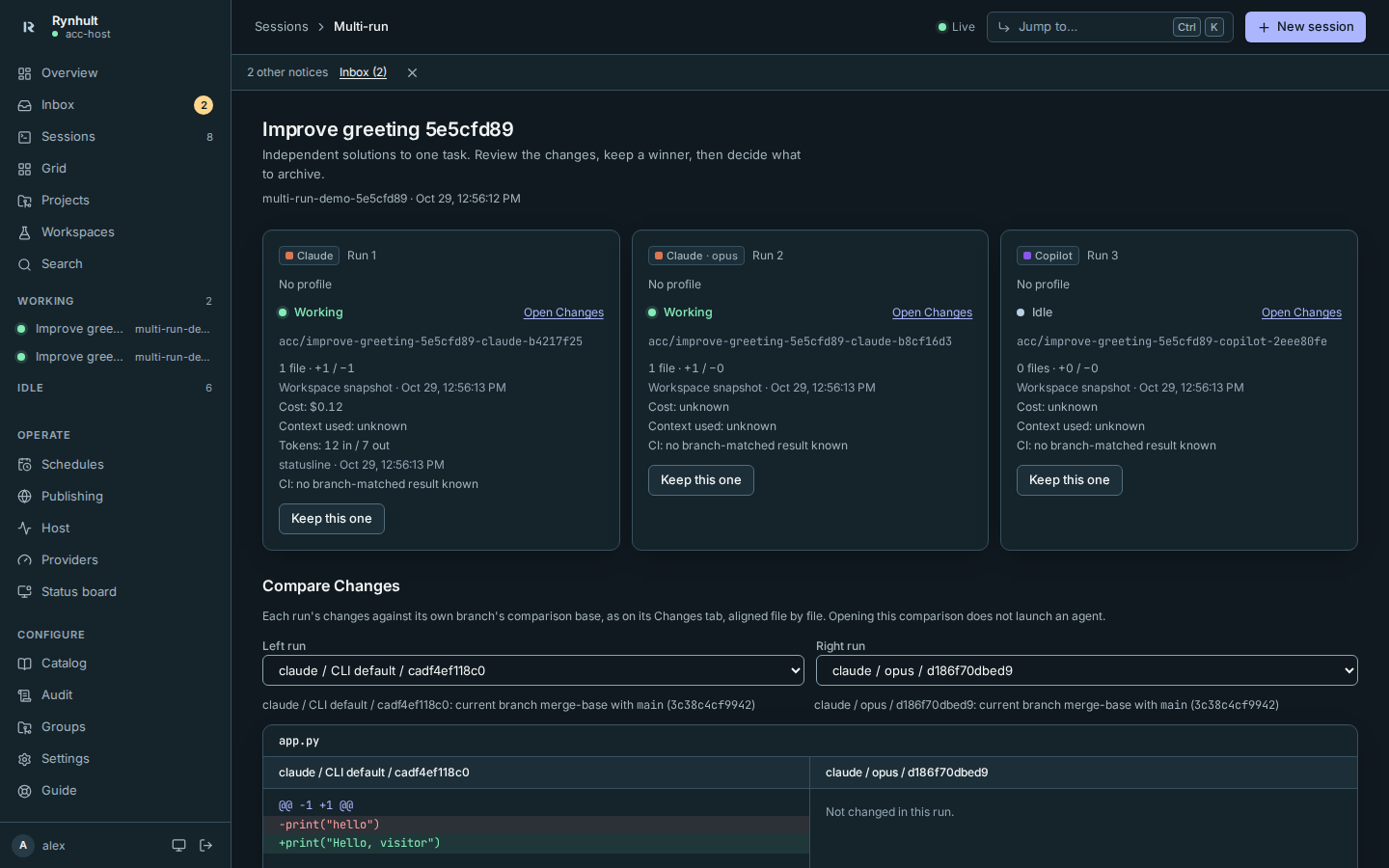
More: New session, Sessions → Multi-run.
Search
Everything you and your agents said, in every session (archived ones too), for every agent.
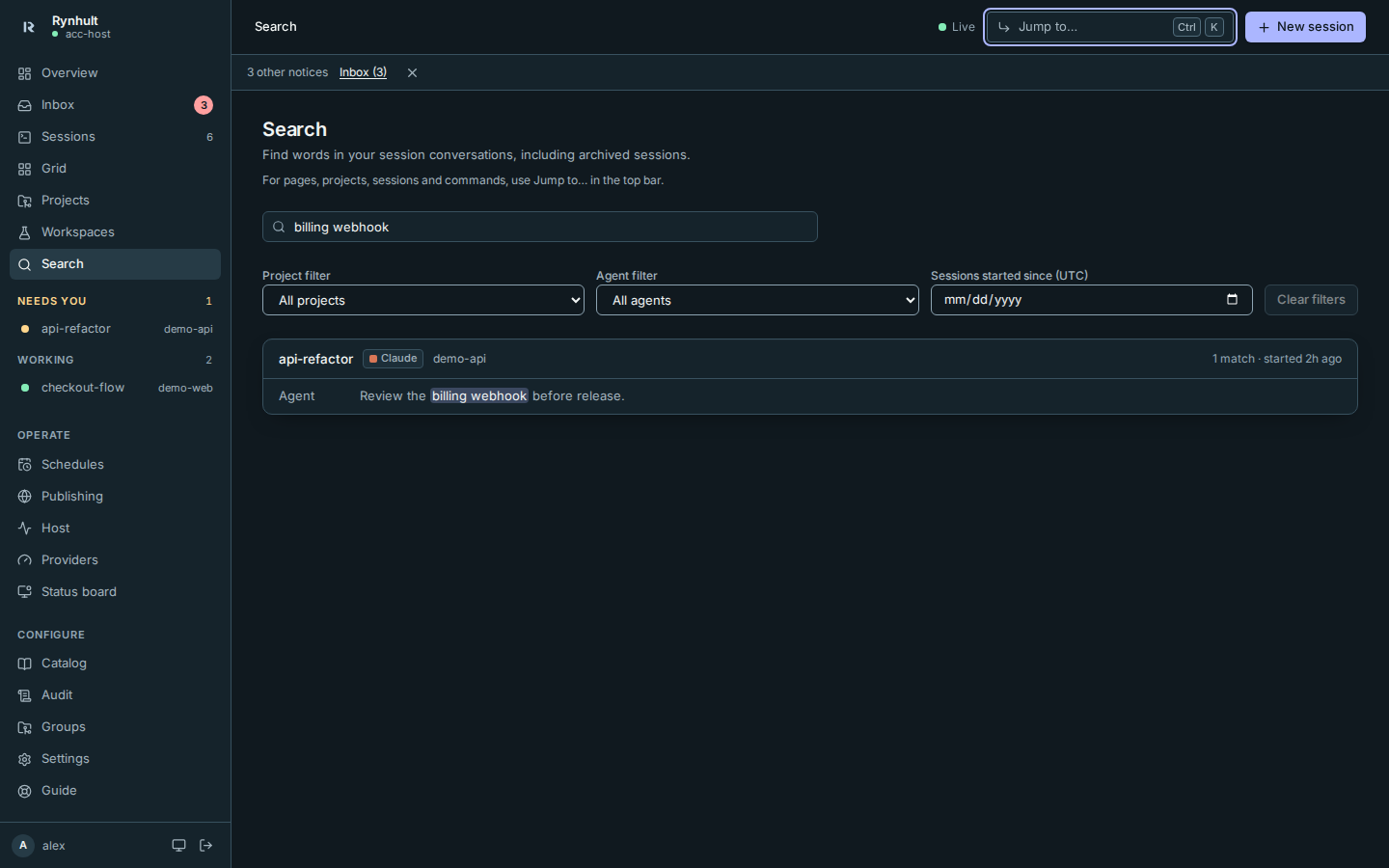
More: Search.
Starting a session
Pick the agent, project or workspace (optionally in its own worktree), profile, model, permissions, skills and MCP servers.
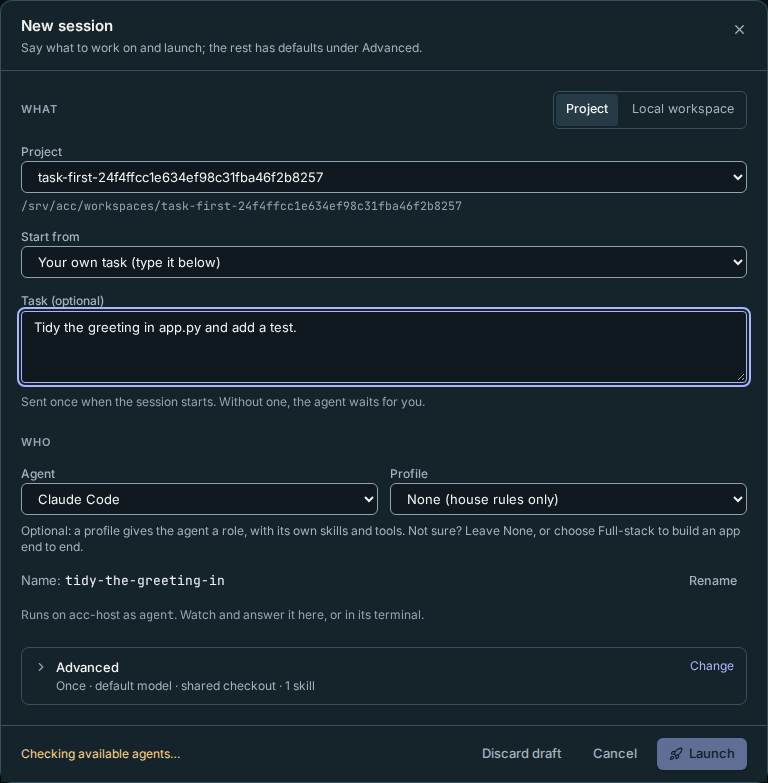
More: New session.
Scheduled sessions
Choose a project launch and timezone-aware once, daily, weekly or cron timing. Each run checks your budget, skips overlapping work and appears as an ordinary session. Only people create and enable schedules.
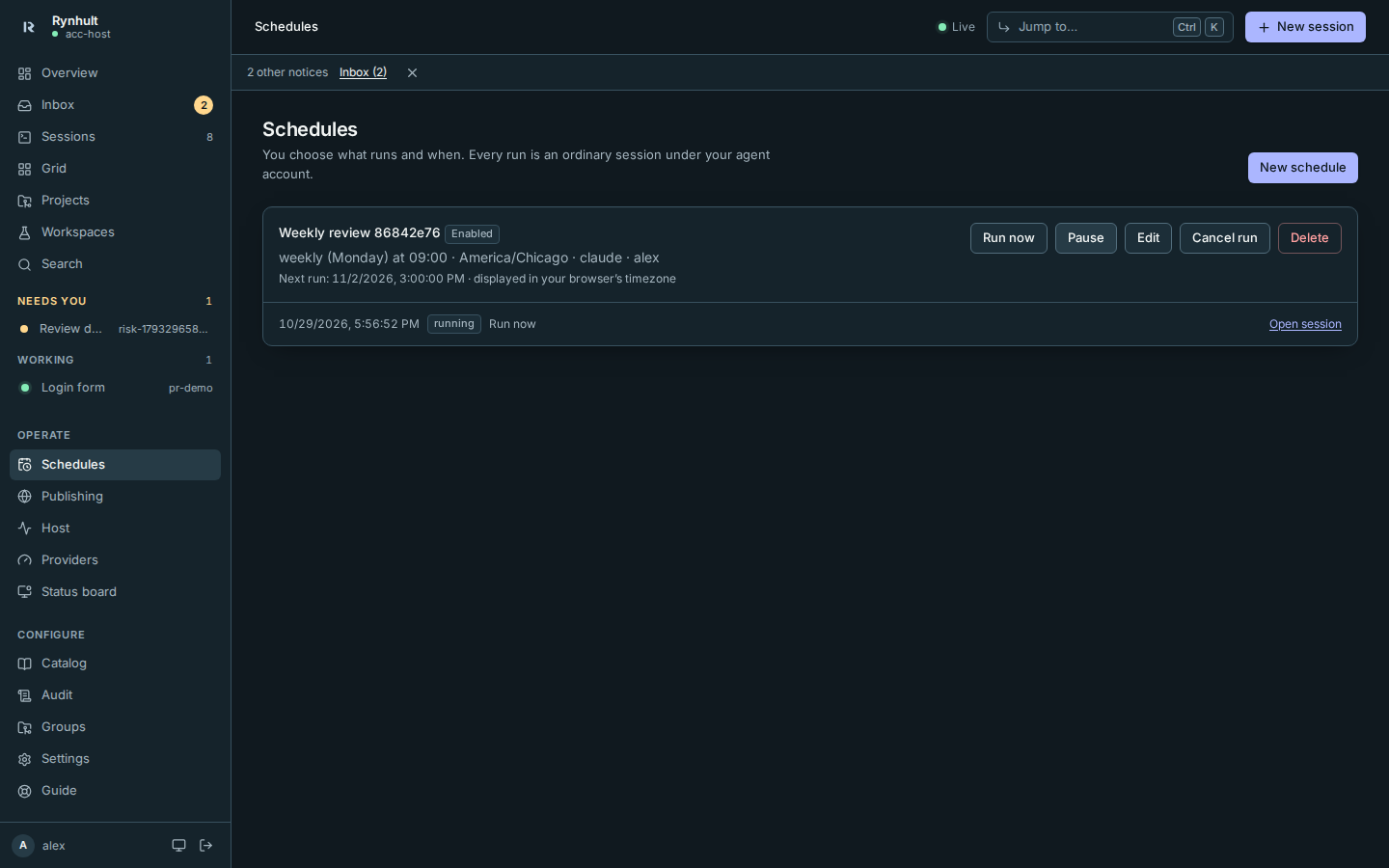
More: Schedules.
Workspaces
Private Development workspaces have project capabilities with local git only: isolated worktrees, Changes, Files and Markdown preview, approved Docker stacks, ports, keys, budgets and Rynhult git backup. Research / Council workspaces share findings in one folder. Promote to project is a separate explicit step.
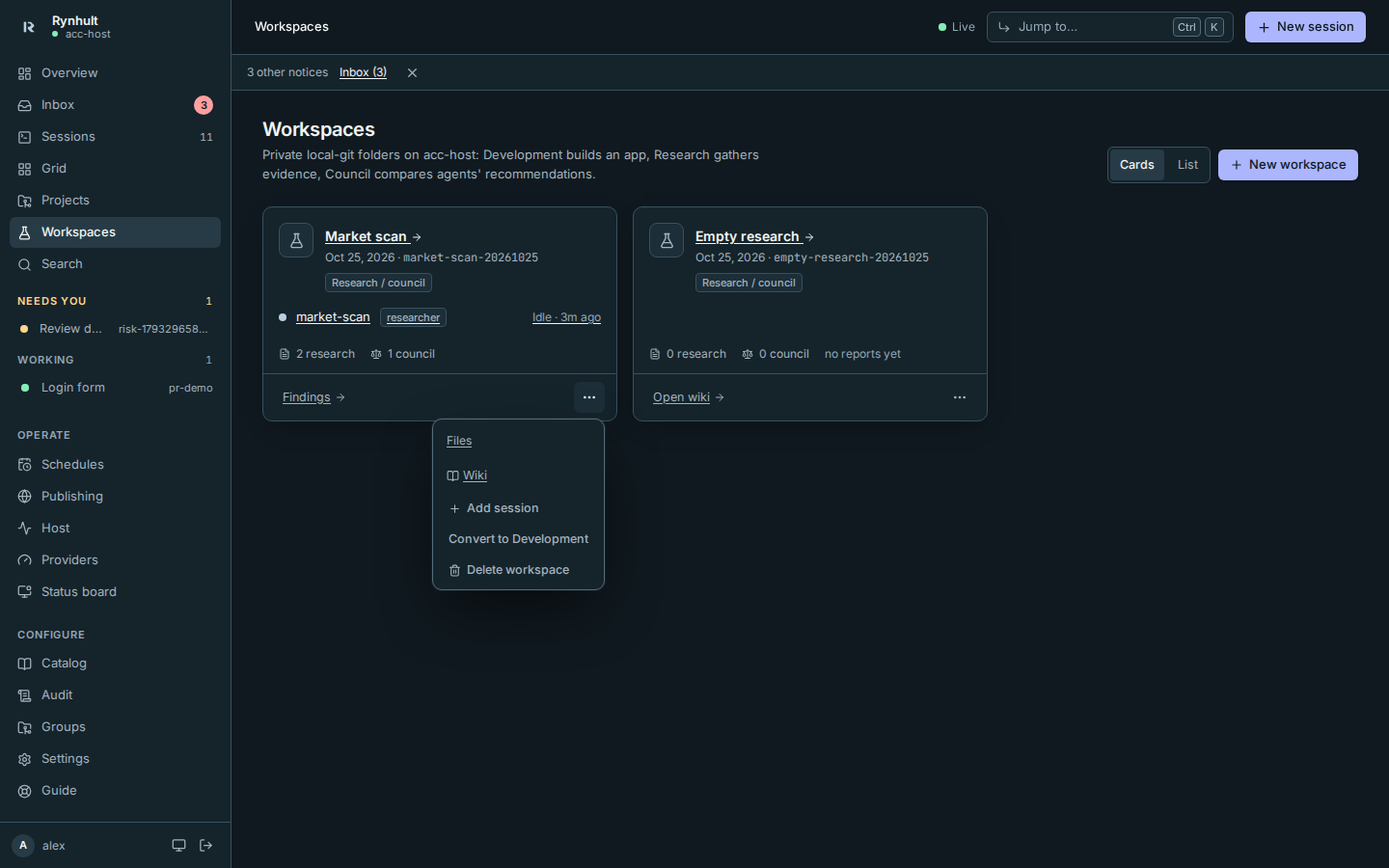
More: Workspaces.
Projects
New project makes an empty folder, clones a repository or creates a GitHub repository, from the browser and trusted in the same step; Register folder adds one that already exists. Each project page shows its sessions, CI, pull requests, issues, commits, knowledge notes, Docker stack and reserved Ports. Project git backup is on by default: it copies committed branches and tags to the main Rynhult and offers a downloadable bundle. A backup on the main is not an independent copy of a main-host project.
Updated roaming machines can use a private-first public git-backup fallback, but public access and machine identities default to Off, need qualification, and do not replace the private control link. See Git backups while roaming.
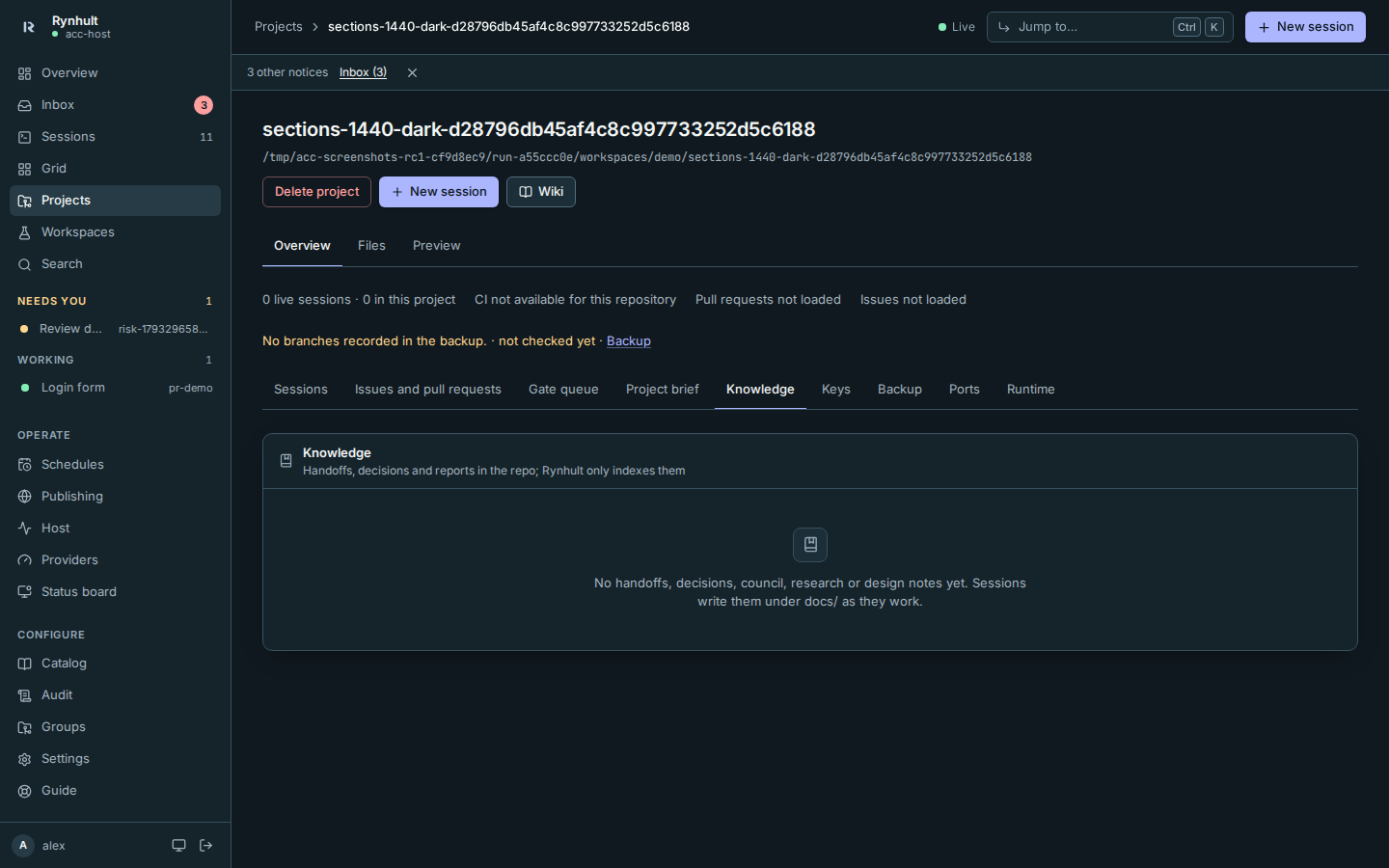
S3 backups include retention runway and an opt-in independent maintenance job. The main never receives that job's maintenance key or runs it automatically.
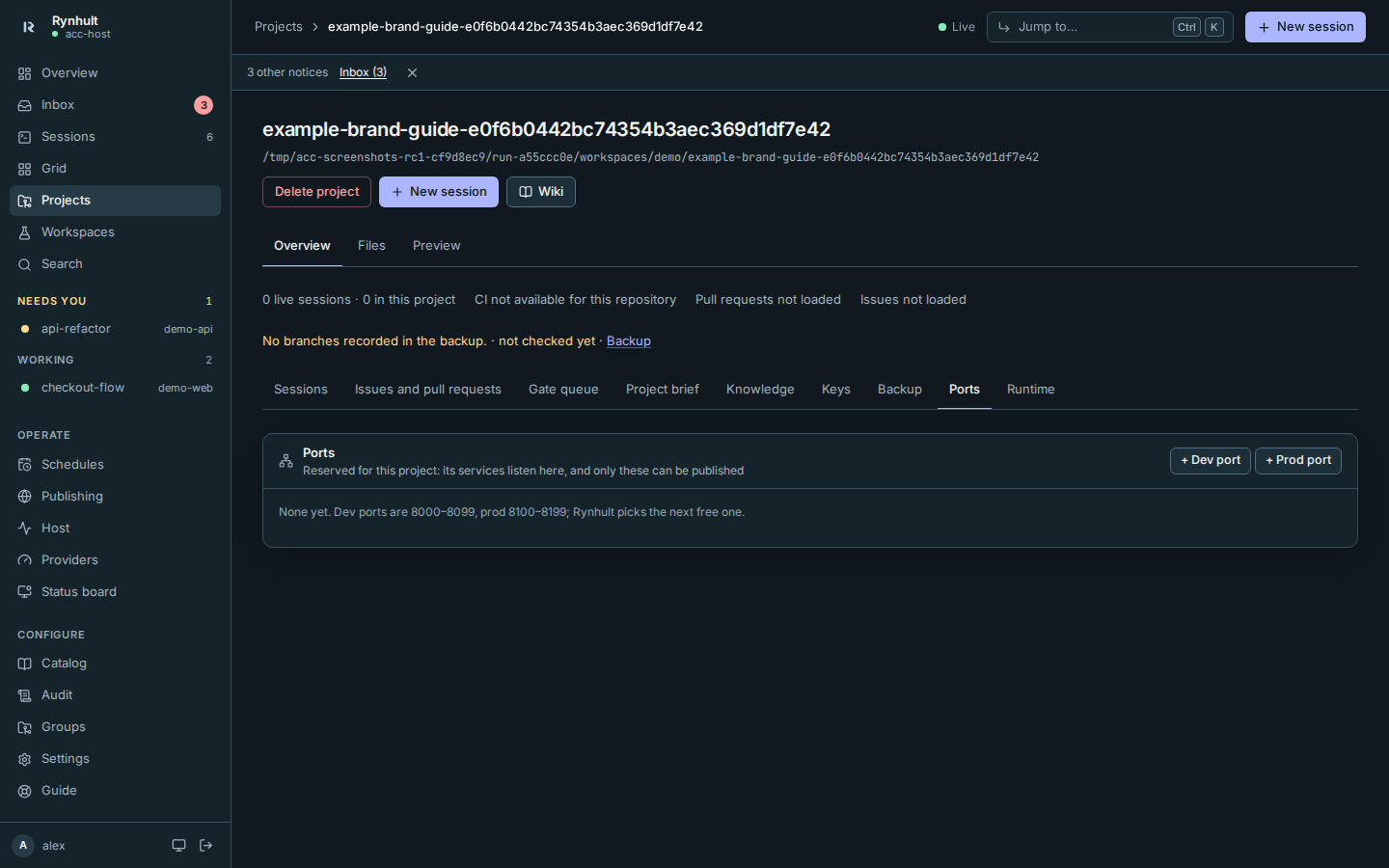
More: Projects.
Backups and recovery
Owners can capture encrypted SQLite control state and bare git repositories to an enrolled Linux receiver, S3-compatible storage or an administrator-provisioned local directory. New targets start with scheduled backups off, set to daily capture and weekly full restore verification once enabled. The recovery kit and isolated restore checks do not activate a replacement main; PostgreSQL and execution workspaces need separate backup procedures.
S3 protection is conditional on verified COMPLIANCE retention for every required object version. Independent retention maintenance is off by default, uses credentials on a separate trusted host and installs no timer. Planned receiver downtime preserves the true backup age; reconnect queues one current catch-up, not every missed capture.
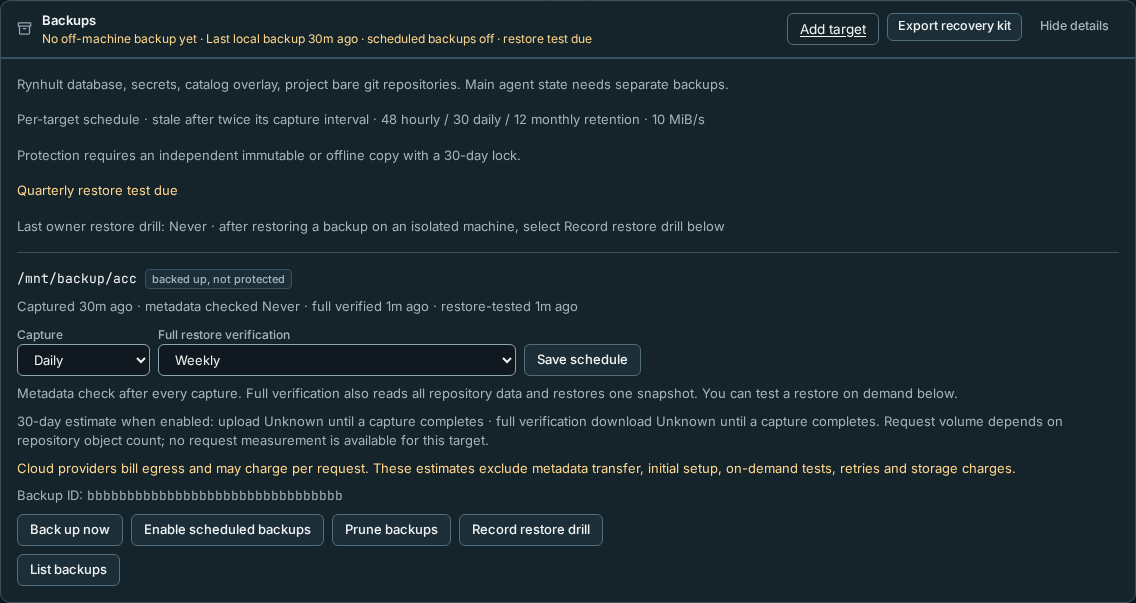
More: Backups.
Wikis
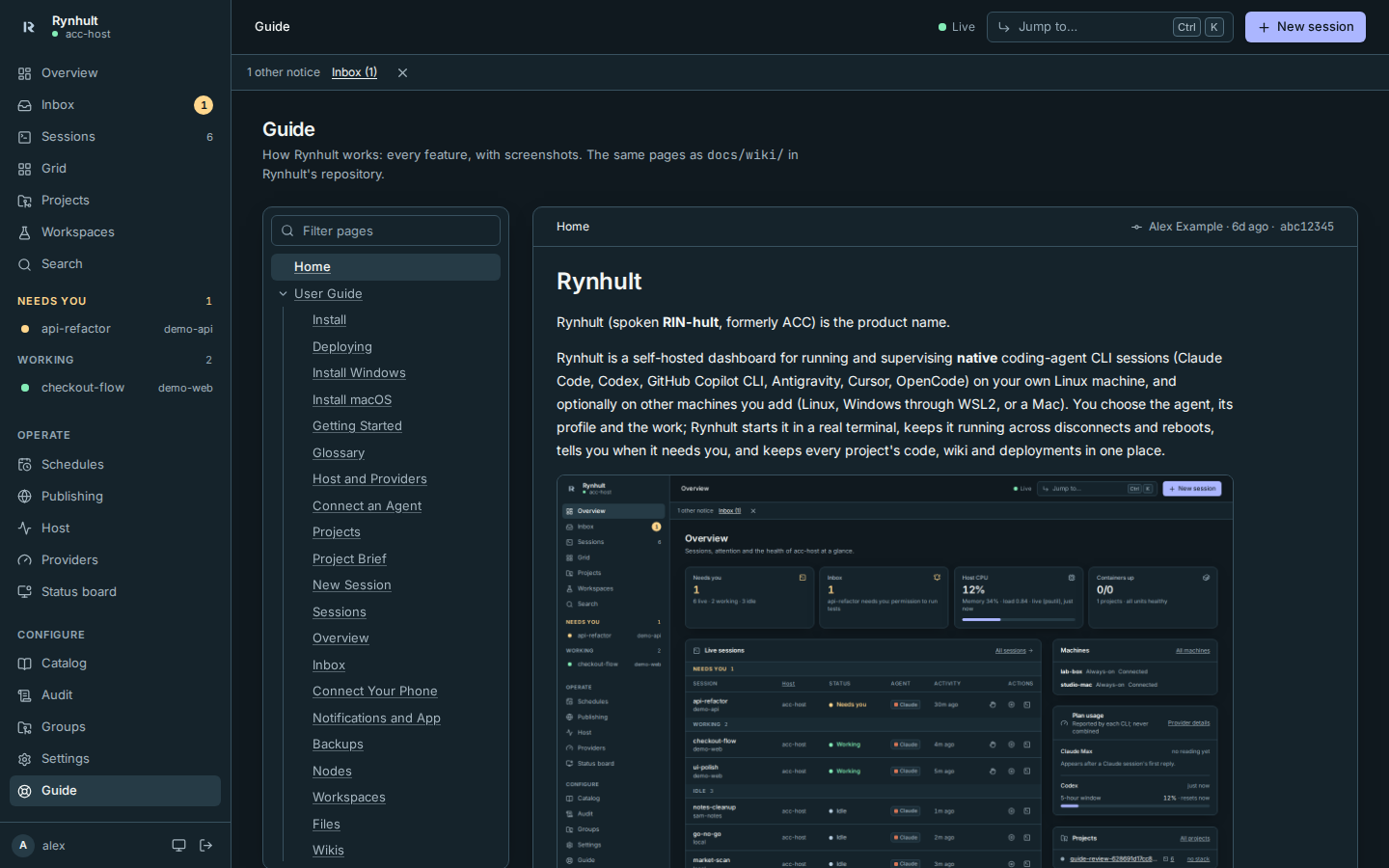
Every project's docs/wiki (Azure DevOps layout) rendered with its page tree, a page filter and who changed each page last. This Guide is the same viewer reading Rynhult's own wiki.
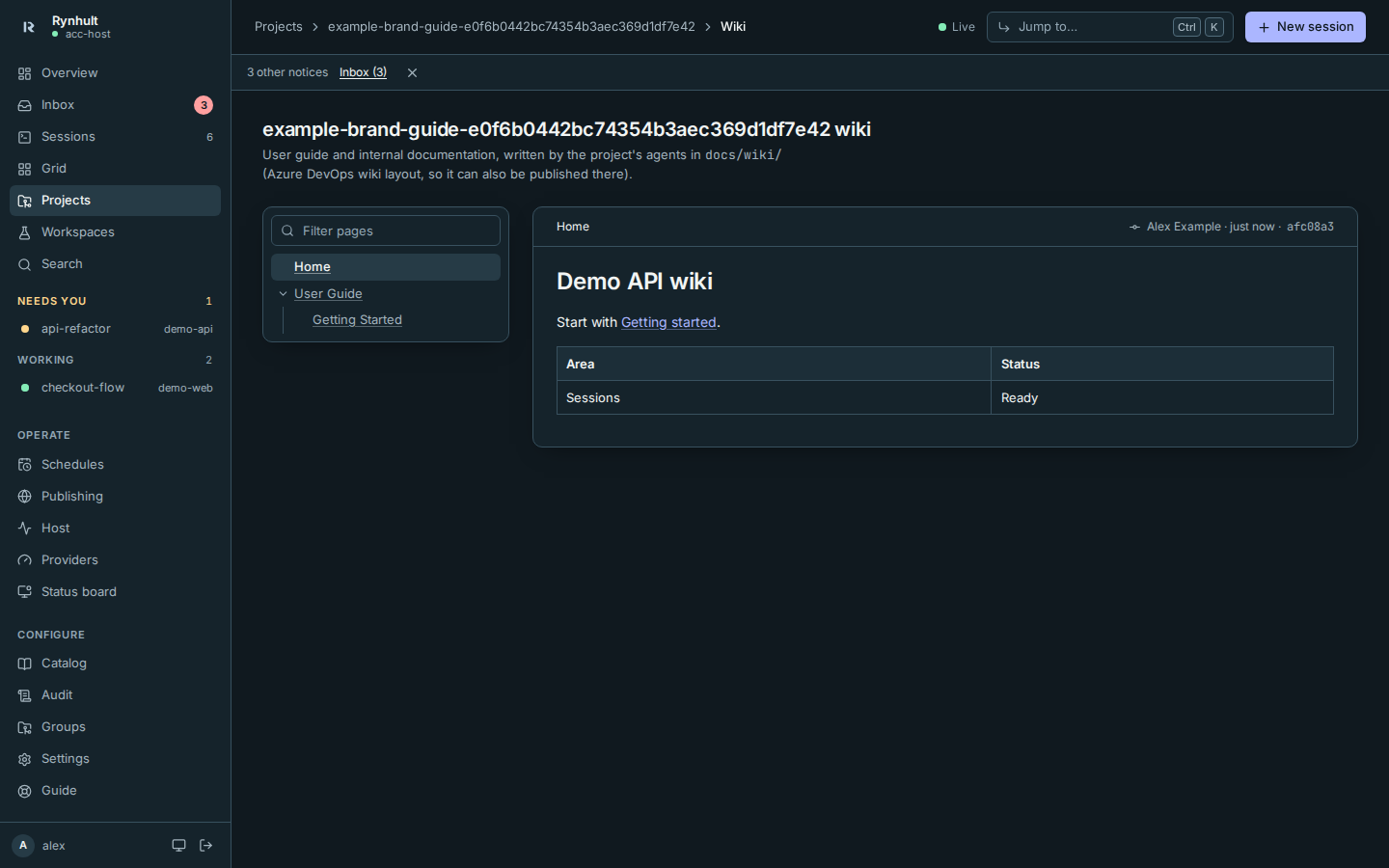
More: Wikis.
Inbox and notifications
Everything that needs you: sessions waiting for an answer, publish requests, logins about to expire, host problems. Push notifications reach your phone or desktop, and Rynhult installs as an app.
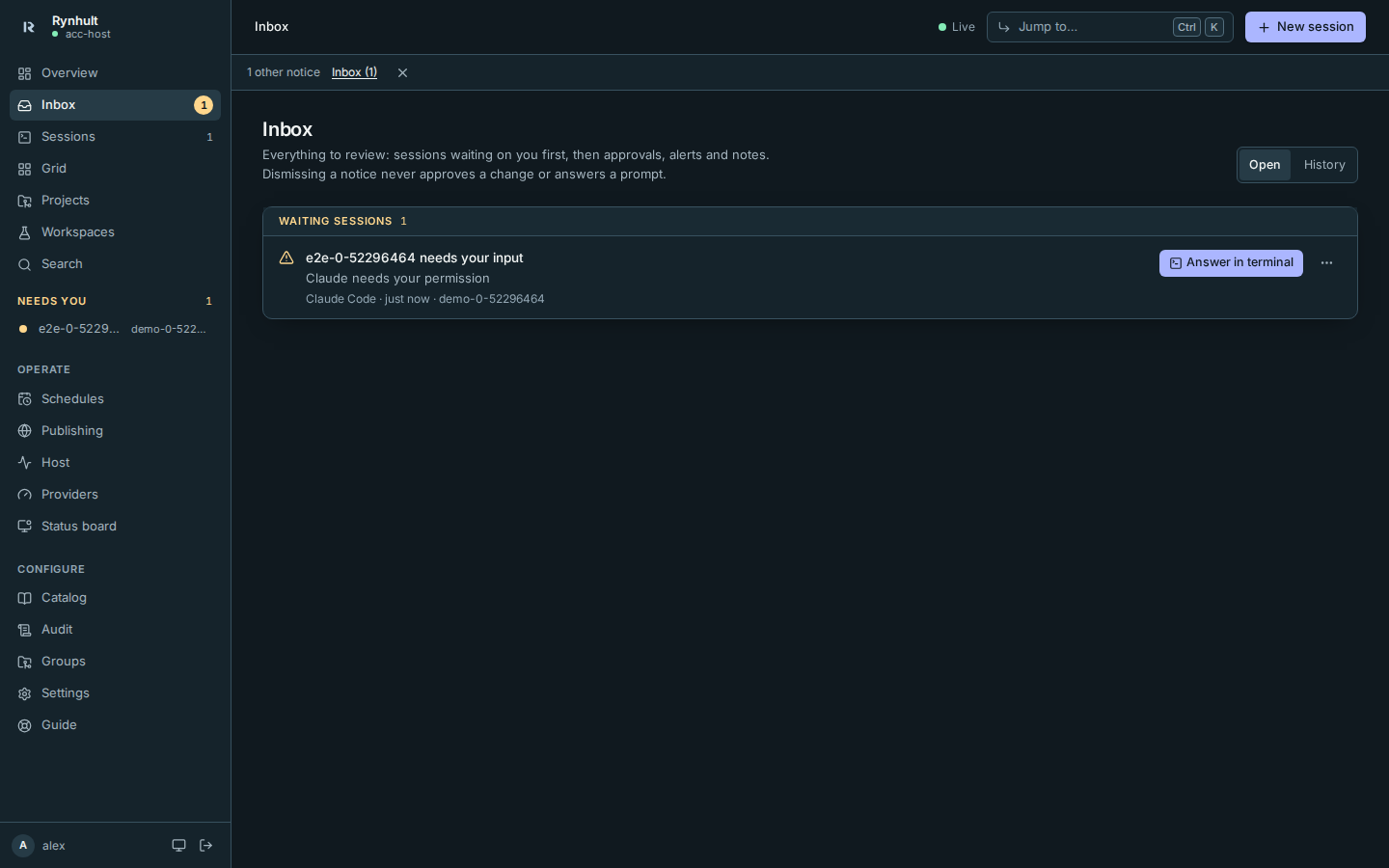
More: Inbox, Notifications and app.
Standalone desktop developer slice
The Linux phase 1 desktop can run local Claude Code or Codex sessions after an administrator provisions a separate agent account and the owner approves native sessions for the project. It is not a signed release or a per-session sandbox. The Mac port still needs device and home-access qualification; native Windows execution is unavailable. All native apps are post-v1; the server's browser-installed web app, including on phones, is part of v1.
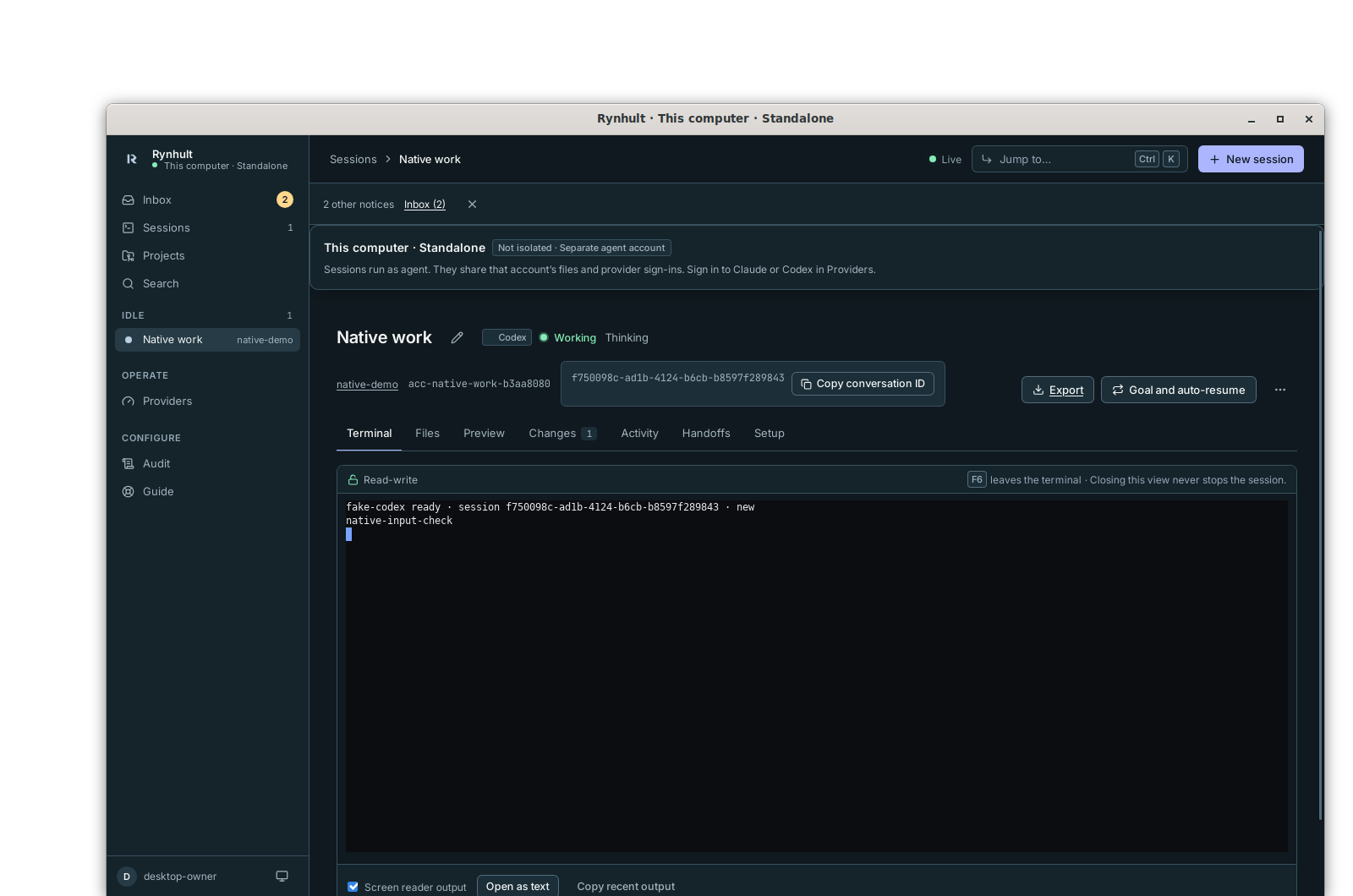
More: Desktop apps.
Publishing
Put a project's port on a hostname: Rynhult writes the Caddy site and the Cloudflare DNS record and checks HTTPS. Agents can only ask; a person approves.
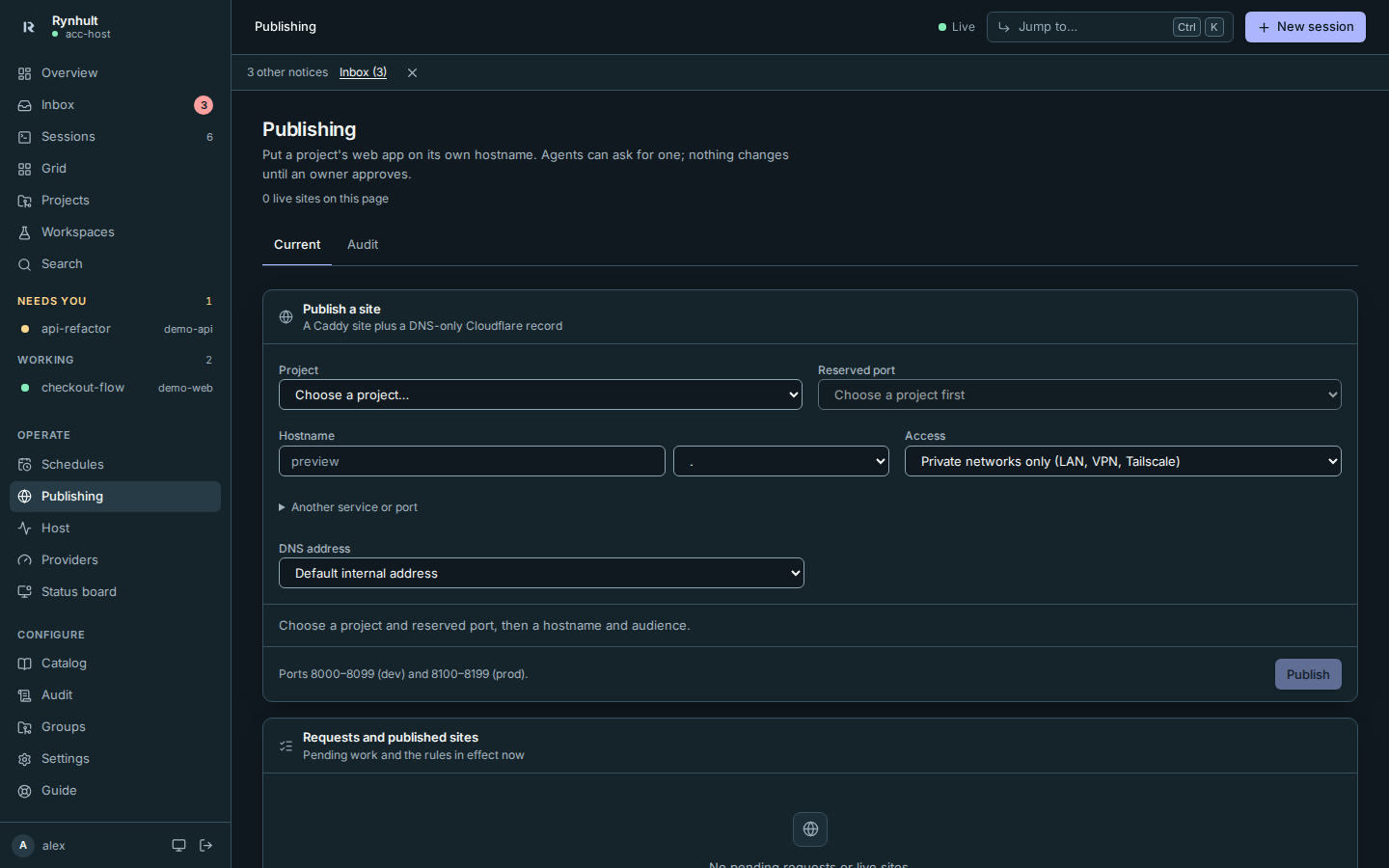
More: Publishing.
Guardrails
Development workspaces additionally refuse all pushes, adding or changing remotes and remote repository creation. A safety net against agents' mistakes, in every permission mode: no force pushes, no pushes to main, no recursive deletes outside the workspace, no reading secrets, plus your own blocked commands. They're not a sandbox; branch protection, separate agent accounts and backups are the real protection.
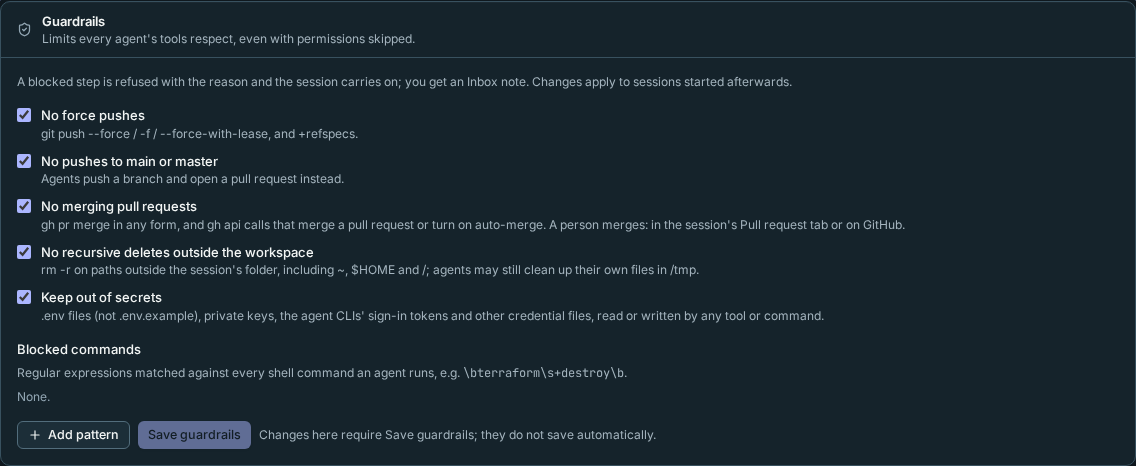
More: Guardrails.
Containers per session (Preview). An owner can run a project's new sessions each in its own container, with per-account limits. Off by default, on per project, and only on a host that has passed the container qualification. More: Sessions in containers.
Keys
API keys stored once, encrypted, and given to projects: their sessions get them as environment variables. Add one or paste a .env under Settings → Keys, give it to projects on their pages, and see in New session which variables a session gets. Values can't be read back by anyone, and if an agent prints one, Rynhult shows «key: NAME» instead.
More: Keys.
Budgets
Optional limits on your own plan usage: a cap or a pace per usage window, then a notification or a pause on new launches. None are set unless you set them.
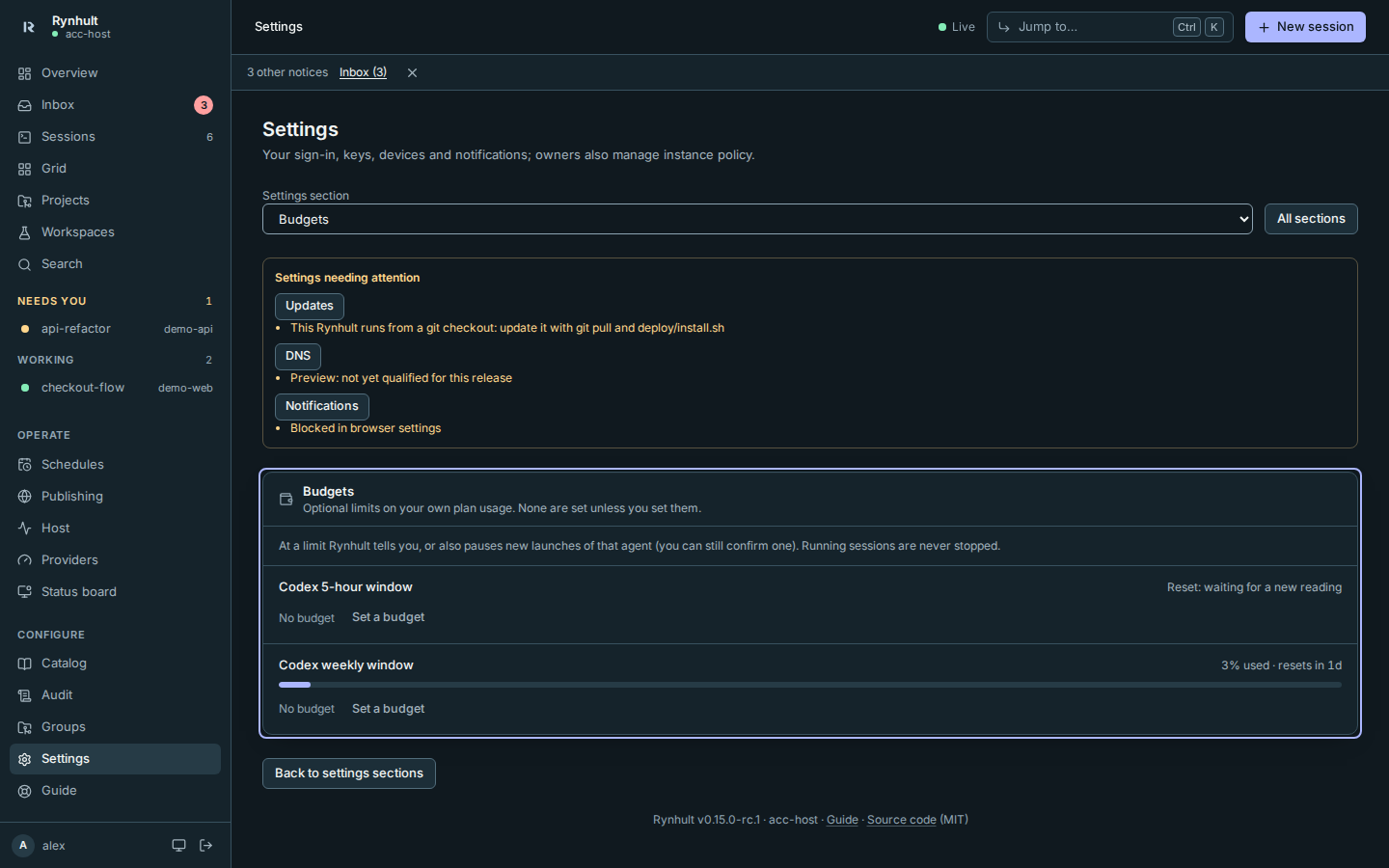
More: Budgets.
Catalog
Profiles, skills, agents and MCP servers that sessions start with. Imports are checked for risky content before you accept them.
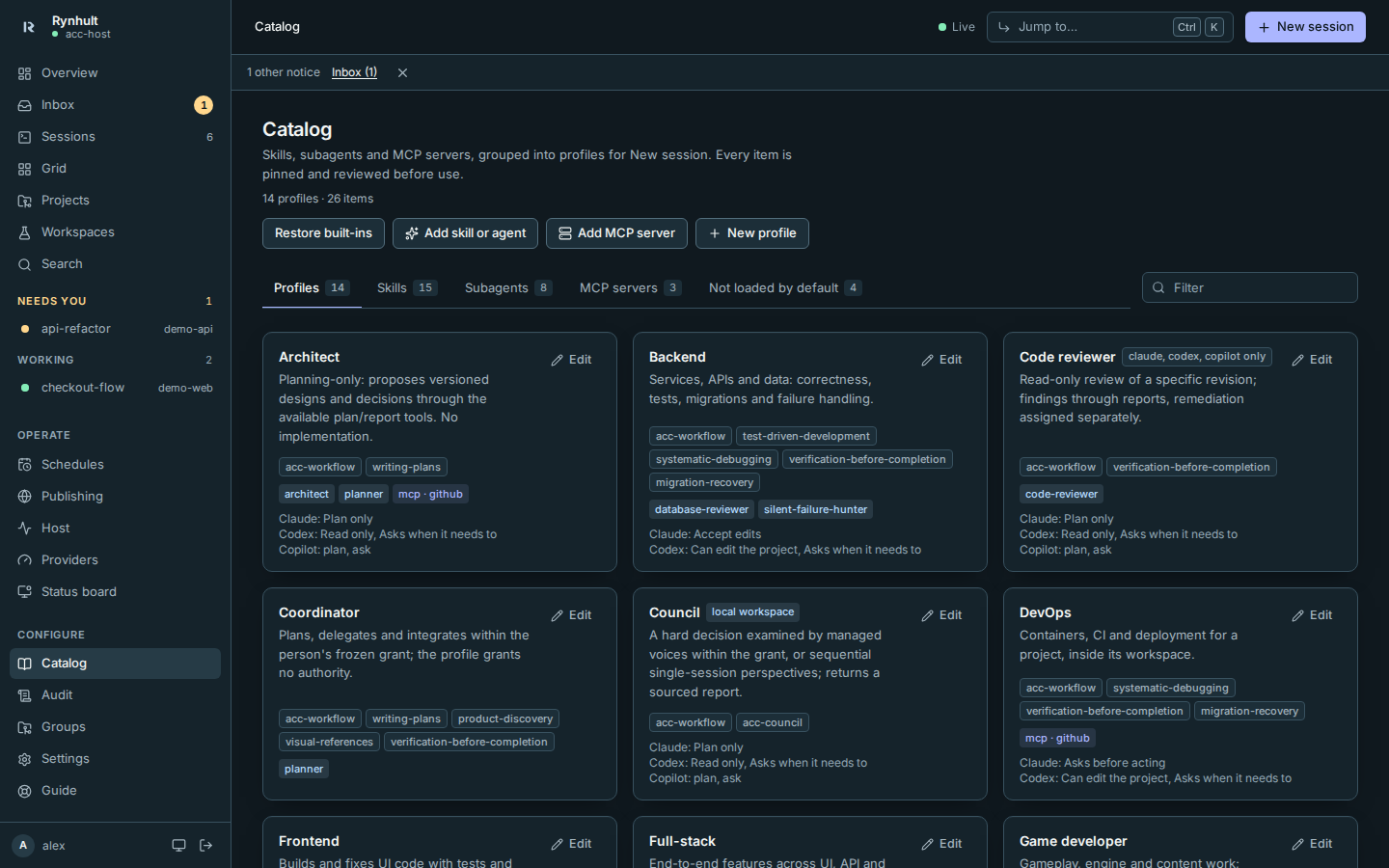
More: Catalog.
Several machines
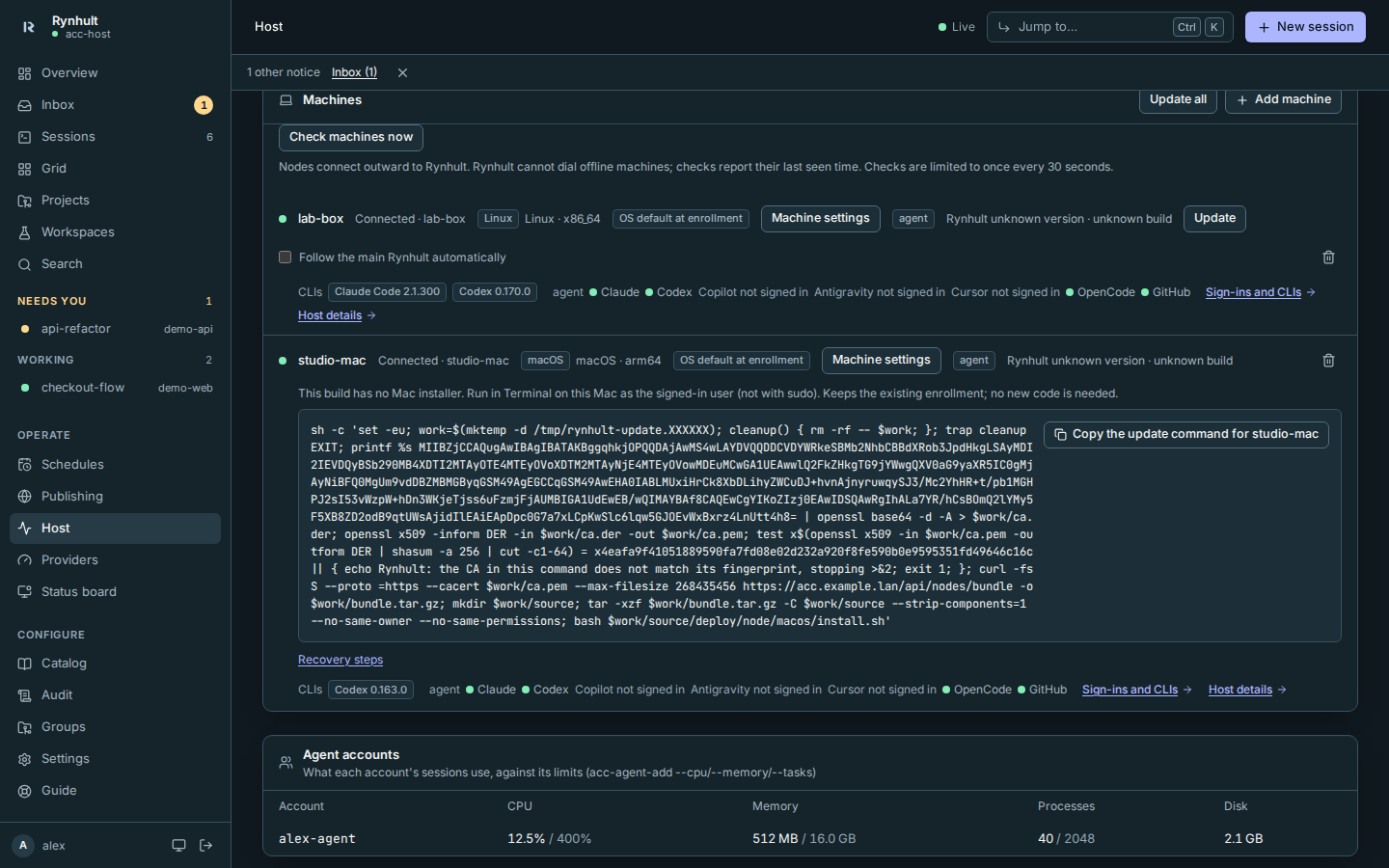
Run sessions on other computers from this one dashboard: a Linux server, a Windows PC (through WSL2) or a Mac. Each connects out to Rynhult (no ports to open), and its projects' sessions work like local ones.
Windows native mode remains an unimplemented proposal. Dedicated WSL nodes can opt into Windows interop and drive restrictions. Pre-v1 builds have no Windows/Mac release installer; already enrolled Linux/WSL machines have in-place recovery commands.
Host
Machine health for everyone who can sign in: CPU, memory, disks and SMART, GPU, services, containers and each agent account's usage. Health readings only report; owners also have explicit backup and machine-management actions.
Readings depend on the person's role and the selected machine. Mac storage names the writable Macintosh HD (data) volume, not the sealed system volume; see reported storage and limits.

More: Host and providers.
Providers
Each agent's login (Claude, Codex, Copilot, Antigravity, Cursor; OpenCode's connected providers) and GitHub's per agent account, plan usage, available models, model endpoints and the agent software Rynhult keeps installed and updated. Logins work without a browser on the server (copy a link or a device code).
The machine picker names the main machine with a main badge. Re-login names both machine and account before Start re-login starts anything; see Host and providers.
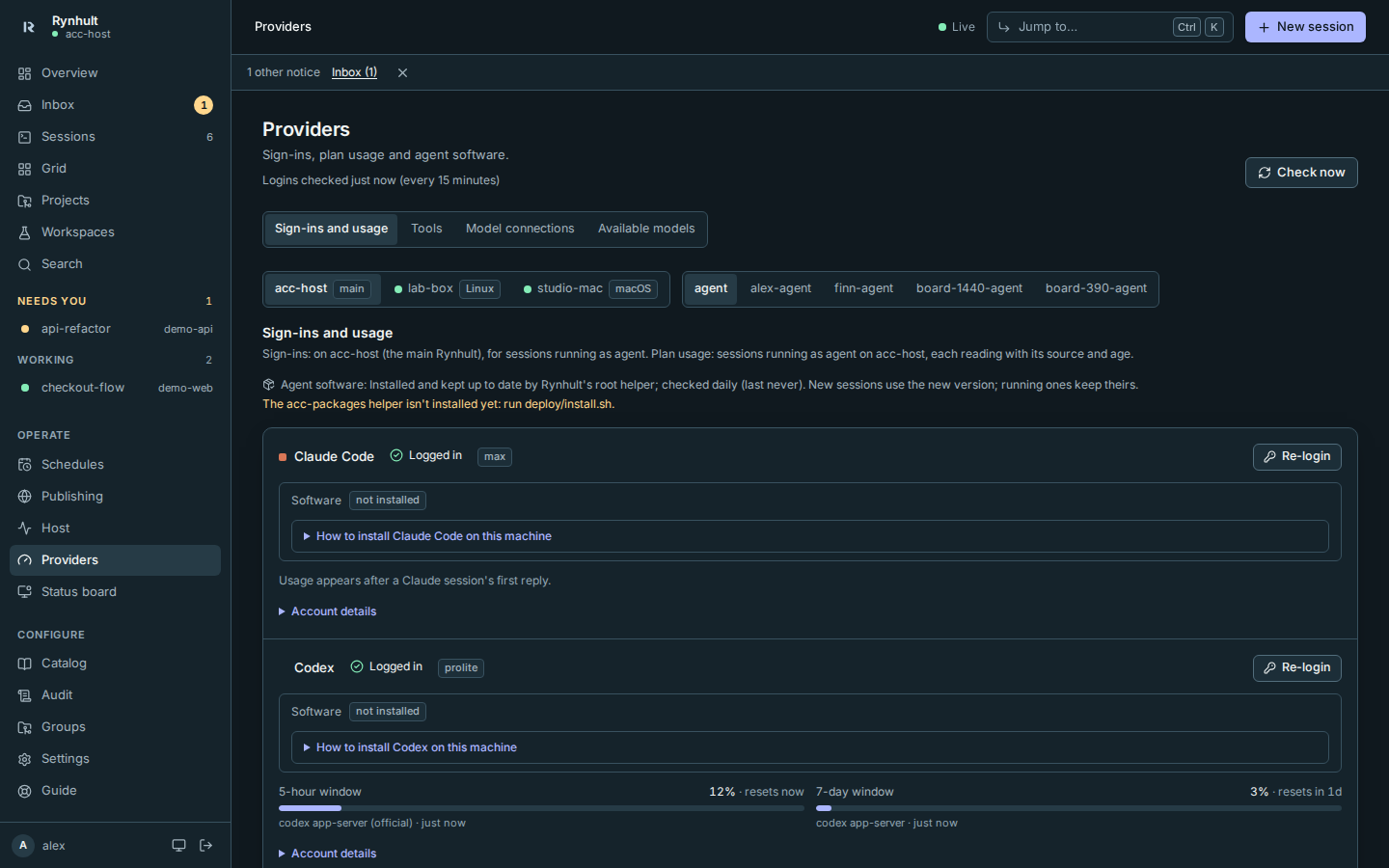
More: Host and providers.
People, members and sign-in
Sign in with a user-verified passkey, or password plus an authenticator code when policy allows. Settings manages named passkeys and offline recovery codes; owners can require passkeys separately for owners and members. Owners invite people from Settings: a one-time link, a role, and an agent account (Rynhult can create a new one on the host). Members see and run only their own projects and sessions.
The company sign-in pilot adds member OIDC sign-in only after organizations mode and Allow company sign-in are enabled. Both start off. It is tested with a local identity provider, not a real Entra tenant. Owners keep local sign-in. SCIM, SAML, LDAP and organization roles/teams are parked until after v1 (owner decision Oct 25), built on request or from contributions. Directory group admission is not shipped.
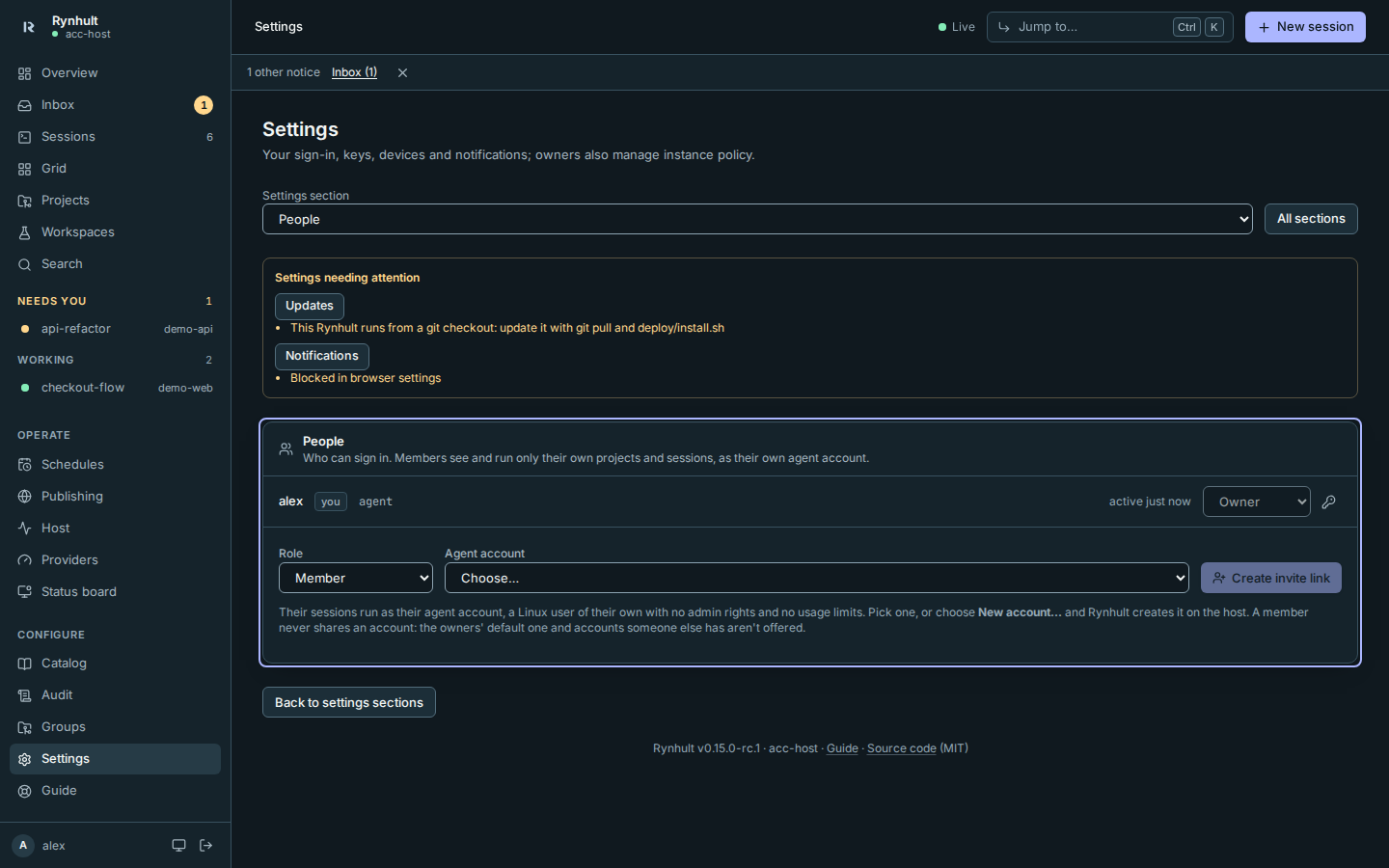
More: People and sign-in.
Audit
Who did what, when: sign-ins, terminal attaches, launches, approvals, catalog changes (owners).
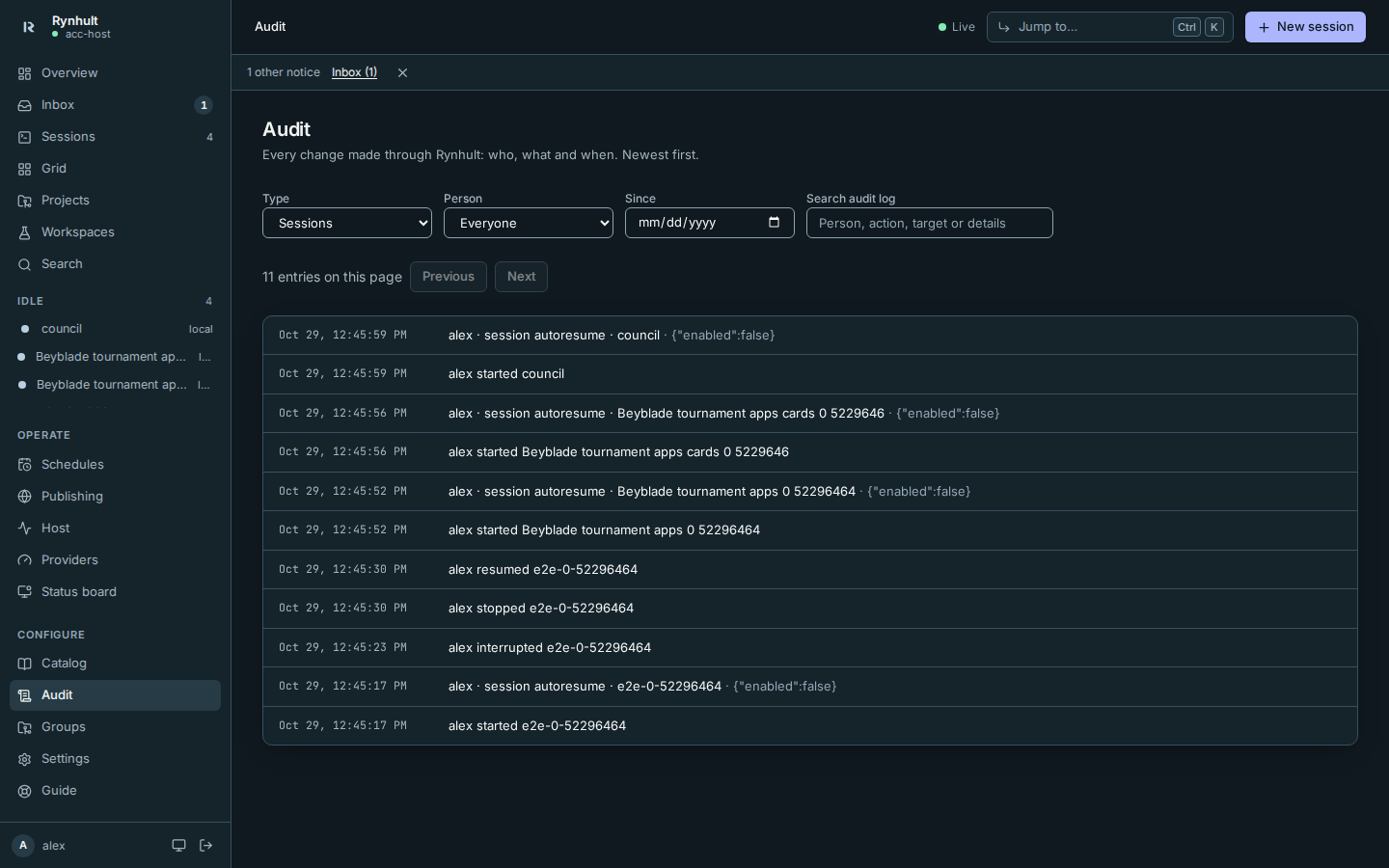
More: Audit.
Jump to and shortcuts
Jump to… (⌘K / Ctrl K) opens pages, projects, sessions and commands. Its separate Search conversation content link opens Search for full-text conversation results.
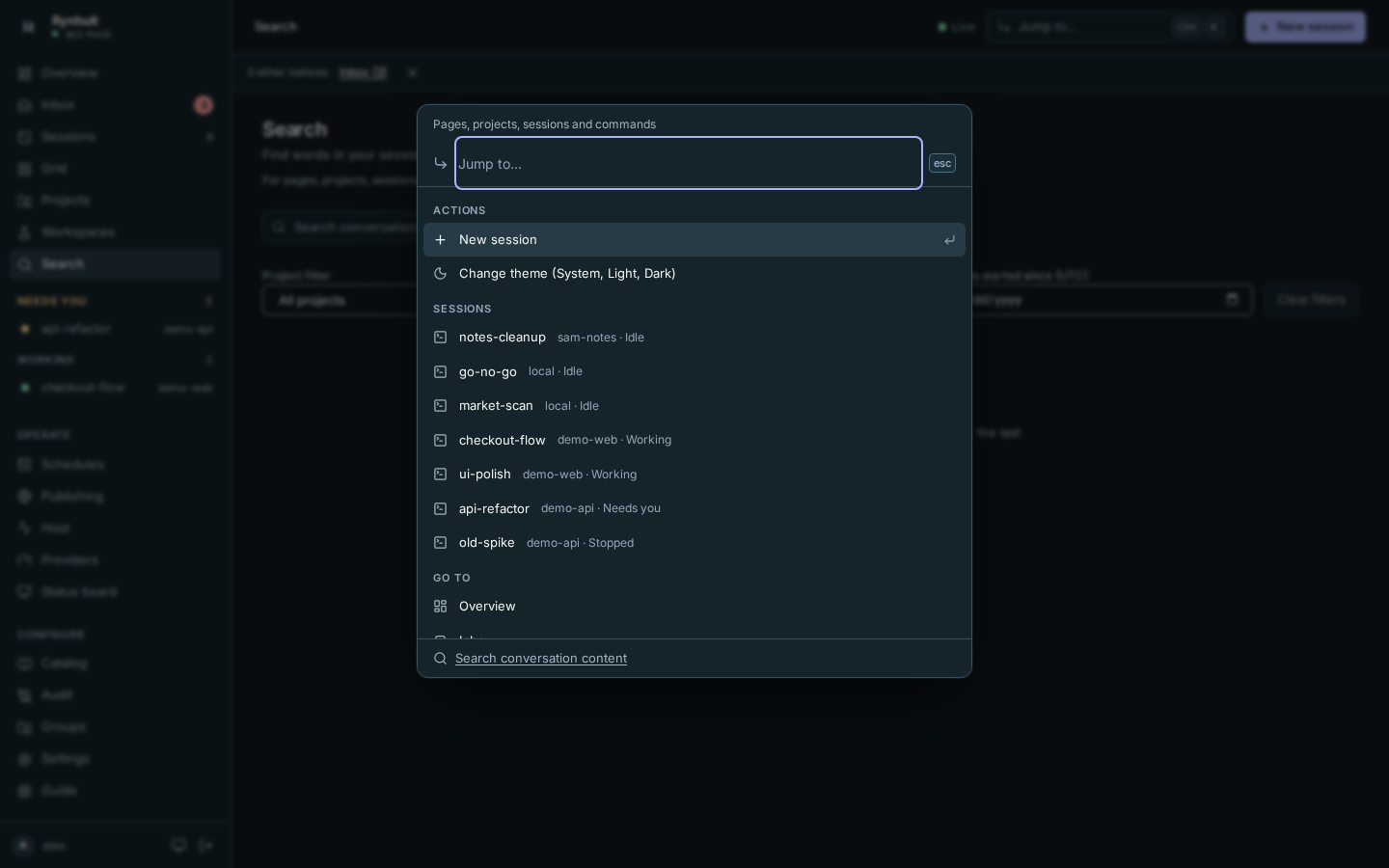
More: Keyboard shortcuts.
Guide
This documentation, inside Rynhult: Guide in the sidebar, for everyone who can sign in.
Rynhult updates (owners)
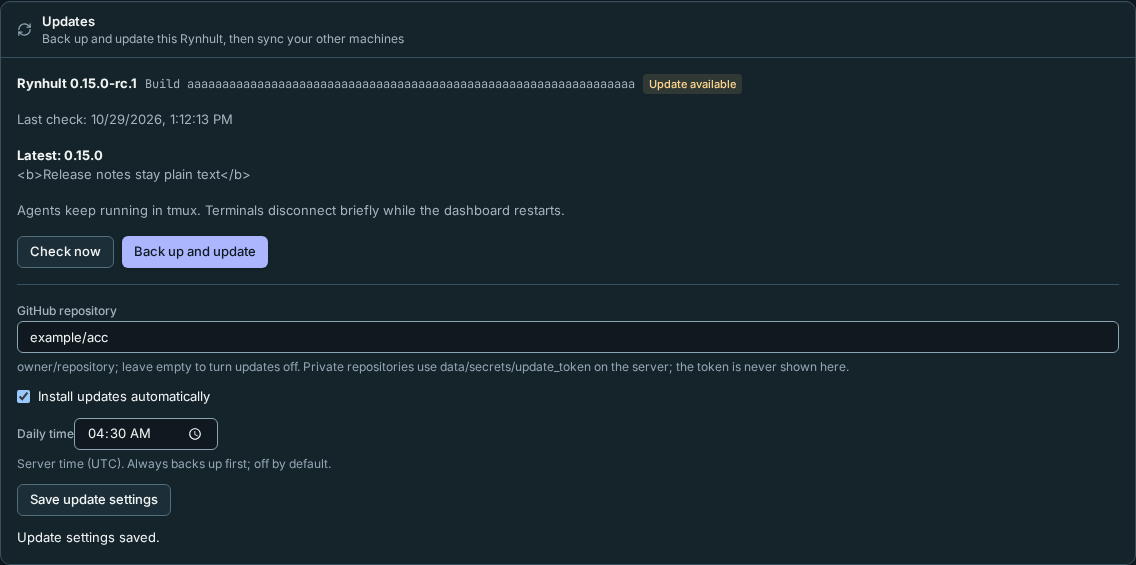
Settings → Updates checks stable releases, backs up before updating, reports progress and rollback, and offers an optional daily installation time. Machines can follow the main Rynhult by build identity. See Updating Rynhult.
Optional Orchestrator
Give one session a bounded team of helpers. Orchestrator v2 is on by default in rc.1, not a Preview, but no team starts until you choose With helpers at launch. You choose the allowed agents/profiles, permission modes, machines, running/total counts, depth and time. The lead's Team tab shows branches, commits, decisions and Stop team. Helper permissions remain yours. See Orchestrator for steps and screenshots.
High availability and desktop status
High availability supports an owner-run manual handover between matching PostgreSQL mains. Automatic evaluation is an off-by-default dry run, not automatic promotion.
Desktop apps are post-v1 experimental source: Linux has the separately provisioned session slice above, macOS still needs device/home-access qualification, and native Windows is not a qualified release. The order is not chosen yet; native Windows, macOS standalone, Linux desktop, iOS and Android are candidates, one platform at a time after v1, not immediately after rc.1.
This page is generated from docs/wiki/User-Guide/Features.md; the same page is under Guide inside Rynhult.